Input Devices of Computer – Importance and Examples
Published: 15 Nov 2025
There are many tools that help a system take data from people, and this set is known as input devices of computer. It is clear that these devices send letters, sounds, and pictures into the machine. This is where users press keys, move pointers, or speak into a mic. Here, each device plays a simple role, and when they all work together, the computer understands them. Then the computer shows results fast, and this makes daily tasks easy.
If you want to learn complete details about input devices of computer, you can visit EC Science and read about each input device in detail.
What is Input Devices of Computer?
Input devices of computer are tools that send data into a system. It helps a computer take commands, and there are many types that do this job. These devices show where users can enter text, sound, or pictures, and here the computer reads them. When someone uses them, the computer knows how to act, and then work becomes easy, even if the task was big or small, and they will help in those moments that shall need fast input.
Types of Input Devices of Computer
It is simple to see that there are many types of input devices that help a computer take data from users. This is where information enters the system, and here each device shows how it sends commands. Then those tools work together, so the computer was able to read them and will use them easily. Here is the list of computer input devices, where I explain their importance and uses, how they work, and when they will help.
- Keyboard
- Mouse
- Touchpad
- Trackball
- Joystick
- Light Pen
- Scanner
- Barcode Reader
- Optical Mark Reader (OMR)
- Optical Character Reader (OCR)
- Magnetic Ink Character Reader (MICR)
- Biometric Scanner
- Motion Sensor
- Eye Tracking Devices
- Webcam
- Digital Camera
- Microphone
- MIDI Controller
- Touchscreen
- Graphic Tablet
- Keypad
- Braille Keyboard
- Stylus
- Pointing Stick
- Digitizer
- 3D Scanner
I am explaining in full detail its importance, and where it is used.
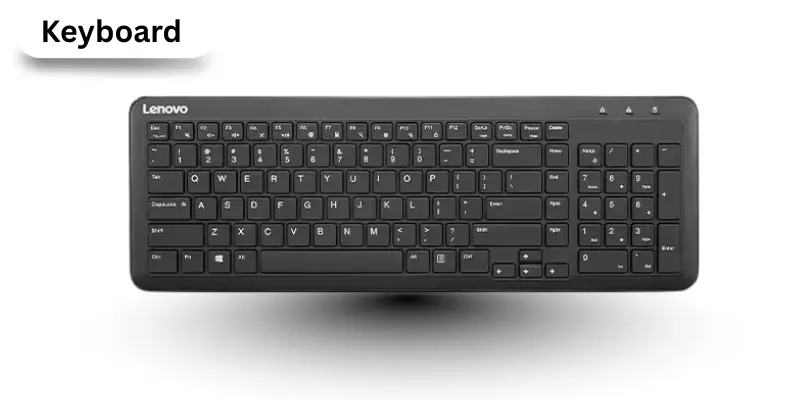
Keyboard
It is a primary input device that helps users enter data into a computer. Here, letters, numbers, and commands are sent to the system. This is where typing becomes fast and easy, and it shows how users can control the computer.
Importance of Keyboard
- It allows fast typing of text and numbers.
- There is easy access to commands using keys.
- This helps in data entry and documentation.
- It shows how tasks will be completed efficiently.
- If used correctly, it reduces typing errors.
Uses of Keyboard
- Used for writing documents and emails.
- Used in programming and coding tasks.
- Used to navigate software and games.
- Used to enter passwords and security commands.
- Used in data entry jobs and office work.
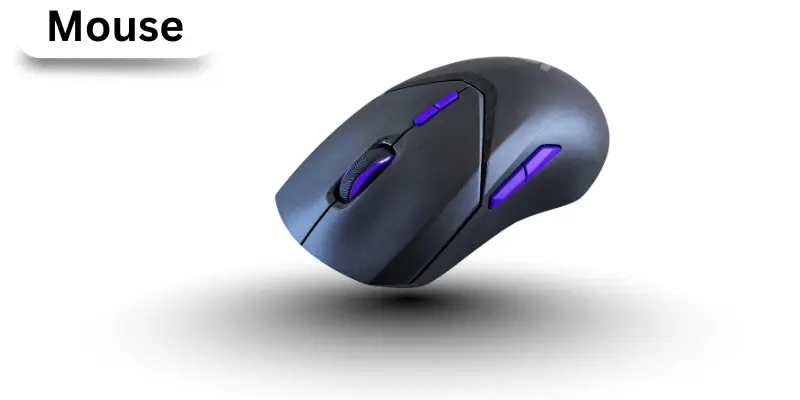
Mouse
It is a pointing device used with computers to control the cursor on the screen. There are buttons and a scroll wheel that help users click and navigate. This is where users can select, move, and open items easily, if they want to work faster.
Importance of Mouse:
- It gives quick control over the cursor.
- It helps them select files easily.
- It makes navigation simple.
- It is useful when working on graphics or documents.
- It increases productivity if used properly.
Uses of Mouse:
- Used to open files and folders.
- Used in gaming for control.
- Used in drawing and designing.
- Used to scroll through pages.
- Used to select text and images.
Touchpad
It is a flat, touch sensitive device found on laptops. There users move their fingers on this surface to control the pointer. Here, it shows how simple it is to navigate when a mouse is not available.
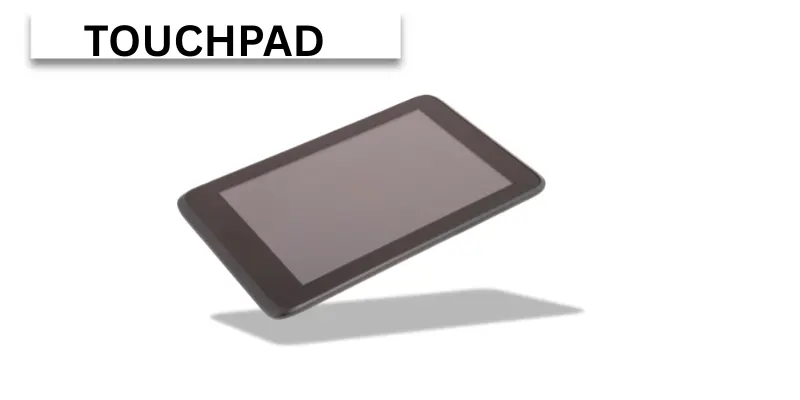
Importance of Touchpad
- It saves space on desks.
- It helps users control the pointer easily.
- It works well when a mouse is not near.
- It gives smooth and fast movement.
- It allows gesture controls for convenience.
Uses of Touchpad
- Used for moving the cursor on laptops.
- Used for clicking and selecting items.
- Used for scrolling through pages.
- Used for dragging and dropping files.
- Used in gestures like zooming and rotating images.
Trackball
It is a stationary device with a ball that users roll to move the pointer. There the pointer moves smoothly when you roll the ball. This is useful here where desk space is limited.
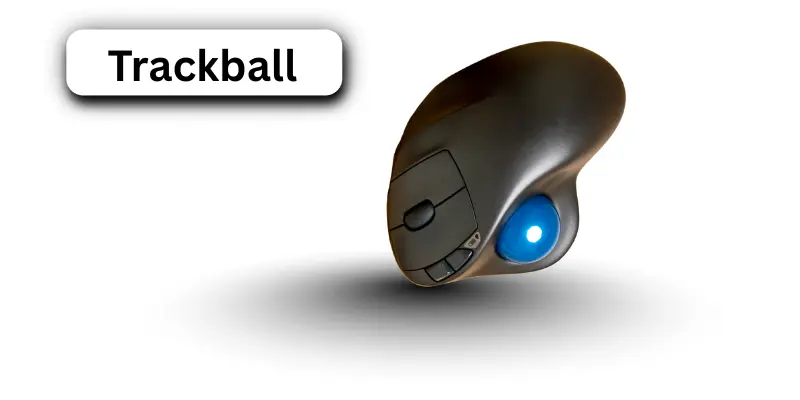
Importance of Trackball
- It saves desk space.
- It gives precise pointer control.
- It works well with one hand.
- It reduces hand movement fatigue.
- It is easy to use in small spaces.
Uses of Trackball
- Used in graphic design.
- Used in control rooms.
- Used in gaming.
- Used in CAD applications.
- Used for smooth pointer movement.
Joystick
It is a stick-like input device where users move it to control directions. Here, it shows how users can play games or control machines. This is useful when precise movement is needed.
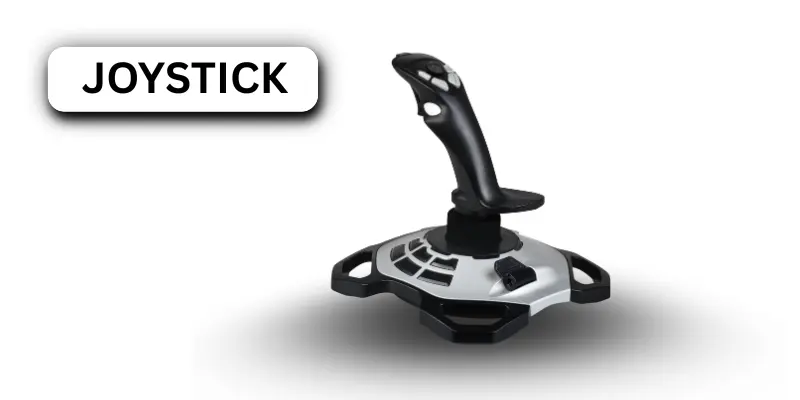
Importance of Joystick
- It gives strong directional control.
- It is easy to use in games.
- It helps in simulations.
- It reduces errors in control tasks.
- It improves user experience in navigation.
Uses of Joystick
- Used in flight simulators.
- Used in gaming consoles.
- Used for robot control.
- Used in machinery operations.
- Used in training simulations.
Light Pen
It is a pen-like device where users touch the screen to select items. Here, it shows how users can interact directly with the display. This is helpful when drawing or selecting on the screen.
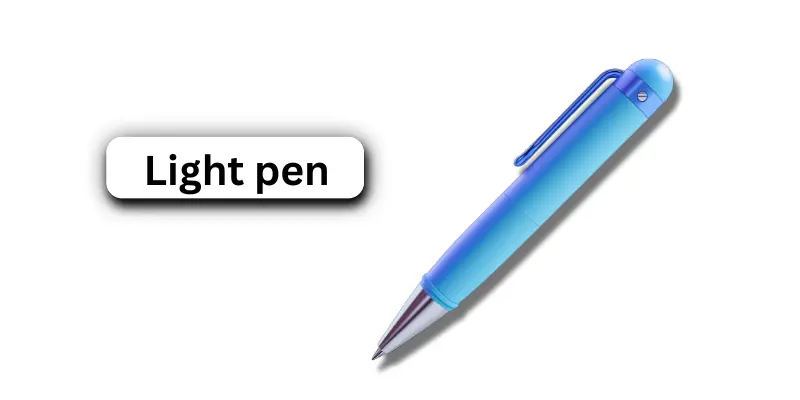
Importance of Light Pen
- It gives direct screen control.
- It allows accurate selection.
- It helps in drawing on screens.
- It works for design tasks.
- It is simple to use for beginners.
Uses of Light Pen
- Used in graphic design.
- Used in teaching tools.
- Used in drawing applications.
- Used in menu selection.
- Used in touchscreen interaction.
Scanner
It is a device where users can turn paper documents or images into digital form. Here, it shows how computers can store real-world data. This is useful when preserving or sharing information.
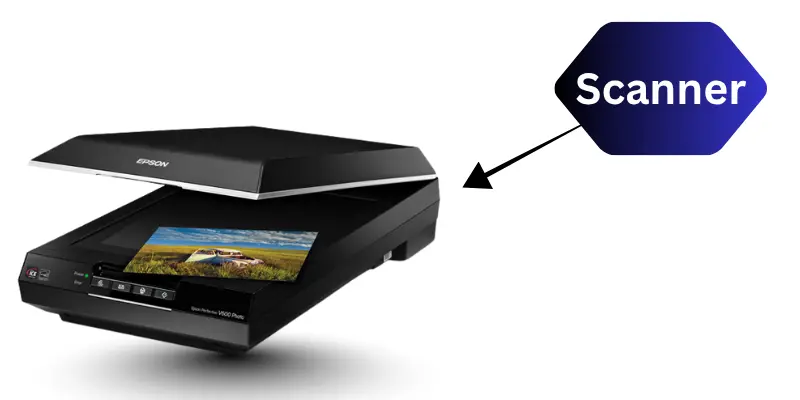
Importance of Scanner
- It saves physical documents digitally.
- It keeps records safe.
- It works for both text and images.
- It speeds up data entry.
- It improves document management.
Uses of Scanner
- Used in offices for documents.
- Used in schools for assignments.
- Used in banks for records.
- Used for scanning photos.
- Used in libraries for digitization.
Barcode Reader
It is a device where users scan barcodes to send data to the computer. Here, it shows how products are identified quickly. This is useful when fast billing or inventory management is needed.
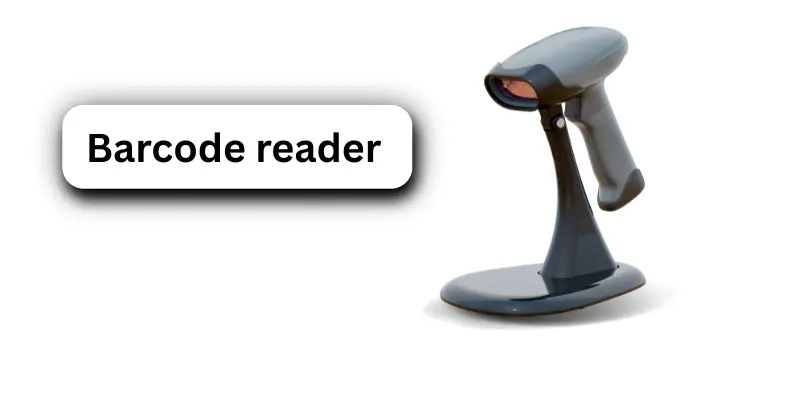
Importance of Barcode Reader
- It speeds up checkout processes.
- It reduces human errors.
- It works for inventory management.
- It improves accuracy in stores.
- It is simple to use in shops.
Uses of Barcode Reader
- Used in supermarkets for billing.
- Used in warehouses for tracking stock.
- Used in libraries for books.
- Used in hospitals for patient tracking.
- Used in logistics for shipments.
Optical Mark Reader (OMR)
It is a device used to read marks on paper, like answers in exams. There it detects dark marks automatically. Here, it shows how computers collect data when humans mark sheets.
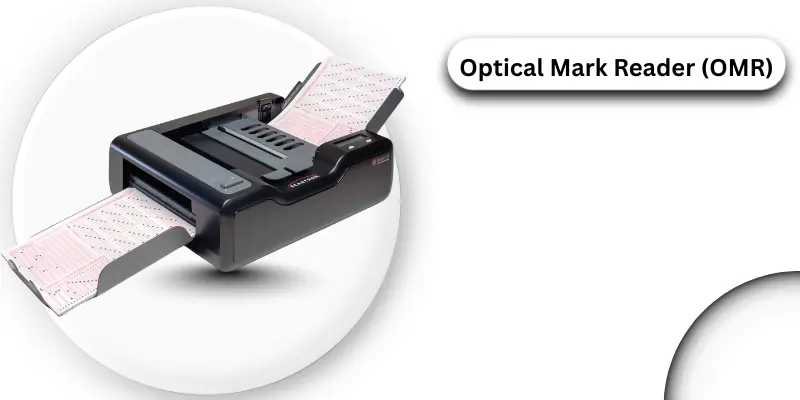
Importance of Optical Mark Reader:
- It saves time in exams.
- It reduces human errors.
- It works fast for large groups.
- It provides accurate results.
- It helps teachers process tests easily.
Uses of Optical Mark Reader:
- Used in multiple choice tests.
- Used in surveys and polls.
- Used in quizzes.
- Used in school competitions.
- Used in exams for fast scoring.
Optical Character Reader (OCR)
It is a device that reads printed text and converts it into digital form. There it scans letters and numbers automatically. Here, it shows how text can be stored digitally when typing is not needed.
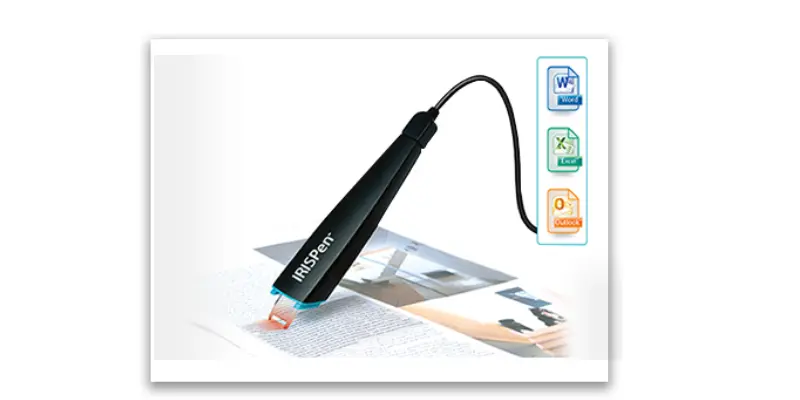
Importance of Optical Character Reader:
- It saves typing time.
- It reduces errors in data entry.
- It works for printed books.
- It allows digital editing.
- It helps in storing documents easily.
Uses of Optical Character Reader:
- Used in libraries to scan books.
- Used in offices for documents.
- Used in banks for forms.
- Used in schools for records.
- Used in archives for digitizing papers.
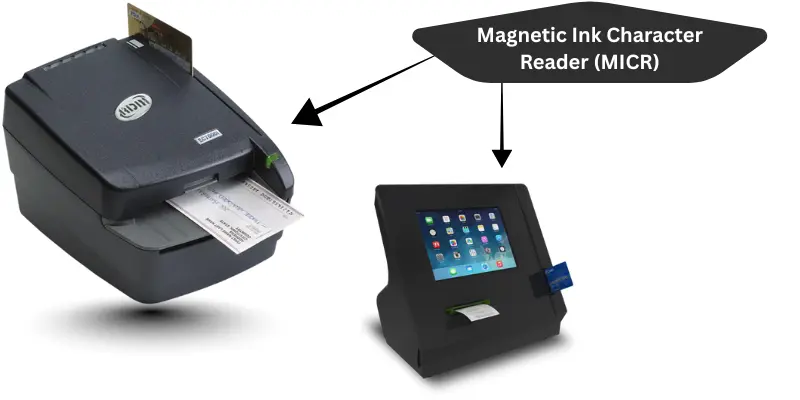
Magnetic Ink Character Reader (MICR)
It is a device that reads special magnetic ink on checks. There it ensures accuracy in banking. Here, it shows how banks process checks quickly when handling large amounts of money.
Importance of Magnetic Ink Character Reader:
- It increases security.
- It reduces human errors.
- It works fast in banks.
- It ensures reliable processing.
- It saves time for bank staff.
Uses of Magnetic Ink Character Reader:
- Used in banks for checks.
- Used in financial transactions.
- Used in clearing houses.
- Used for secure document reading.
- Used in cheque verification.
Biometric Scanner
It is a device that reads fingerprints, faces, or eyes to identify people. There it gives strong security. Here, it shows how only authorized users can access devices when safety is needed.

Importance of Biometric Scanner:
- It increases security.
- It prevents unauthorized access.
- It works fast for login.
- It ensures accurate identification.
- It helps in modern safety systems.
Uses of Biometric Scanner:
- Used in smartphones.
- Used in offices for attendance.
- Used in laptops for secure login.
- Used in banks for authentication.
- Used in security systems.
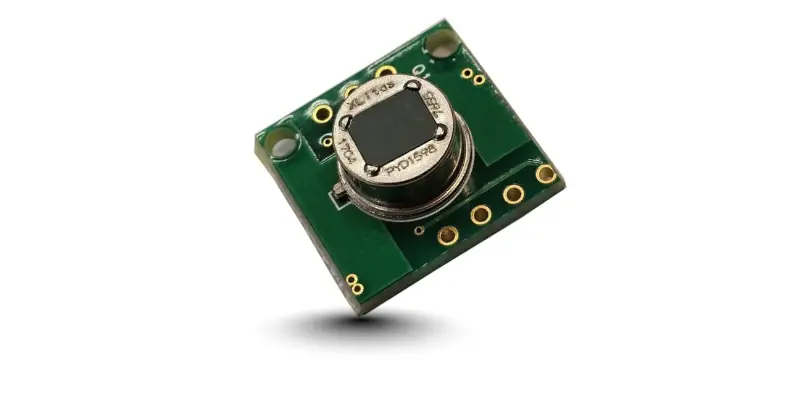
Motion Sensor
It is a device that detects movement of people or objects. There it sends signals to a computer or system. Here, it shows how actions can trigger devices when someone moves nearby.
Importance of Motion Sensor:
- It allows touchless control.
- It saves energy in devices.
- It works in smart systems.
- It increases convenience.
- It improves safety in homes.
Uses of Motion Sensor:
- Used in smart homes.
- Used in automatic lights.
- Used in security alarms.
- Used in gaming controls.
- Used in cameras.
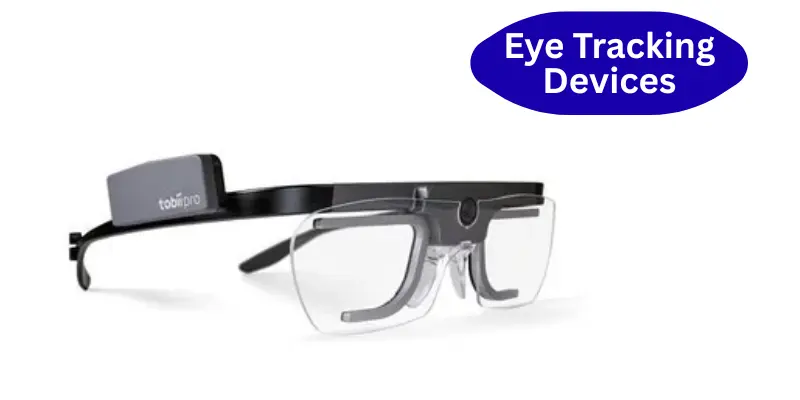
Eye Tracking Devices
It is a device that follows eye movements to control the computer. There it helps people interact without using hands. Here, it shows how computers understand gaze when users look at the screen.
Importance of Eye Tracking Devices:
- It allows hands-free control.
- It helps people with disabilities.
- It works in research studies.
- It improves user experience.
- It tracks attention in learning or ads.
Uses of Eye Tracking Devices:
- Used in labs for research.
- Used in accessibility tools.
- Used in gaming.
- Used in marketing studies.
- Used in medical devices.
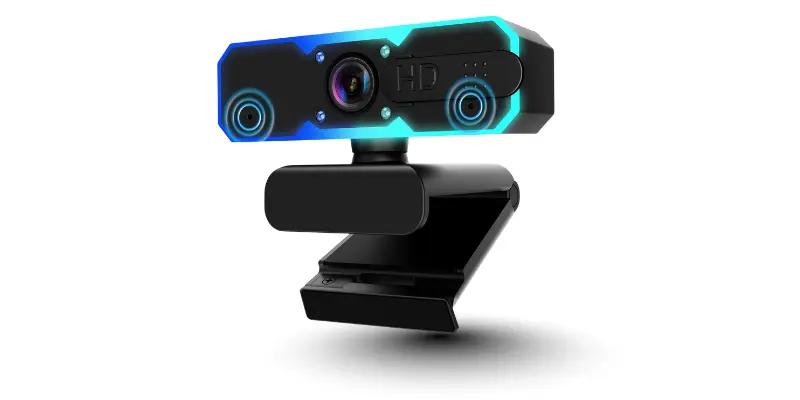
Webcam
It is a device that captures live video for computers. There it sends images in real-time. Here, it shows how people can see each other when using video calls or meetings.
Importance of Webcam:
- It allows video communication.
- It works for online classes.
- It helps in meetings.
- It records live events.
- It supports streaming activities.
Uses of Webcam:
- Used in video calls.
- Used in online classes.
- Used for streaming videos.
- Used in meetings.
- Used for content creation.
Digital Camera
It is a device that captures photos and videos digitally. There it stores media for computers. Here, it shows how pictures can be transferred quickly when editing or sharing is needed.

Importance of Digital Camera:
- It stores high quality images.
- It works with computers for editing.
- It saves memories digitally.
- It allows instant sharing.
- It is easy to use for everyone.
Uses of Digital Camera:
- Used in schools for projects.
- Used for events and trips.
- Used in offices for documentation.
- Used in content creation.
- Used for photography practice.
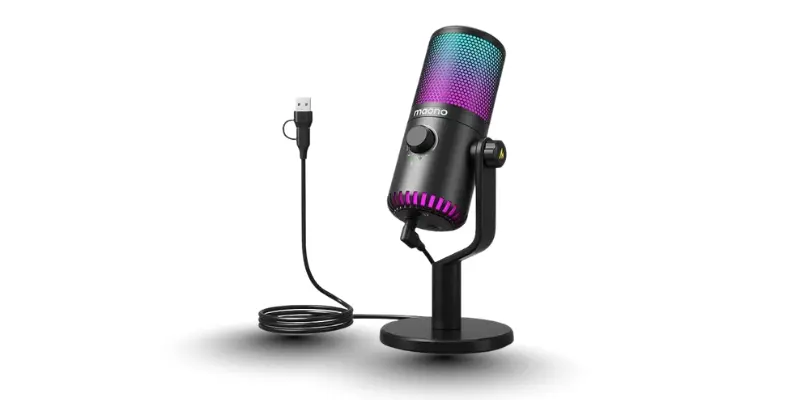
Microphone
It is a device that sends sound to a computer. There it records voice or audio signals. Here, it shows how people can communicate when using voice commands or recording tools.
Importance of Microphone:
- It allows voice input.
- It works for online calls.
- It records sounds clearly.
- It helps in music or presentations.
- It improves accessibility for users.
Uses of Microphone:
- Used in online meetings.
- Used in games with voice control.
- Used in classrooms.
- Used for recording music.
- Used for podcasts or videos.
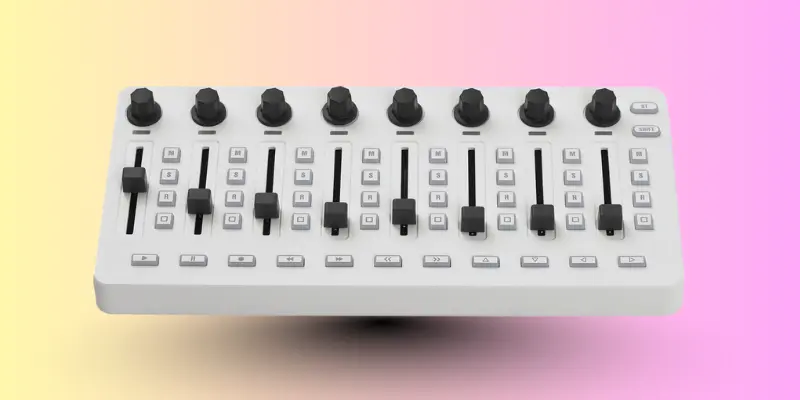
MIDI Controller
It is a device that sends musical commands to a computer. There it helps create digital music. Here, it shows how musicians can produce sounds when composing or performing.
Importance of MIDI Controller:
- It allows music production.
- It works for digital instruments.
- It saves time in recording.
- It supports creative control.
- It helps in composing new tunes.
Uses of MIDI Controller:
- Used in music studios.
- Used for composing songs.
- Used for live performances.
- Used for practice by students.
- Used in creating digital music tracks.
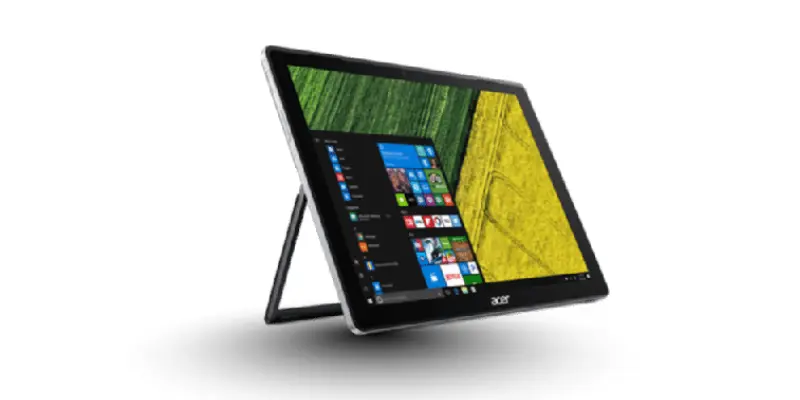
Touchscreen
It is a screen where users can touch this surface to give commands. There is no need for a mouse. Here, it shows how easy it is to use when interacting with devices.
Importance of Touchscreen:
- It allows direct interaction with the device.
- It is easy for beginners and kids.
- It saves space by removing the need for extra devices.
- It provides fast input for apps and games.
- It supports gestures for better control.
Uses of Touchscreen:
- Used in smartphones and tablets.
- Used in ATMs and kiosks.
- Used in interactive displays.
- Used for drawing and design apps.
- Used in educational tools.
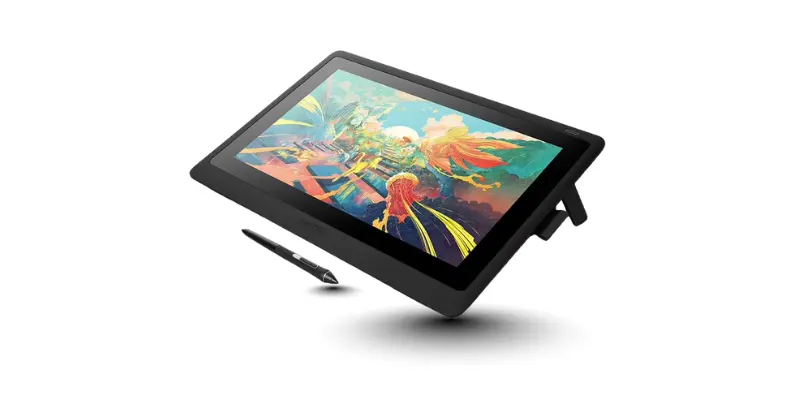
Graphic Tablet
It is a flat device where users draw with a pen-like tool. There is precision in writing or drawing. Here, it explains how artists use this for digital work.
Importance of Graphic Tablet:
- It gives precise control for designers.
- It allows natural handwriting or drawing.
- It reduces paper usage.
- It is useful for digital art creation.
- It works well with creative software.
Uses of Graphic Tablet:
- Used by designers and illustrators.
- Used for digital art projects.
- Used in animation creation.
- Used for handwriting input.
- Used in photo editing.
Keypad
It is a small keyboard where only numbers or limited keys are present. There it provides quick data entry. Here, it shows how simple tasks are done when space is limited.
Importance of Keypad:
- It saves desk space.
- It allows fast number input.
- It works well with laptops and devices.
- It is simple and easy to use.
- It reduces typing errors.
Uses of Keypad:
- Used in ATMs and calculators.
- Used in security access systems.
- Used in shops for billing.
- Used in banking devices.
- Used in numeric data entry.
Braille Keyboard
It is a keyboard where raised dots represent letters for visually impaired users. There it helps them type easily. Here, it shows how important this device was for accessibility.
Importance of Braille Keyboard:
- It improves access for blind users.
- It supports learning and education.
- It allows fast typing with fingers.
- It is easy to use with computers.
- It increases independence.
Uses of Braille Keyboard:
- Used in schools for visually impaired students.
- Used in offices for blind workers.
- Used at home for personal use.
- Used in libraries with computers.
- Used for accessible communication.
Stylus
It is a pen-like tool where users write or draw on touchscreens or tablets. There it gives more precision than fingers. Here, it shows how easy it is to control this device.
Importance of Stylus:
- It allows precise drawing and writing.
- It works better than fingers for small details.
- It supports digital art creation.
- It reduces screen smudges.
- It is lightweight and easy to use.
Uses of Stylus:
- Used on tablets and smartphones.
- Used for note taking.
- Used for digital painting.
- Used for editing documents.
- Used for interactive apps.
Pointing Stick
It is a small stick where users move it with fingers to control the pointer. There it replaces a mouse in tight spaces. Here, it shows how convenient this tool is when traveling.
Importance of Pointing Stick:
- It saves desk space.
- It allows fast pointer movement.
- It works without a mouse.
- It is easy to use with laptops.
- It supports precise control.
Uses of Pointing Stick:
- Used on laptops.
- Used for short navigation tasks.
- Used in travel or mobile work.
- Used in small desks or spaces.
- Used for quick pointer control.
Digitizer
It is a device where physical drawings are turned into digital form. There it captures every detail accurately. Here, it shows how designers use this tool to save work digitally.
Importance of Digitizer:
- It preserves artwork digitally.
- It allows editing on computers.
- It gives precise shapes and lines.
- It supports design software.
- It reduces paper use.
Uses of Digitizer:
- Used in studios for designs.
- Used for maps and plans.
- Used in architecture projects.
- Used in animations.
- Used in digital graphics.
3D Scanner
It is a device where real objects are scanned into 3D digital models. There it captures every angle. Here, it shows how this technology was useful in many industries.
Importance of 3D Scanner:
- It allows accurate 3D modeling.
- It helps in 3D printing.
- It saves time in design work.
- It supports engineering and medical uses.
- It captures objects precisely.
Uses of 3D Scanner:
- Used in hospitals for prosthetics.
- Used in gaming and VR.
- Used in factories for design.
- Used in 3D printing.
- Used in research and analysis.
Advantages and Disadvantages of Input Devices of computer
It is important to know how input devices help computers and users. There are many tools where data is entered easily. Here, we explain this topic so readers understand when input devices are useful, how they work, and if they have some limits, then they can choose the right device.
| Advantages of Input Devices |
|---|
|
| Disadvantages of Input Devices |
|---|
|
Conclusion
It is clear that input devices are essential for every computer. There are many types where users can send data, control the system, and interact with applications. Here, we learned how each device works, when it is used, and how it helps productivity. If these devices are chosen and used properly, then they will make tasks faster, easier, and more accurate. This shows the importance of input devices in everyday computer use.
FAQs about Input Devices of Computer
It is helpful to have answers to common questions about input devices. There are many things where users may wonder how devices work, when they should be used, and what their importance is. Here, we provide clear answers so anyone can understand this topic easily, and if they read them carefully, then they will know how to use those devices effectively.
It is because input devices allow users to send data to a computer. There is no way to interact with a computer without them. This helps in performing tasks faster and more accurately.
It is the keyboard. There are also other popular devices like the mouse. Here, users can type or control the computer quickly.
Yes, they can. This includes devices like touchscreens and stylus pens where users interact with mobile phones easily.
It is a screen where users touch to give commands. There is no need for a mouse. This allows direct control of apps and features.
Yes, there are many types, including keyboards, mice, scanners, microphones, and graphic tablets. Here, each device works how it was designed.
It is a graphic tablet or stylus. There users can draw naturally, and this helps create digital art when precision is needed.
It reads personal body features like fingerprints or face. There is technology where data is checked and verified. Then, access is allowed if it matches.
They are used in shops, warehouses, and billing systems. Here, barcode scanners read codes so items can be tracked and recorded easily.
No, they usually need electricity or battery power. If power is missing, then the device will not function.
It detects body movement. There is a system where gestures can control games or smart devices. This makes interaction easier and hands free.
Input devices are tools that allow users to send data or commands to a computer. Here are 20 examples of input devices:
- Keyboard
- Mouse
- Scanner
- Microphone
- Webcam
- Joystick
- Trackball
- Touchpad
- Graphics Tablet
- Light Pen
- Barcode Reader
- Biometric Scanner
- Game Controller
- Digital Camera
- Stylus Pen
- Remote Control
- Magnetic Stripe Reader
- QR Code Scanner
- Motion Sensor
- VR Controllers