What is Firewall in Computer Network
Published: 18 Mar 2026
A computer network needs safety to stay secure online. Every second, lots of data move across the internet. Some data is safe, but some can be harmful. Many ask, what is Firewall in Computer Network? It is a wall that protects networks. A firewall checks incoming and outgoing traffic and blocks dangerous activity. It plays an important role in keeping computers and data safe.
What is Firewall in Computer Network?
A firewall protects a computer network. It checks data that travels between a computer and the internet. It blocks harmful traffic. This protection helps keep computers, files, and private information safe from hackers and malware.
History of Firewall
Computer networks grew fast during the 1980s. Many systems started to connect through the internet. Hackers also started to attack networks. Security experts needed a strong tool to protect computers. This need led to the creation of the firewall.
1. Early Network Security (1980s)
Network security ideas started during the late 1980s. Researchers and engineers worked on ways to protect network traffic. One early solution checked small pieces of data called packets. This system looked at the source and destination of each packet. It allowed safe traffic and blocked risky traffic. Experts called this system packet filtering firewall.
Organizations such as Digital Equipment Corporation helped develop early firewall technology. Their work helped improve basic network protection.
2. First Generation Firewall (Packet Filtering)
The first firewall generation appeared around 1988. Engineers created packet filtering systems to control network traffic. These firewalls checked basic information in data packets. They used simple rules to allow or block traffic.
Early firewalls improved network protection. Many companies started to use them for security. However, these systems had limits. They could not track active connections.
3. Second Generation Firewall (Stateful Inspection)
During the early 1990s, engineers improved firewall technology. They created stateful inspection firewalls. These firewalls tracked active connections between computers.
Stateful inspection allowed better security control. The firewall checked packet data and connection status. This improvement made network protection stronger.
Researchers at AT&T Bell Laboratories helped develop this technology. Their work improved firewall performance and reliability.
4. Third Generation Firewall (Application Layer Firewall)
Security experts continued to improve firewall systems. During the mid-1990s, developers introduced application layer firewalls. Many people call them proxy firewalls.
This firewall worked as a middle system between the user and the internet. It checked traffic at a deeper level. It examined applications such as web browsers and email programs.
Proxy firewalls provided stronger protection than earlier systems. Many companies used them to protect business networks.
5. Next-Generation Firewalls (Modern Firewalls)
Cyber threats became more advanced after the 2000s. Hackers used complex attack methods. Security experts needed stronger firewall systems.
Developers created next-generation firewalls. These firewalls combine many security tools in one system. They inspect traffic deeply and detect threats faster. They also include intrusion prevention, malware protection, and application monitoring.
Technology companies such as Cisco and Palo Alto Networks helped develop modern firewall solutions.
How a Firewall Works
A firewall has different jobs to protect a computer network. Below, it is explained how a firewall works and how it keeps your system safe:
- Monitor Network Traffic: A firewall watches all incoming and outgoing data.
- Check Data Packets: Internet data moves in small packets. The firewall examines each packet.
- Follow Security Rules: The firewall uses rules to decide which traffic is safe.
- Allow Safe Traffic: Safe packets to pass through the network.
- Block Harmful Traffic: Suspicious or dangerous packets stop.
- Track Active Connections: Some firewalls monitor ongoing connections and allow only trusted ones.
- Filter Applications and Services: Advanced firewalls check programs like web browsers and emails to stop unsafe activity.
- Log Security Activity: They record network traffic to help review and improve security.
- Update Protection: Firewalls update rules to stop new cyber threats and attacks.
- Prevent Data Theft: Firewalls help stop private or sensitive information from leaving the network.
- Support Network Policies: They enforce rules set by administrators for safe and secure network use.
Types of Firewalls
Firewalls come in different types. Each type works in a specific way to protect a network. Below is a simple guide to the main 10 types of firewalls and how they keep your system safe:
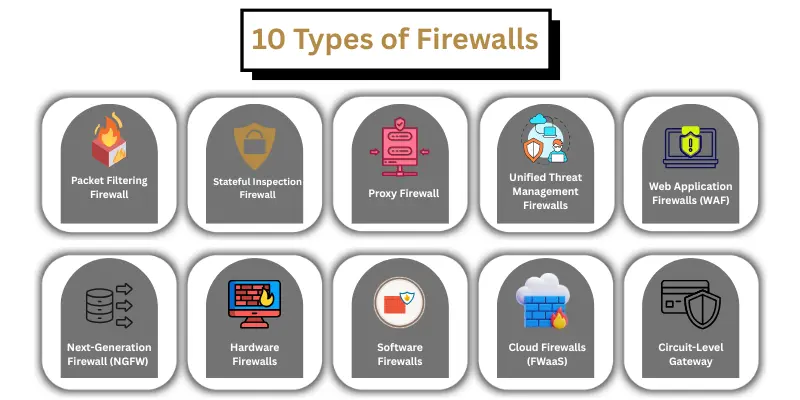
- Packet Filtering Firewall
- Stateful Inspection Firewall
- Proxy Firewall
- Next-Generation Firewall (NGFW)
- Unified Threat Management (UTM) Firewalls
- Web Application Firewalls (WAF)
- Hardware Firewalls
- Software Firewalls
- Cloud Firewalls (FWaaS)
- Circuit-Level Gateway
Example of Firewalls
Firewalls are used in many places to protect networks and systems. Below are 10 simple examples of how firewalls work and where they are used:
- Home WiFi Router: Built-in firewall protects all devices connected to home WiFi.
- Company Networks: Businesses use firewalls to secure office computers and sensitive data.
- School Networks: Firewalls control internet access and keep students safe online.
- Cloud Networks: Cloud services use firewalls to protect storage and applications from threats.
- Personal Computers: Software firewalls on laptops or desktops protect individual systems.
- Mobile Devices: Mobile firewall apps secure smartphones and tablets from unsafe connections.
- Government Networks: Firewalls protect official systems and sensitive government data.
- Bank Networks: Banks use firewalls to protect financial transactions and customer information.
- E-commerce Websites: Online stores use firewalls to secure customer data and payment information.
- Email Servers: Firewalls protect email servers from spam, phishing, and malicious attachments.
Limitations of Firewalls
Firewalls are important for network protection, but they have some limits. Below is a simple guide to the main limitations of firewalls:
- Cannot Stop All Threats: Firewalls cannot block every hacker or cyber attack.
- Need Proper Setup: A firewall must be configured correctly to work effectively.
- Cannot Remove Viruses: Firewalls block harmful traffic but do not clean viruses already on a system.
- Limited Protection Against Insider Threats: Firewalls cannot stop attacks from users already inside the network.
- May Slow Network Speed: Some firewalls can reduce internet speed while checking traffic.
- Require Regular Updates: Firewalls must be updated to protect against new threats.
- Do Not Replace Antivirus: Firewalls work with antivirus programs but cannot replace them.
Hardware Firewall vs Software Firewall
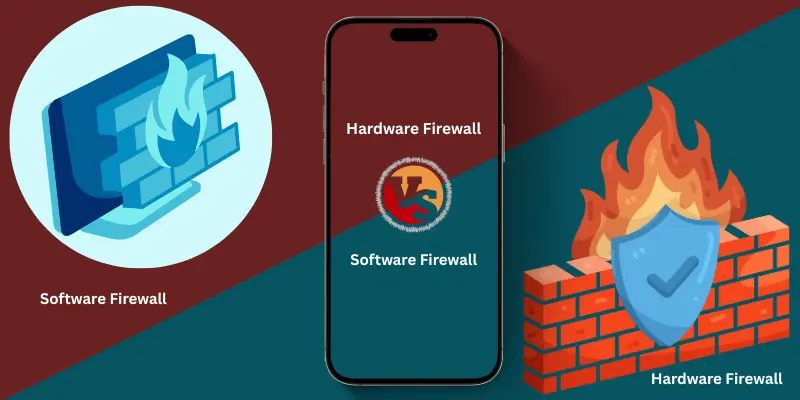
Firewalls protect computer networks in different ways. There are two main types: hardware firewalls and software firewalls. Both types help keep systems safe, but they work differently. Below is a simple comparison to understand how each type works and protects a network.
| Feature | Hardware Firewall | Software Firewall |
|---|---|---|
| Definition | Built into network devices like routers | Installed on individual computers or devices |
| Protection Level | Protects entire network | Protects a single device |
| Installation | Requires separate device or router setup | Easy to install on a computer or laptop |
| Performance | Does not slow down devices | May use system resources and slow the device slightly |
| Maintenance | Needs updates and proper configuration | Needs regular updates and monitoring |
| Use Case | Offices, companies, and large networks | Home computers, laptops, and personal devices |
| Advantages | Protects multiple devices at once | Easy to customize and control per device |
| Limitations | Can be expensive | Limited to one device at a time |
How to Connect Firewall in Computer
Connecting a firewall helps protect a computer or network from harmful internet traffic. Below is a simple, step-by-step guide to connect and set up a firewall correctly:
- Choose the Type of Firewall
- Decide whether to use a hardware firewall (built into a router) or a software firewall (installed on your computer).
- Install Hardware Firewall
- Connect the firewall device to your modem or router.
- Follow the manufacturer’s instructions for setup.
- Ensure all devices in the network pass through the hardware firewall for protection.
- Install Software Firewall
- Download or use built-in firewall software (Windows Firewall, Mac Firewall, or third-party firewall).
- Run the installation file and follow the setup instructions.
- Enable the firewall after installation.
- Configure Firewall Settings
- Open the firewall settings on your device.
- Set rules to allow trusted programs and block unknown or risky applications.
- Choose the level of protection: low, medium, or high.
- Update Firewall Rules
- Regularly update the firewall rules to protect against new threats.
- Most firewalls update automatically, but some require manual updates.
- Test the Firewall
- Check if the firewall blocks harmful traffic.
- Test trusted programs to ensure they can access the internet without issues.
- Monitor Network Activity
- Use firewall logs to see what traffic is allowed or blocked.
- Adjust rules if needed to improve network security.
- Combine with Antivirus
- For full protection, use a firewall along with antivirus software.
- This combination stops both harmful traffic and viruses already in the system.
Following these steps ensures your computer and network are safe from hackers, malware, and other online threats.
Advantages and Disadvantages of Firewall
Firewalls are an important part of network security. They protect computers and networks from harmful internet traffic. Below is a simple guide to the main 10 advantages and disadvantages of firewalls:
| 10 Advantages of Firewall |
|---|
|
| 10 Disadvantages of Firewall |
|---|
|
Conclusion
As you learned above, firewalls protect computers and networks from harmful internet traffic. They allow safe data, block dangerous traffic, and keep private information secure. Using firewalls properly ensures strong network security and safer online activities.
FAQs About What is Firewall in Computer Network
Many beginners have questions about how firewalls work, their types, and why they are needed. Below are common FAQs to help understand firewalls in a simple way.
A firewall stops hackers, blocks viruses, protects private data, and controls network traffic to keep computers and networks safe.
The main types are packet filtering, stateful inspection, proxy firewall, and next-generation firewall.
Hardware firewalls protect an entire network using devices like routers. Software firewalls protect a single computer or device.
No, firewalls cannot block every attack. They need proper setup and should be used with antivirus software.
A firewall checks network traffic, follows security rules, allows safe traffic, and blocks harmful traffic before it reaches your system.
Yes, firewalls help protect home computers, laptops, and mobile devices from hackers and malware.
Yes, some mobile apps act as firewalls to secure smartphones and tablets from unsafe internet connections.
No, most firewalls are easy to set up. Hardware firewalls need device setup, while software firewalls are simple to install on a computer.
No, firewalls work with antivirus software. Firewalls block harmful traffic, while antivirus removes viruses already on the system.