Chain Printer
Published: 6 Sep 2025
There was a time when big computers needed strong and fast printers to handle large reports. A chain printer was one of those powerful machines. It used a rotating metal chain with embossed characters to print one full line at a time. This type of impact printer worked with hammers and an inked ribbon to print on continuous form paper. The chain printer was very popular in early data centers and mainframe systems because it could print hundreds of lines per minute with great speed and accuracy.
What is Chain Printer?
A chain printer is an impact line printer that uses a rotating chain with embossed characters and print hammers striking through an inked ribbon onto continuous form paper. It is a high speed printer used in mainframe systems and data centers for line by line printing on fan fold forms and green bar paper.
History of Chain Printers
Chain printers are important machines in computer history. They are high speed line printers that use a rotating chain with type slugs. There are many stories about how they began and grew. This history tells the full story step by step.
Early Beginnings in the 1800s and 1900s
People needed fast printing for business records long before computers. There are examples from the 1800s. In 1822 Charles Babbage planned his Difference Engine. It is a machine that could print tables. Then in 1872 a man named Lewis Myers made a type wheel printer. It is an early impact device for letters. Other inventors followed. In 1897 the US Census Bureau used printing tabulators. They are machines that print punch card data. IBM started as a company in 1911. It is called Computing Tabulating Recording Corporation then. They make unit record equipment. These are punch cards and sorters with printers.
1920s and 1930s Accounting Machines
The 1920s brought better tabulators. IBM model 12 prints at 60 lines per minute. It is slow but useful for accounting. Then in 1933 IBM 405 appears. It is an electric accounting machine. There are hammers that strike type bars. They print invoices and reports. Other companies join. Remington Rand makes similar devices. World War II increases demand. Governments need fast data for logistics. Factories print payroll and inventory lists.
1950s Birth of Digital Chain Printers
The computer age starts in the 1950s. It is the time of mainframes. In 1952 Remington Rand unveils the Univac I. It is the first commercial computer. They pair it with a line printer. Then IBM responds. In 1953 the IBM 407 tabulator evolves. It uses a chain with slugs. The chain rotates fast. Hammers strike at timed moments. It prints 150 lines per minute. There are 48 characters on the chain. Businesses love it for batch jobs.
IBM 701 comes in 1953. It is their first scientific computer. It needs a faster printer. Then the IBM 716 printer debuts. It is a true chain printer. There are 120 columns. Speed reaches 200 lines per minute. Other models follow. IBM 716 uses a steel band chain. Slugs are embossed metal. Ribbon provides ink. Paper feeds from tractors.
1960s Boom and Improvements
The 1960s see huge growth. Mainframes multiply in banks and airlines. IBM 1403 launches in 1959 but peaks then. It is the king of chain printers. There are versions up to 1400 lines per minute. Chains have 48 or 96 slugs. Fonts include OCR for checks. Other companies compete. Honeywell makes the 800 series printer. Dataproducts enters with B300 in 1962. It is compact for smaller systems.
Then speed records break. IBM 2821 reaches 1200 lines per minute. There are voice coil hammers. They fire faster than solenoids. Noise is loud at 100 decibels. Factories add acoustic hoods. Paper uses green bar forms. They are continuous with perforations. Unix systems start. Line printer daemon software controls output.
1970s Peak and Variations
Chain printers rule data centers in the 1970s. IBM System 370 uses them. Model 3700 prints 1600 lines per minute. There are dual chains for colors. Other brands grow. CDC offers low cost models. Potter Instrument makes the Flying Typewriter. It is a band printer variant. Chains use thin steel now. Tensioners keep them straight.
Energy crises affect design. Hydraulic motors replace electric ones. They are quieter. Ribbon life extends to 10000 pages. Maintenance kits sell well. Technicians replace chains yearly. Fonts customize for airlines or banks.
1980s Decline and Legacy
The 1980s bring change. Personal computers arrive. Dot matrix printers like Epson MX 80 cost less. They are quiet at 50 decibels. Laser printers debut in 1977 but explode then. IBM 4019 is their last chain model in 1983. Speed tops 2000 lines per minute. Yet sales drop. Mainframes shift to non impact tech.
Other factors help decline. Unix lp commands favor serial printers. Networks reduce batch needs. Chain printers go to museums. IBM 1403 displays in Smithsonian. Restorers keep them running. Vintage clubs print fanfold paper today.
Modern Times and Revival
Today chain printers are rare. There are niches though. Some banks print multi part checks. Museums demonstrate them. Software simulates sounds. YouTube videos show IBM 1403 in action. Open source projects rebuild controls. Retro computing fans buy parts on eBay.
Chain printers shaped computing. They printed moon landing data. Airlines used them for tickets. Banks trusted them for ledgers. Total units sold exceed one million. IBM alone made 500000. Legacy lives in line printing concepts. Modern servers still use lpr commands.
Parts of Chain Printer
Chain printers, also known as train printers, a chain printer has several strong mechanical and electrical parts that work together to print one full line at a time. Each part plays a special role in moving the chain, striking the paper, and making clear printed text. These parts help the printer run smoothly and produce fast and steady results for reports and forms in mainframe systems and data centers. Here are explain main parts of chain printer included.
1. Print Mechanism Assembly
| Part Name | Description |
|---|---|
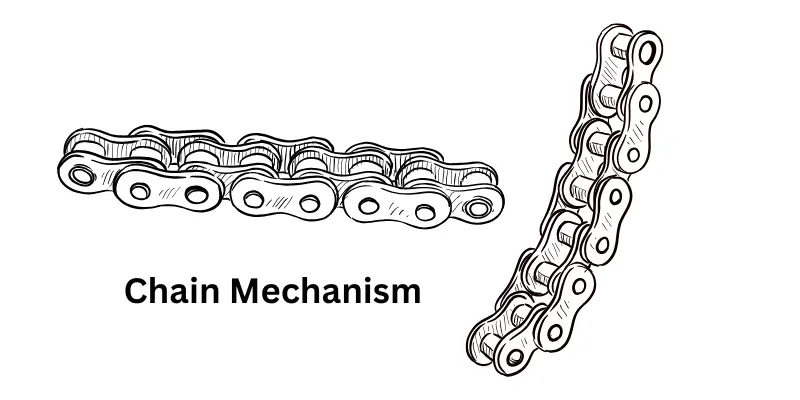
| Rotating Chain | A continuous loop of thin steel band (typically 48–96 characters long) with embossed type slugs linked together; rotates horizontally at 10,000–15,000 RPM to carry characters past the print line. |
| Type Slugs | Raised metal characters (e.g., A-Z, 0-9, symbols) embossed on the chain; staggered in sets for frequency-balanced printing to reduce vibration. |
| Print Hammers | Solenoid-actuated metal pins (one per column, usually 132–160) that strike the ribbon and paper against the chain slugs with precise timing. |
| Hammer Bank | Rigid assembly holding all print hammers in a straight line; mounted parallel to the chain for accurate column alignment. |
| Hammer Springs | Coil springs that retract hammers after firing, ensuring rapid reset for the next character pass. |
| Voice Coils/Solenoids | Electromagnetic actuators that fire individual hammers with microsecond precision based on character data. |
| Hammer Timing Circuit | Electronic control that synchronizes hammer strikes with chain position using optical or magnetic sensors. |
2. Ribbon System
| Part Name | Description |
|---|---|
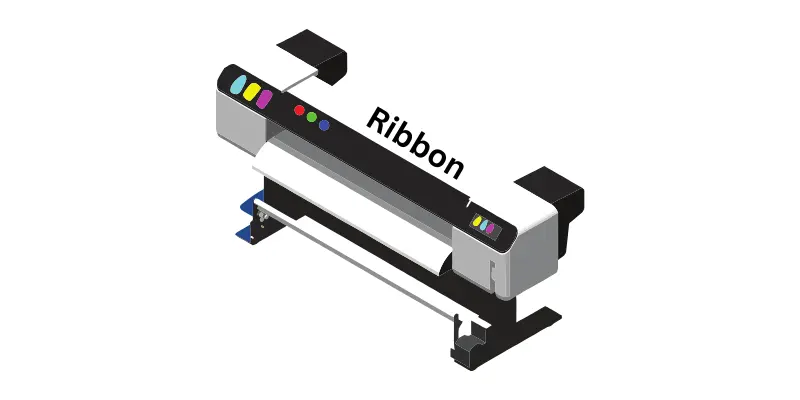
| Inked Ribbon | Continuous fabric or mylar ribbon (1–2 inches wide) impregnated with ink; advances slowly as the chain rotates to provide fresh ink for each strike. |
| Ribbon Drive Motor | Stepper motor that advances the ribbon at 1–2 inches per line to prevent over-inking or smudging. |
| Ribbon Spools | Dual supply and take-up spools (up to 1,000 feet of ribbon) mounted on tension arms for even feeding. |
| Ribbon Guide Rollers | Ceramic or metal rollers that position the ribbon precisely between chain and paper. |
| Ribbon Tension Springs | Maintain constant pressure on spools to avoid slack or breakage during high-speed operation. |
3. Paper Handling System
| Part Name | Description |
|---|---|
| Tractor Sprockets | Pin-wheeled feeders (two units, top and bottom) that grip perforated holes in continuous paper for precise line advancement. |
| Sprocket Belts/Chains | Rubber or metal belts connecting tractors to the drive motor; ensure synchronized paper movement. |
| Paper Feed Motor | Servo or stepper motor that advances paper line-by-line or slews (skips lines) at up to 20 inches/second. |
| Platen Roller | Rubber-coated cylinder behind the paper that provides backing for hammer impacts and uniform pressure. |
| Pressure Rollers | Spring-loaded idler rollers that hold paper flat against the platen. |
| Carriage Control Tape Reader | Optical or punch-tape sensor that reads ASA control codes (e.g., space, skip) for form formatting. |
| Stacker/Burster | Output tray or mechanism that separates and stacks fan-fold forms after printing. |
4. Chain Drive and Frame
| Part Name | Description |
|---|---|
| Chain Drive Motor | High-speed AC or DC motor (up to 15,000 RPM) that spins the chain via gears; often hydraulic in older models. |
| Chain Tensioner | Adjustable idler pulley with springs that keeps the chain taut and prevents slippage. |
| Drive Gears/Sprockets | Precision-geared wheels that engage chain links for smooth, continuous rotation. |
| Main Frame/Chassis | Cast iron or steel housing that supports all components; vibration-dampened for stability. |
| Alignment Guides | Metal rails that keep the chain in a straight horizontal path across the print line. |
5. Control and Electronics
| Part Name | Description |
|---|---|
| Character Generator | Logic circuits that select which hammers fire for each chain rotation based on input data. |
| Frequency Analyzer | Sensor that monitors chain speed and position via optical slots or magnetic pickups. |
| Static Eliminators | Ionizing brushes or corona wires that neutralize electrostatic buildup on paper/ribbon. |
| Power Supply Unit | Converts AC to DC for solenoids, motors, and logic (typically 24V for hammers, 5V for controls). |
| Interface Board | Parallel port (Centronics/LPT) connector for data from mainframes or computers. |
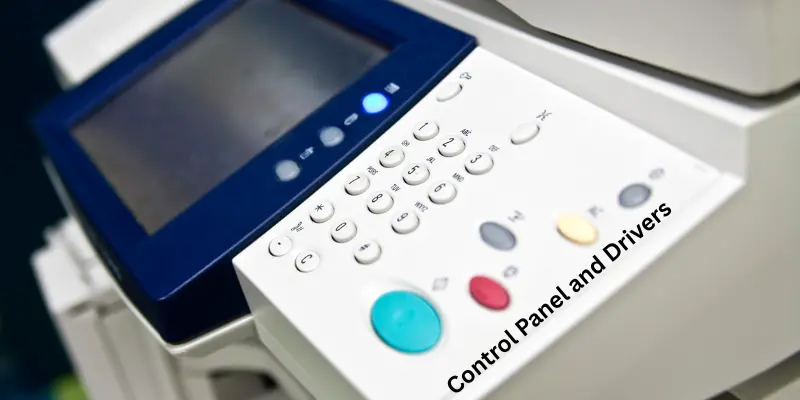
| Control Panel | Switches for power, ready, chain speed, and error indicators (e.g., paper jam, chain break). |
6. Acoustic and Safety Components
| Part Name | Description |
|---|---|
| Acoustic Hood | Sound-absorbing enclosure that reduces operational noise from 90–110 dB to under 70 dB. |
| Sound-Absorbing Foam | Lined inside hood to dampen hammer and motor vibrations. |
| Safety Interlocks | Switches that halt operation if hood is open or chain breaks. |
| Discharge Brushes | Carbon brushes that ground static electricity from moving parts. |
| Overload Clutch | Mechanical slip device that protects motor/chain from jams or excessive torque. |
7. Maintenance and Consumables
| Part Name | Description |
|---|---|
| Chain Lubricator | Oil applicator that prevents wear on chain links (manual or automatic drip). |
| Hammer Cleaner | Brush or air nozzle for removing ink residue from hammer faces. |
| Replacement Chain Kit | Spare chains with custom font sets (e.g., OCR-A, numeric-only). |
| Ribbon Cartridge | Pre-wound disposable units for quick changes (in later models). |
| Tool Kit | Includes chain puller, alignment gauges, and torque wrench for servicing. |
Working Principle of a Chain Printer
A chain printer works through a fast and strong impact printing method. It is a machine that prints one full line at a time using a metal chain that carries embossed characters. The working of this printer depends on perfect timing between the moving chain and the striking hammers. Each part moves together to make clear and quick prints on continuous form paper. The process is fully mechanical and electrical which makes it very fast and reliable for large printing jobs in data centers and mainframe systems.
The Working Steps of Chain Printer
1. Movement of the Chain
There is a rotating metal chain that carries embossed characters in a fixed order. The chain moves horizontally in front of the paper at high speed. Each character on the chain passes every print position many times per second.
2. Position of the Paper and Ribbon
The paper moves with the help of tractor sprockets that pull it in a straight line. The inked ribbon is placed between the paper and the moving chain. It is this ribbon that carries the ink used for printing the text.
3. Detection of the Right Character
When the right character on the chain comes in front of a print position the printer prepares to strike. The control circuit sends a signal to the hammer bank. It is at this moment that the hammer timing becomes very important.
4. Action of the Print Hammers
The print hammers are placed behind the paper in one straight line. Each hammer has a voice coil that helps it move quickly. When the signal comes the hammer hits the paper through the inked ribbon. This impact transfers the ink from the ribbon to the paper forming one letter.
5. Completion of One Line
As the chain keeps moving the hammers strike again and again. Each hammer prints one character at a specific position. This process continues until one full line is printed.
6. Paper Advancement
After one line is printed the paper feed system moves the paper upward for the next line. The carriage control tape or control system ensures correct vertical registration and spacing.
7. Hammer Timing and Synchronization
There is perfect coordination between hammer firing and chain movement. The flight time of each hammer is measured and controlled so that the hammer hits at the right moment. This timing control helps keep all characters aligned properly in a line.
8. Control and Servomechanisms
The printer uses servomechanisms to control chain speed and paper movement. These systems make sure the printing process stays smooth and steady.
9. Static and Noise Management
Static eliminators and corona discharge units reduce electrostatic charges that can cause printing errors. Acoustic hoods and sound-absorbing cases are used to reduce the high noise level produced during impact printing.
10. Result of Printing
The final result is a clear line of text printed across the paper. This process repeats very fast which allows the printer to print hundreds or even thousands of lines per minute.
Chain Printer vs Drum Printer
| Feature | Chain Printer | Drum Printer |
|---|---|---|
| Printing Element | Rotating metal chain | Rotating drum |
| Speed | Faster | Moderate |
| Font Flexibility | Limited | Limited |
| Noise Level | High | High |
| Usage | High-volume reports | Accounting and business reports |
Features of Chain Printer
A chain printer has many special features that make it strong and fast for printing big reports and data sheets. It is built for heavy use in mainframe systems and data centers where speed and accuracy are very important. The features of this printer show how well it can handle large printing jobs with clear text and smooth paper movement.
Main Features of Chain Printer
- It is a high-speed printer that can print hundreds of lines every minute.
- There are metal chains with embossed characters that move quickly across the paper.
- It uses an inked ribbon that transfers clear letters onto continuous form paper.
- There are strong print hammers that strike the paper to make sharp text.
- It can print one full line at a time which makes it faster than character printers.
- It supports continuous printing on fan-fold forms and green bar paper.
- It works well with multi-part forms for carbon copy printing.
- It has a hammer timing system that keeps the letters in the right place.
- It uses servomechanisms that control chain speed and paper feed movement.
- There are acoustic hoods and sound-absorbing cases that help reduce printing noise.
- It has a static eliminator and corona discharge unit that remove electric charges from the paper.
- It is suitable for large-scale printing jobs such as invoices and reports.
- It supports pre-printed forms with fixed layouts.
- It can print in 80-column or 132-column formats.
- It provides long-lasting performance because of its strong mechanical design.
These features make the chain printer a reliable and powerful line printer that was trusted for high-speed impact printing in many early computer systems.
Models of Chain Printer
There are many famous models of chain printers that became popular in the early days of computer printing. These models were known for their high speed strong build and long life. They were mostly used in data centers mainframe systems and large offices for printing reports and invoices. Each model had its own printing speed and design but all worked on the same impact printing principle using a rotating chain and print hammers.
Popular Chain Printer Models and Their Features
| Model Name | Printing Speed (Lines Per Minute) | Main Features | Special Characteristics |
|---|---|---|---|
| IBM 1403 | 600 to 1200 | It is a high-speed impact line printer used in IBM mainframe systems | It is known for clear text, durable chain, and quiet operation with an acoustic hood |
| IBM 407 | 150 | It prints using type bars and handles accounting reports | It is reliable for early data processing and tabulation |
| IBM 1443 | 150 to 600 | It uses a rotating chain and hammers for fast line printing | It supports multiple fonts and paper types |
| Dataproducts B300 | 600 | It works on chain-and-ribbon assembly for clear printing | It is suitable for continuous printing in data centers |
| Dataproducts B600 | 1000 | It offers high-speed printing for large reports | It has a strong build and steady performance |
| Dataproducts B1000 | 1200 | It provides faster output and better hammer control | It is designed for high-volume document printing |
| Potter Flying Typewriter | 300 | It uses type slugs linked in a chain for neat prints | It was used in early computer systems for text output |
Modern Alternatives to Chain Printers
There are many new types of printers that replaced the chain printer in offices and data centers. These modern printers are faster, quieter, and easier to use. They give better print quality and need less maintenance. It is because of these new machines that the old chain printer became a part of printing history.
Modern Alternatives to Chain Printers
- Line Matrix Printer
- Dot Matrix Printer
- Laser Line Printer
- Inkjet Line Printer
- Thermal Line Printer
- Daisywheel Printer
Applications and Uses of Chain Printer
A chain printer is used where there is a need for fast and continuous printing. It is helpful for large offices and data centers that handle many reports every day. The printer can print one full line at a time which makes it a good choice for high-volume printing work.
Main Applications and Uses
- It is used in banks for printing statements and reports.
- It is used in data centers for large batch printing jobs.
- It helps in printing payroll sheets and employee records.
- It is used for cheque printing and invoice printing.
- It is used in government offices for bulk data reports.
- It helps in printing continuous form paper and fan-fold forms.
- It is used for printing business reports and financial summaries.
- It is helpful for printing multi-part forms using carbon copies.
- It is used in early computer systems for fast data output.
- It is used in mainframe systems where quick line-by-line printing is needed.
These uses show that the chain printer was a very important tool for handling large printing tasks with great speed and steady performance.
Maintenance and Care of Chain Printer
A chain printer needs regular care so that it works properly and gives clear prints. It is easy to maintain when each part is checked and cleaned on time. Proper care helps the printer stay fast and reliable for a long time.
Maintenance and Care List
- Clean the printer regularly with a soft brush to remove dust and ink.
- Replace the inked ribbon when prints look light or unclear.
- Check the type chain and replace it if any characters are worn or broken.
- Lubricate gears and moving parts to stop jamming.
- Clean and inspect the hammer bank for smooth hammer timing.
- Use static eliminators to remove electrostatic charges.
- Keep corona discharge units working to control static.
- Use an acoustic hood or sound cover to reduce noise.
- Check tractor sprockets and belts for smooth paper feeding.
- Test the control circuits and servomechanisms regularly.
- Follow a fixed schedule for all maintenance tasks.
Interesting Facts and Legacy
There are many interesting facts about the chain printer that show how important it was in the early days of computing. It is a strong machine that played a big part in printing large reports and forms for mainframe systems. Even today people remember the chain printer for its power speed and special sound. It is a true symbol of early digital printing technology.
Interesting Facts and Legacy of Chain Printer
- It is one of the first high-speed line printers used in data centers.
- There are chain printers like the IBM 1403 that could print more than one thousand lines per minute.
- It is known for its loud and rhythmic sound that became famous in computer rooms.
- There are embossed characters on a rotating chain that made clear and strong prints.
- It helped companies print invoices reports and other forms quickly.
- There are many chain printers that used fan-fold forms and green bar paper for better paper handling.
- It was used in early mainframe systems and unit record equipment for bulk printing.
- There are museums today that keep chain printers as part of computer history.
- It is loved by retro computing fans who enjoy the classic printing sound and design.
- It inspired the creation of modern high-speed printers that came later.
The chain printer remains a proud part of the evolution of printers and shows how early engineers built powerful machines for fast and reliable impact printing.
Advantages and Disadvantages of Chain Printers
There are both good and weak sides of a chain printer. It is a very fast and strong printer that can handle big printing jobs. There are also some limits that make it less useful in modern times.
| Advantages of Chain Printer |
|---|
|
| Disadvantages of Chain Printer |
|---|
|
FAQs About Chain Printers
Chain printers are fast line printers that use a moving chain of characters to print text on paper. Below are some common questions people ask about them.
It uses continuous form paper for printing long documents efficiently.
It uses impact printing technology where mechanical hammers strike characters on a chain to print.
It uses a fabric ink ribbon that transfers ink to the paper when struck by hammers.
It can last many years with proper care because it is built with strong mechanical parts.
Yes, vintage chain printers and retro chain printers are found in collections and museums. Some companies also keep them for legacy software and mainframe applications.
It makes a loud noise while printing because of the hammer striking action.
There are characters placed on a rotating chain. Small hammers push the characters against a chain printer ribbon to create text on continuous paper or fanfold paper.
Chain printer speed is higher than dot matrix printers. They were able to handle thousands of lines per minute.
They are known for high speed printing. Businesses and government offices trusted them for reports, payroll, and accounting documents. Chain printer industrial use was common because of durability.
Conclusion
A chain printer is one of the earliest high-speed printers used for printing large amounts of text. It works with strong mechanical parts that make it reliable for heavy-duty printing. There are many features that make it powerful such as high printing speed and durability. It is best suited for large organizations that need to print data reports quickly. However, there are some drawbacks such as noise and lack of graphic printing. Even though modern printers have replaced them, chain printers still hold importance in understanding the early stages of printing technology.