Types of Scanner in Computer – Features and How to Works
Published: 11 Dec 2025
Did you know that a scanner is one of the most important input devices used in computers today? People use scanning devices to save photos, documents, and drawings in digital form. There are many types of scanners, like flatbed, handheld, and sheet-fed scanners, and each one works in a different way. Here, you will find detailed and easy-to-read information about 20 types of scanners, so you can clearly understand how each scanning machine works.
Types of Scanners
Scanners are devices that help users turn paper documents, photos, or images into digital files. A scanner in computer systems reads text, pictures, or barcodes and saves them for editing or sharing. They are widely used in homes, offices, banks, schools, and studios. Scanning devices are fast, accurate, and safe for preserving important papers. Here are 20 types of scanners included.
1. Flatbed Scanner
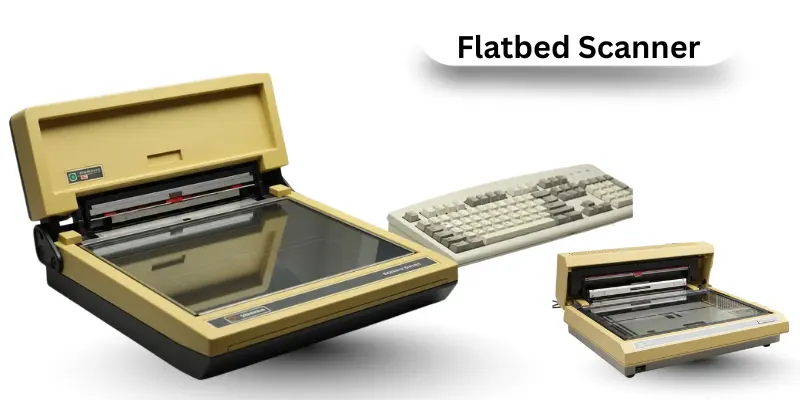
A flatbed scanner is a types of scanner, it is a desktop scanning machine with a glass surface on which documents or photos are placed. Users lift the lid and lay the page flat to scan. This type of scanner works for single sheets, photos, or small books. Flatbed scanners are popular for home, school, and office use because they provide high-resolution digital images.
How Flatbed Scanner Works
- The scanner light passes through the glass to illuminate the document.
- The sensor (CCD or CIS) detects reflected light and captures color or text.
- Optical sensors convert the reflection into digital signals.
- The scanner software processes the data into an image file.
- The computer saves the scanned file as PDF, JPEG, or TIFF.
5 Features of a Flatbed Scanner
- High-quality scans of documents, photos, and books.
- Clear color and text capture.
- Works as a computer input device.
- Safe for old or fragile papers.
- Easy to use for home or office tasks.
2. Sheetfed Scanner
A sheetfed scanner pulls paper through a slot to automatically scan pages. Offices use this scanner type for bulk document scanning. Unlike flatbed scanners, it scans one sheet at a time but saves significant time. Sheetfed scanners are a common scanning device for banks, schools, and offices.
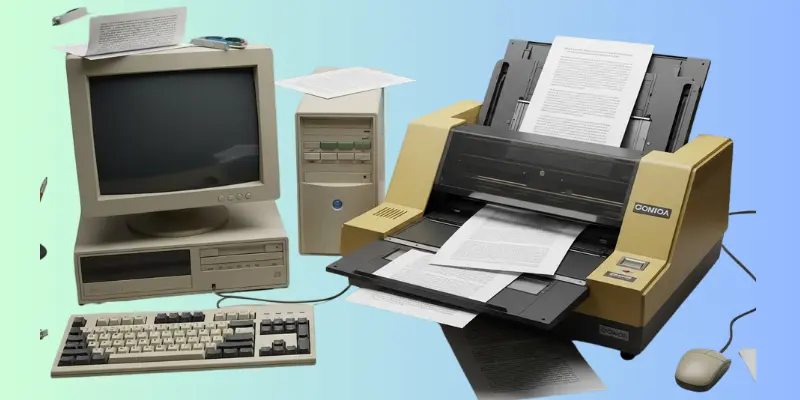
How Sheetfed Scanner Works
- Paper is inserted into the feed slot.
- Rollers guide the paper across the scanning sensors.
- CCD or CIS sensors capture the text or images line by line.
- Duplex scanners can scan both sides automatically.
- The scanned data is processed and saved in a digital file.
5 Features of Sheetfed Scanner
- Fast scanning of multiple pages.
- Supports duplex scanning for both sides.
- Ideal for office and business document scanning.
- Saves time and increases efficiency.
- Works with PDF scanners and document software.
3. Handheld Scanner
A handheld scanner is portable and moved manually over the document. It is lightweight, easy to carry, and ideal for students or travel. Users can scan small papers, labels, barcodes, or receipts quickly. Handheld scanners provide flexible scanning without a fixed setup.

How Handheld Scanner Works
- The user slides the scanner across the page evenly.
- A small built-in sensor detects text or image data.
- The scanner software stitches small segments into one image.
- Captured data is stored in internal memory or transferred to a computer.
- Files can be saved as PDF, JPEG, or text for OCR.
5 Features of Handheld Scanner
- Portable and travel-friendly.
- Quick scanning for documents and labels.
- Works with PDF scanners and document management systems.
- Ideal for receipts, notes, and small images.
- Does not require a fixed desk setup.
4. Photo Scanner
Photo scanners focus on scanning images or photos with high resolution. They capture colors accurately and preserve old memories digitally. Many people use photo scanners to archive printed pictures or albums. These scanners often include image enhancement features.
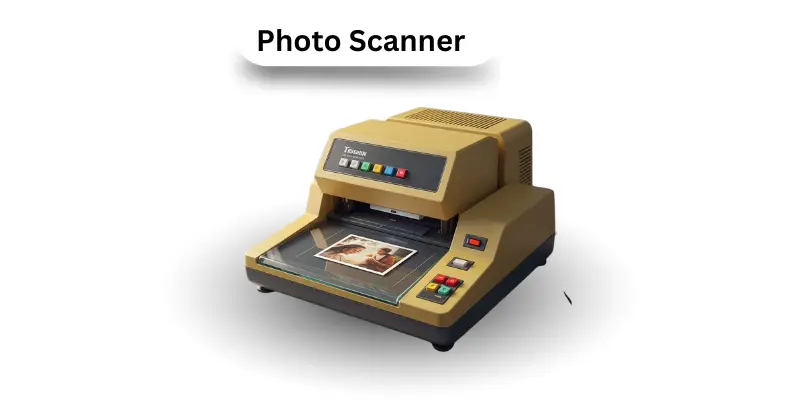
How a Photo Scanner Works
- Light shines on the photo for proper exposure.
- Optical sensors detect fine details, colors, and shades.
- The scanner software enhances clarity and removes dust marks.
- The digital file is processed and saved in high resolution.
- Users can edit or share the scanned images digitally.
5 Features of Photo Scanner
- Excellent color and image quality.
- Dust and scratch removal support.
- High DPI resolution for detailed scanning.
- Works for old photos, albums, or prints.
- Compatible with image editing software.
5. Portable Scanner
Portable scanners are compact, handheld devices for scanning. They allow scanning anywhere, making them ideal for business travelers or students. These scanners store data internally or send it directly to computers or mobile devices. Portable scanners are perfect for receipts, letters, and small documents.
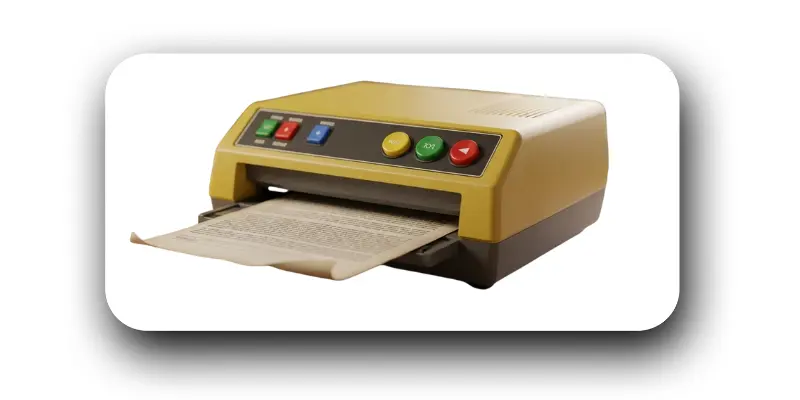
How a Portable Scanner Works
- Paper is inserted, or the scanner is moved across the document.
- Built-in sensors detect images or text in real time.
- The scanned data is processed into a digital format.
- Files are saved to internal memory, USB, or the mobile app.
- Users can transfer scans to a computer or cloud storage.
5 Features of a Portable Scanner
- Small, lightweight, and travel-friendly.
- Quick document capture on the go.
- Works with PDF scanners and OCR software.
- Ideal for notes, receipts, or labels.
- Compatible with laptops, phones, and tablets.
6. Drum Scanner
A drum scanner is a professional scanning device used for very high-resolution images. It spins the original document or photo on a drum while scanning. Many studios and graphic designers use drum scanners to capture detailed images. This scanner is ideal for artwork, prints, and large-format photos.
How Drum Scanner Works
- The document is mounted on a rotating drum.
- A bright light shines across the surface while spinning.
- Sensors capture tiny details and colors very precisely.
- The optical signals are converted into digital files.
- The computer processes the data into high-resolution images.
5 Features of Drum Scanner
- Ultra-high clarity for professional images.
- Excellent color reproduction.
- Ideal for scanning artwork and photos.
- Captures excellent details.
- Suitable for large-format scanning.
7. Large Format Scanner
A large-format scanner scans oversized documents such as maps, blueprints, and posters. This scanning machine is essential for architects, designers, and engineers. It handles papers that normal scanners cannot fit. Large-format scanners keep the documents flat and safe while scanning.
How a Large Format Scanner Works
- The oversized paper is fed into the scanner.
- Sensors move across the page, capturing every line.
- Digital signals are created from the scanned light.
- The computer software processes large image files.
- Files can be saved as PDF, TIFF, or JPEG for editing.
5 Features of Large Format Scanner
- Scans large and oversized documents.
- High-resolution output.
- Safe for maps and blueprints.
- Works for engineering and architectural designs.
- Compatible with professional document software.
8. 3D Scanner
A 3D scanner captures the shape and size of objects to make a digital model. It is widely used in product design, healthcare, and animation. This scanning device creates a three-dimensional file that can be edited or printed. 3D scanners are accurate and fast.
How 3D Scanner Works
- Lasers or structured light scan the object from different angles.
- Sensors detect depth, shape, and surface texture.
- Software combines multiple scans into a 3D model.
- The model is processed for CAD or 3D printing.
- The digital file can be saved for editing or simulation.
5 Features of 3D Scanner
- Full 3D object capture.
- High accuracy for shapes and sizes.
- Works for engineering, healthcare, and design.
- Files can be used in 3D printing.
- Fast and detailed scanning process.
9. Duplex Scanner
A duplex scanner scans both sides of a document automatically. This scanning machine saves time and paper. Offices and banks commonly use duplex scanners for reports and contracts. They are ideal for high-volume document work.
How Duplex Scanner Works
- Paper is fed into the scanner.
- Sensors capture the front and back sides simultaneously.
- Digital data is processed line by line.
- The scanned file is saved as PDF or JPEG.
- Software ensures correct page order and clarity.
5 Features of Duplex Scanner
- Scans both sides at once.
- Speeds up office work.
- Reduces paper handling.
- Maintains high-quality images.
- Compatible with document management systems.
10. Book Scanner
A book scanner is designed to scan books without damaging the spine. Libraries and students use these scanners to digitize old books. The scanner captures pages while keeping them flat. It is a safe scanning device for bound materials.
How Book Scanner Works
- The book is placed face-up under the overhead scanning light.
- Sensors capture each line or page.
- Image processing corrects curved lines near the spine.
- Digital files are created for editing or storage.
- Pages can be saved as PDFs or images.
5 Features of Book Scanner
- Safe for old and delicate books.
- Supports curved pages.
- High-resolution scan for text and images.
- Easy to use in libraries or offices.
- Produces clear digital copies.
12. Cheque Scanner
Cheque scanners are specialized devices used in banks to scan cheques quickly. They read numbers, codes, and signatures accurately. Banks use these scanners to save time and reduce errors. Cheque scanners are fast and secure scanning devices.
How the Cheque Scanner Works
- The cheque is fed into the scanning slot.
- Optical sensors read MICR codes and printed numbers.
- Digital signals are processed for banking software.
- Files are saved or sent to the bank server.
- The system verifies cheque authenticity automatically.
5 Features of Cheque Scanner
- Fast and accurate cheque scanning.
- Reduces manual entry errors.
- Supports MICR reading.
- Saves processing time in banks.
- Secure and reliable.
12. OCR Scanner
An OCR (Optical Character Recognition) scanner reads printed text and converts it into editable text. Offices, schools, and students use OCR scanners to save typing time. This scanning device works for books, reports, and documents. OCR scanners improve workflow and digital storage.
How OCR Scanner Works
- Paper is scanned using sensors.
- Software identifies text characters line by line.
- Characters are converted into digital, editable text.
- The output is stored in Word, PDF, or text files.
- Users can edit, search, or print the scanned text.
5 Features of OCR Scanner
- Converts printed text into editable form.
- Saves typing and manual entry.
- Works with multiple fonts and languages.
- Supports PDFs and digital storage.
- Ideal for office and school work.
13. Overhead Scanner
An overhead scanner is used to scan books, documents, and objects from above. The device captures pages without touching them directly. Libraries, schools, and offices use overhead scanners for quick and safe digitization. This scanning machine prevents damage to delicate materials.
How the Overhead Scanner Works
- A document or a book is placed under the scanner.
- Overhead sensors capture the entire page from a top view.
- Light and image sensors convert reflections into digital data.
- Software corrects distortions and aligns pages.
- Scanned files are saved as PDF or image formats.
5 Features of Overhead Scanner
- Safe for fragile books and documents.
- High-resolution scanning.
- Fast scanning of multiple pages.
- Works with OCR software for text recognition.
- Ideal for libraries and schools.
14. Personal Scanner
A personal scanner is a small, lightweight device for home or small-office use. It helps digitize documents, receipts, and photos quickly. Personal scanners are affordable and easy to operate. They are suitable for students, freelancers, and home users.
How Personal Scanner Works
- Place paper or a photo into the scanner or feed it manually.
- Sensors read images and text line by line.
- Software processes scanned data into digital files.
- Files are stored on the computer or portable storage.
- Users can print, share, or edit scanned files.
5 Features of Pershonal Scanner
- Compact and portable.
- Works for documents, photos, and receipts.
- Easy to use for beginners.
- Supports PDF and JPEG formats.
- Affordable home scanning solution.
15. Production Scanner
A production scanner is used in large offices and printing industries. It scans thousands of documents quickly. These scanners are powerful and built for high-volume work. Production scanners are essential for banks, companies, and document centers.
How Production Scanner Works
- Paper is fed automatically into the machine.
- Sensors scan each page at high speed.
- Duplex scanning captures both sides simultaneously.
- Files are processed and stored digitally.
- The scanner integrates with document management software.
5 Features of Production Scanner
- High-speed scanning for large volumes.
- Supports duplex scanning.
- Durable and reliable for heavy use.
- Produces high-quality images.
- Compatible with office software and PDF scanners.
16. Barcode Reader / Scanner
A barcode scanner reads product codes or labels quickly and accurately. Shops, warehouses, and hospitals use barcode scanners to track and manage inventory. These scanning devices are fast and reduce manual errors. Barcode scanners are essential for modern business operations.
How Barcode Scanner Works
- Light or a laser shines on the barcode.
- Sensors detect dark and light patterns.
- The scanner converts the barcode into numbers and data.
- Data is sent to the computer or POS system.
- The system updates product information instantly.
5 Features of Barcode Scanner
- Fast and precise scanning.
- Reduces manual entry errors.
- Works with retail and inventory systems.
- Portable or fixed models available.
- Compatible with computers and POS systems.
17. Canon Scanners
Canon scanners are well-known computer scanners used for home and office tasks. They provide high-quality scanning for photos, documents, and business reports. Canon scanners come in flatbed, sheet-fed, and portable models. They are reliable and user-friendly scanning machines.
How Canon Scanner Works
- Place the document or photo in the scanner.
- Built-in sensors detect images and text.
- Light reflects the document to CCD or CIS sensors.
- Software processes scanned data into digital files.
- Files are saved to the computer or cloud storage.
5 Features of Canon Scanner
- High-quality image capture.
- Multiple scanner types available.
- Easy to use for home and office.
- Reliable for documents, photos, and receipts.
- Supports PDF and JPEG file formats.
18. Film Scanner
Film scanners are used to scan negatives, slides, and photographic films. Photographers use them to digitize old images. Film scanners provide better color and detail than flatbed scanners. They are essential for photo preservation and editing.
How Film Scanner Works
- A film or slide is placed in the scanner holder.
- Light passes through the film for proper exposure.
- Sensors detect color, light, and image details.
- Software enhances images and removes dust marks.
- Digital files are saved for editing or printing.
5 Features of Film Scanner
- Scans negatives, slides, and films.
- High-quality color and detail capture.
- Suitable for photographers and studios.
- Works with photo-editing software.
- Preserves old photographic memories.
19. Slide Scanner
A slide scanner is designed for photographic slides and transparencies. It captures colors accurately and converts slides to digital images. Photographers and studios use slide scanners for archiving old slides. These scanners provide high-resolution digital copies.
How the Slide Scanner Works
- Place the slide in the scanning slot or holder.
- Light passes through the slide for accurate capture.
- Optical sensors detect color and detail.
- Software processes the image and removes imperfections.
- Digital images are saved for editing, sharing, or printing.
5 Features of Slide Scanner
- High-resolution scanning of slides.
- Accurate color reproduction.
- Works for personal or professional use.
- Compatible with photo-editing software.
- Preserves old photographic slides digitally.
20. Digital Document Scanner
A digital document scanner is designed for office and home use to scan documents quickly. It captures text, images, and PDFs efficiently. These scanning machines are used for record keeping, business reports, and homework. Digital document scanners are compact and easy to operate.
How Digital Document Scanner Works
- Paper is inserted or fed automatically into the scanner.
- Sensors detect text and images.
- The scanner software converts data into digital files.
- Files are saved in PDF, JPEG, or editable text format.
- Users can share, print, or store scanned documents.
5 Features of Digital Document Scanner
- Scans documents quickly and clearly.
- Works with PDF scanners and OCR software.
- Compact and easy to use.
- Supports multiple file formats.
- Suitable for home, office, and school.
Conclusion
Scanners are useful devices that turn documents, photos, and images into digital files. They are input devices in computers and help save time, protect important papers, and provide high-quality copies. Different types of scanners, like flatbed scanners, portable scanners, drum scanners, and OCR scanners, serve different purposes for home, office, or professional use. These scanning machines make work easier, faster, and more organized, helping people manage and preserve information efficiently.
FAQs About Types of Scanners
A scanner in computer is an input device that captures text, images, or documents and converts them into digital files. It helps store, edit, or share information easily.
A scanner is an input device because it sends data from a physical document to a computer for processing.
A scanner reads paper documents, photos, or barcodes and creates digital copies that can be saved, edited, or shared.
Scanners use light and sensors to read text or images. The data is converted into digital files, which the computer processes and stores.
There are many types, including flatbed scanner, sheetfed scanner, photo scanner, drum scanner, 3D scanner, and OCR scanner.
Flatbed scanners, portable scanners, and personal scanners are ideal for home use because they are easy to operate and provide high-quality scans.
No, scanners do not use ink. They only capture images or text from documents and convert them into digital files.
A scanning device is any machine, like a document scanner or barcode scanner, that reads physical items and creates digital copies.
A PDF scanner is a scanner that saves scanned documents directly as PDF files, making them easy to store, share, or print.
There are many types, including flatbed, sheetfed, handheld, portable, drum, 3D, photo, duplex, book, and barcode scanners.
A scanner is a device that reads physical text or images and converts them into digital data that computers can use.