What is Mechanical Keyboard
Published: 30 Aug 2025
Many people type on regular keyboards but face typing fatigue or missed keys. A mechanical keyboard solves this problem. Knowing what is mechanical keyboard helps users type faster, reduce errors, and enjoy a comfortable experience.
What is Mechanical Keyboard
Mechanical keyboard is a type of keyboard that uses mechanical switches under every key. These switches are made with parts like a spring, stem, and housing. When a person presses a key, the switch moves and sends the signal to the computer. This makes the press fast, clear, and more accurate than a normal rubber dome keyboard.
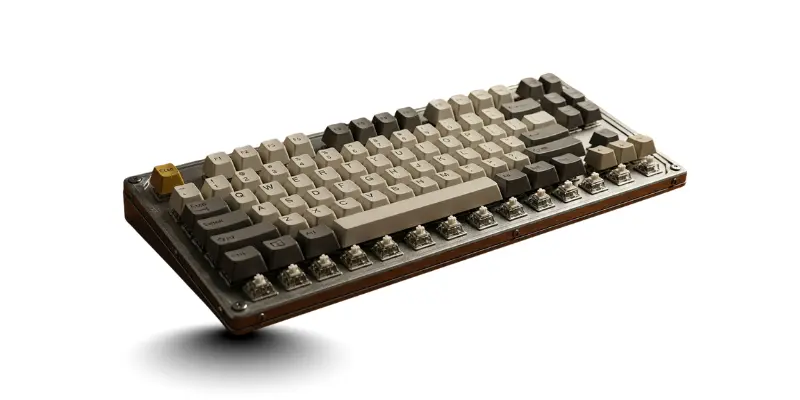
Mechanical Keyboard Size
Mechanical keyboards (MKs) come in different sizes to fit every desk and user preference. Choosing the right size makes typing and gaming easier. Here are the main points to consider when buying a mechanical keyboard:
- Full-size keyboards have all keys including number pad.
- Tenkeyless (TKL) keyboards save space and are easier to move.
- 75% keyboards are compact but keep most essential keys.
- 65% keyboards are smaller, remove some function keys for more desk space.
- 60% keyboards are very small, perfect for travel or minimal desks.
- 40% keyboards are tiny, only basic keys, best for extreme portability.
- Smaller keyboards give more mouse space for gamers.
- Larger keyboards offer all features for office or home use.
- Choose size based on desk space, comfort, and personal use.
Mechanical Keyboard Layout
Choosing a mechanical keyboard layout is very important when buying. Each layout is designed for different uses. The right layout improves work, gaming, and desk space. Below are the layout options in simple points:
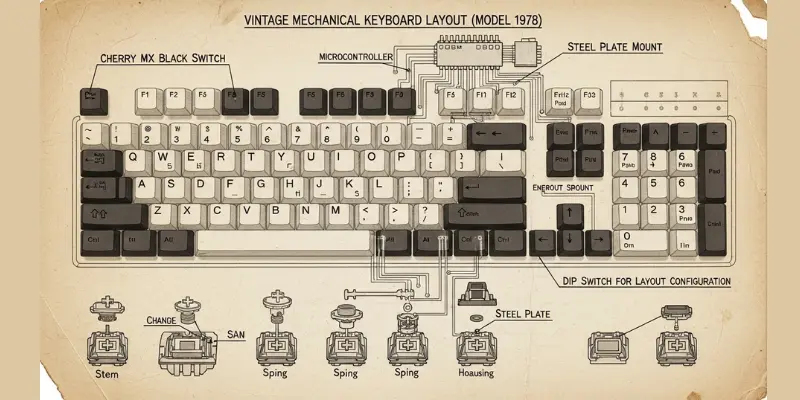
- Full Size Layout
- Tenkeyless Layout
- 75% Layout
- 65% Layout
- 60% Layout
- 40% Layout
- Ergonomic Split Layout
- Compact Layout
Features of Mechanical Keyboard
Mechanical keyboards (MKs) come with strong and useful features. These features make typing and gaming better. Buyers like MKs because they feel premium and reliable. Below are the main features that make a mechanical keyboard a good choice:
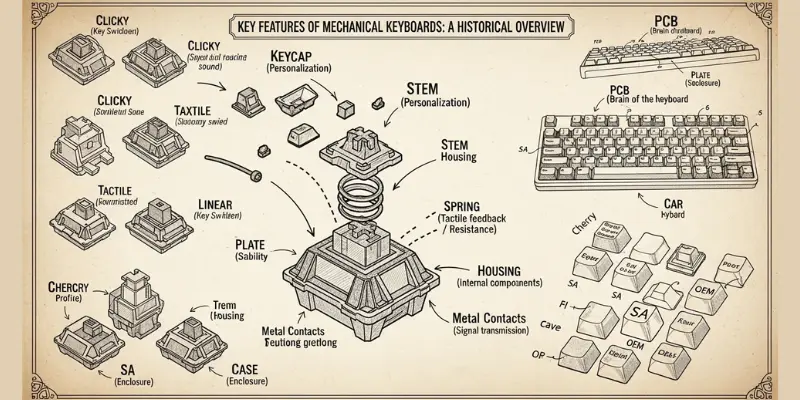
10 Features of Mechanical Keyboard
- Switches last longer and stay reliable for daily use.
- Keys feel fast and accurate during typing.
- Different switch types support different typing styles.
- Keyboard body feels strong and durable.
- Keycaps come in long-lasting materials.
- Lighting colors can be customized easily.
- Keys support shortcuts and programmable functions.
- Many size options fit different desk needs.
- Wireless and wired use gives flexible connection.
- Cleaning and part replacement stay easy.
Characteristics of Mechanical Keyboard
There are many characteristics that are explained below. Let us look at them in detail and benefit from them so that we can get information about the characteristics of mechanical keyboards.
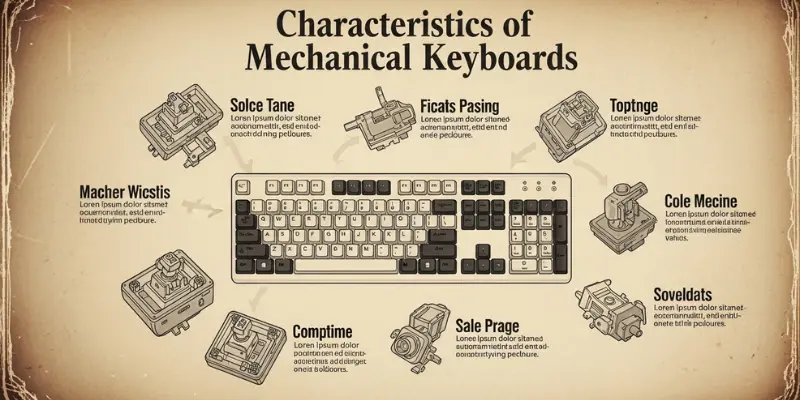
- Strong build with long switch life
- Different switch types like Cherry MX, Gateron, Kailh, Romer-G, and Topre
- Tactile switches give a small bump on press
- Clicky switches make clear typing sound
- Linear switches feel smooth without bumps
- Customizable with keycaps and artisan keycaps
- Hot-swappable switches for easy change
- Many layouts like 60%, 75%, TKL, full-size, and compact
- Ergonomic and split designs for comfort
- Backlighting options like RGB and white light
- Easy to clean and repair
- Foam and sound dampening for quiet typing
- Programmable keys and macros
- Firmware support like QMK and VIA
- Suitable for gaming, typing, office, and home use
- Key rollover support like NKRO and 6KRO
- Smooth large keys with stabilizers and lube
- Portable low-profile and travel designs
- Strong cases like aluminum, plastic, or wood
- Wired and wireless support
- Bluetooth and 2.4GHz connectivity
- Different keycap profiles and materials
- Popular among keyboard enthusiasts
- Works with Mac, Windows, and Linux
Mechanical Keyboard Accessories
There are many mechanical keyboard accessories that can improve typing comfort, performance, and appearance. These accessories help users protect their keyboard, type faster, and even customize the look and feel. Here are the main accessories of mechanical keyboards, including:
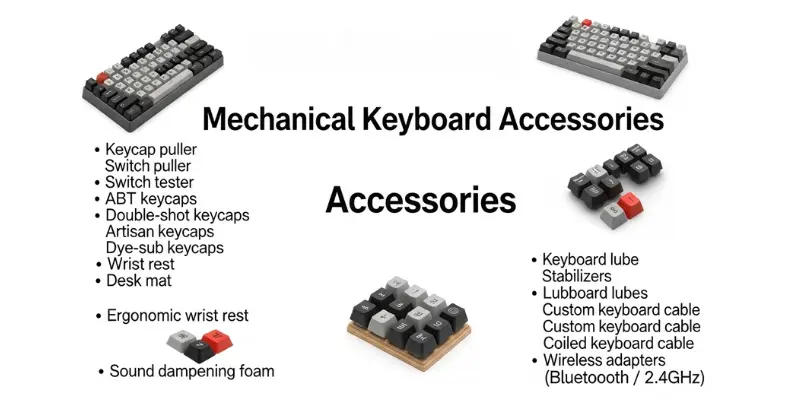
- Keycap puller
- Switch puller
- Switch tester
- Keycap sets
- PBT keycaps
- ABS keycaps
- Double-shot keycaps
- Dye-sub keycaps
- Artisan keycaps
- Wrist rest
- Ergonomic wrist rest
- Desk mat
- Sound dampening foam
- Keyboard lube
- Stabilizers
- Lubed stabilizers
- USB-C keyboard cable
- Custom keyboard cable
- Coiled keyboard cable
- Wireless adapters (Bluetooth / 2.4GHz)
- Backlighting accessories
- RGB lighting accessories
- Keycap cleaning kit
- Switch maintenance kit
- Stabilizer tuning tools
- Cable management accessories
- Travel case
- Storage box
- PCB (Printed Circuit Board)
- Plate
- Keyboard case (aluminum, plastic, wooden)
- Assembly tools
- Modding kits
How to Clean and Maintain a Mechanical Keyboard
Taking care of a mechanical keyboard is important if you want it to last longer and stay smooth. Regular cleaning also keeps typing comfortable and the keyboard looking new. Here are some easy steps to clean mechanical keyboard.
- First, unplug the mechanical keyboard to keep it safe.
- Turn it upside down and shake gently so that dust and crumbs fall out.
- Use a soft brush to sweep dirt away from the surface and between keycaps.
- Wipe the top with a microfiber cloth for a clean look.
- Use a mechanical keyboard key removal tool to take off the mechanical keyboard keycaps.
- Soak the keycaps in warm water and mild soap, then let them dry fully.
- Clean the bare board with a soft brush and cotton swab to remove hidden dirt.
- For better sound and feel, add or adjust mechanical keyboard foam or a sound dampening keyboard layer.
- Put the keycaps back after they are dry and check if all keys work properly.
Advantages and Disadvantages of Mechanical Keyboard
Many people ask about the pros and cons of mechanical keyboards. Below are the advantages and disadvantages of mechanical keyboards, explained in detail for beginners.
| 10 Advantages of Mechanical Keyboard |
|---|
|
| Disadvantages of Mechanical Keyboard |
|---|
|
FAQs about What is Mechanical Keyboard
Many people who hear about a mechanical keyboard for the first time feel curious. They want to know what makes it different from a normal keyboard. Here are some of the most common questions that people ask about mechanical keyboards.
Yes, many users believe so.
The mechanical keyboard switch lifespan is much longer than a normal keyboard. Many switches can handle tens of millions of presses. This means the keyboard can be used for years without losing quality.
Yes, a gaming mechanical keyboard is one of the best tools for players. Features like anti ghosting and NKRO keyboard make it easier to press many keys at once.
Yes, a mechanical keyboard for office can make typing more comfortable. The strong build quality also means it will last longer for daily office tasks.
Yes, customization is one of the biggest reasons people buy them. Users can change mechanical keyboard keycaps, add lubed stabilizers, or use a hot swappable keyboard to try new switches.
There are many choices. A budget mechanical keyboard is affordable and still better than most membrane models. A premium mechanical keyboard offers high quality features, advanced lighting like a RGB mechanical keyboard, and stronger mechanical keyboard build quality.
Yes, many people use a mechanical keyboard for home.
Cleaning is simple. Users can remove keycaps with a mechanical keyboard key removal tool. Dust can be cleaned easily and switches can be replaced if needed. This makes the keyboard more durable and easy to maintain.
Conclusion
Mechanical keyboards are popular because they are strong, fast, and fun to use. The keys give a nice clicky feel, which makes typing or gaming more enjoyable. They last much longer than normal keyboards and can be customized with different switches, lights, and keycaps.
If you want comfort, durability, and better performance, a mechanical keyboard is a smart choice. Whether you type a lot for work or play games for fun, it can make your experience smoother and more exciting.