What is Internet in Computer – EC Science
Published: 30 Dec 2025
Imagine sending a letter that reaches a friend instantly no matter where they are. That’s exactly what the internet does for computers. Knowing what is internet in computer helps you see how devices talk to each other, access websites, and share information in seconds. It’s like giving your computer a global superpower
What Is Internet in Computer?
The internet is a large network of networks that connects computers and devices all around the world. It allows computers to share information, communicate, and access websites easily. Simply put, it is a way for devices to talk to each other using a common system. This is the internet definition in computer for beginners.
Why the Internet Is Important for Computers
The internet is important because it allows people to do many things on computers. They can browse websites, send emails, play online games, and use social media. These examples show why computers need the internet every day. The importance of internet is clear when you see how much people rely on it for work, learning, and fun.
History of the Internet
The internet has changed the way people work, learn, and communicate. It started as a small network of computers and grew into a global system connecting millions of devices. Learning the history of the internet helps us understand how it became an essential part of daily life.
1. Beginning of internet
The internet started in the 1960s. The first network was called ARPANET, made by the U.S. Department of Defense. Scientists used it to share information quickly between computers. This was the first step in building a network of networks.
2. Connecting More Networks
In the 1970s, more computer networks joined ARPANET. New rules called protocols were created to help computers talk to each other. TCP/IP was developed to make communication reliable. This made the internet more organized.
3. Foundation of Modern Internet
By the 1980s, networks connected globally. Universities and research centers used the internet to share data. The concept of the World Wide Web started to take shape. People began to see the potential of a global network.
4. World Wide Web
Tim Berners-Lee invented the World Wide Web in 1989. This allowed people to access websites using web browsers. It made using the internet easier and more user-friendly.
5. Public Access and Growth
In the 1990s, the internet became available to the public. Homes, schools, and businesses started using it. Websites, email, and online chat became popular. This decade marked the internet as a tool for daily life.
6. High-Speed Internet and Global Use
Broadband, Wi-Fi, and mobile internet made connections faster. People could stream videos, play online games, and shop online. The internet became essential for work, learning, and entertainment.
7. Today The Internet Everywhere
Now, the internet connects millions of computers and devices worldwide. Fiber, 4G/5G, and satellite internet provide fast access almost everywhere. The internet continues to evolve, making life easier and more connected.
How Does Internet Works in a Computer
Many people get frustrated when their computer won’t connect to the internet or pages load slowly. Knowing how the internet works in a computer can help solve these problems and make online browsing smooth and trouble-free.
1. How Computers Connect to Internet
Computers connect to the internet in two main ways. They can use Wi-Fi internet for computers or connect with a cable using Ethernet. Wireless connections are more common in homes, while cables are often used in offices. This shows how computers connect to internet easily.
2. IP Addresses
Every computer on the internet has a unique number called an IP address. Think of it like a home address, but for a computer. This address helps other computers find it and send information correctly. This is what makes an IP address explained for beginners easy to understand.
3. Protocols
Computers follow rules to talk to each other. These rules are called protocols, like TCP/IP. Protocols ensure that data moves safely and reaches the correct destination. This is the idea behind internet protocols simplified.
4. Data Packets
Information on the internet is broken into small parts called data packets. These packets travel quickly and reassemble at the destination. Using data packets internet helps computers send information fast and efficiently.
5. Servers, Routers & DNS
Servers store websites and services, while routers help data travel to the correct computer. DNS, or Domain Name System, helps computers find website addresses easily. These are the main parts of internet servers router DNS systems.
Components of the Internet
The internet is not just a single thing. It is made of different parts that work together to make online communication, browsing, and services possible. Knowing the components of the internet helps beginners understand how information travels and how devices connect safely and efficiently. Here are 7 components of internet included.
- Web Browsers
- Servers
- Routers
- DNS
- Data Packets
- Internet Protocols
- World Wide Web
1. Web Browsers
Web browsers are software programs that let people view websites and use internet services. Popular browsers include Chrome, Firefox, and Edge. They are the main interface that connects users to the World Wide Web. Without a browser, people cannot easily see websites, read articles, watch videos, or shop online. This is the basic idea behind web browser basics.

- Example: When someone types a website address in Chrome, the browser requests the site from a server and displays it in an easy-to-read format.
2. Servers
Servers are powerful computers that store websites, apps, and other online data. When a user requests a webpage, the server sends the information to their computer. Servers make sure that websites are available 24/7.
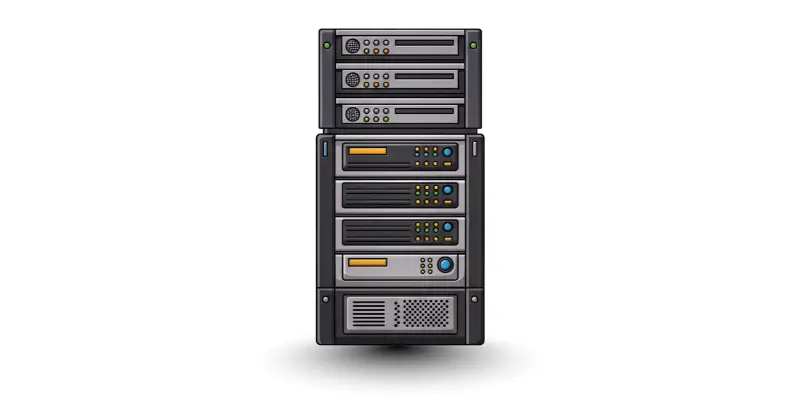
- Example: Visiting YouTube or Google means your computer is communicating with a server to show content instantly.
3. Routers
Routers direct internet traffic between devices and networks. They help data reach the correct destination. Think of routers as traffic police guiding information along the fastest route.
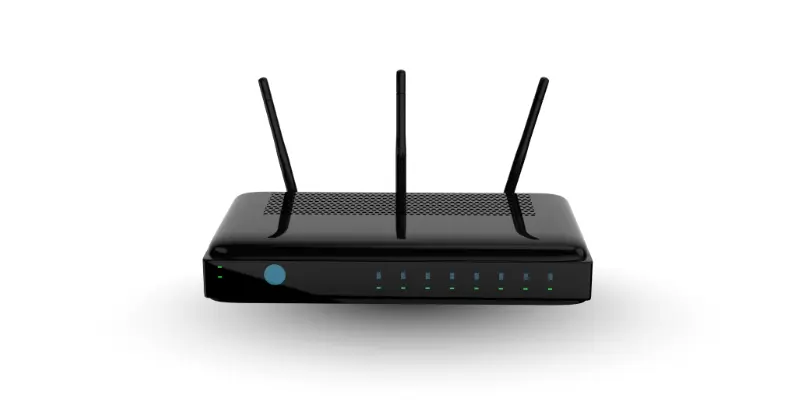
- Example: At home, a Wi-Fi router sends data from your internet connection to your laptop, phone, or smart TV.
4. DNS
DNS translates website names like www.example.com into IP addresses that computers understand. Without DNS, users would have to remember long strings of numbers instead of simple web addresses. This is why DNS is a vital component of the internet.
- Example: When you type www.google.com, DNS finds the IP address of Google’s server and connects your computer to it.
5. Data Packets
Information on the internet moves in small pieces called data packets. These packets travel through different networks and reassemble at the destination. This makes communication fast and efficient.
- Example: Sending an email or a chat message involves breaking the message into packets that travel separately and arrive correctly on the recipient’s computer.
6. Internet Protocols
Protocols like TCP/IP are rules that computers follow to send and receive data. They make sure the data is sent securely and reaches the right device. Without protocols, computers would not understand each other.
- Example: Every time someone streams a video, TCP/IP ensures that packets arrive in order and the video plays smoothly.
7. World Wide Web (WWW)
The World Wide Web is one service of the internet. It provides web pages, multimedia, and online apps that people use daily. It depends on all the other components servers, routers, DNS, and browsers to function properly.
- Example: Social media sites, online shops, and learning platforms are part of the World Wide Web, built on the internet’s network.
Types of Internet Connections
The internet can reach computers in different ways. Each type has its own speed, cost, and use. Knowing these types helps users choose the best connection for work and study. Here 6 types of internet connections included.
- Wi-Fi
- Mobile Data Internet
- Broadband Internet
- Cable Internet
- Fiber Internet
- Satellite Internet
1. Wi-Fi
Wi-Fi lets computers connect without cables. It uses a wireless router to send signals. People use it at home, cafes, and offices. Wi-Fi is easy and fast for daily tasks like browsing and streaming.
2. Mobile Data Internet
Mobile data comes from cell towers. It works anywhere with mobile coverage. Computers and smartphones can go online without Wi-Fi. It is handy when users are traveling or outside.
3. Broadband Internet
Broadband uses cables to connect computers directly. It provides faster and stable internet. People often use broadband for online work, streaming, and video calls.
4. Cable Internet
Cable internet uses the same wires as TV cables. It is reliable and works well for homes with multiple users. It gives a steady speed for browsing and entertainment.
5. Fiber Internet
Fiber internet is very fast. It uses light signals through fiber-optic cables. Fiber is perfect for online gaming, video streaming, and heavy downloads.
6. Satellite Internet
Satellite internet works in remote areas. Signals come from satellites in space. It is slower than fiber but reaches places where other connections cannot.
Uses of Internet in Computer
The internet helps computers do many tasks easily. It makes learning, communication, entertainment, and shopping simple and fast. People rely on it every day for work. Here are some 10 uses of internet in a computer.
- Searching for Information
- Sending emails.
- Virtual classes from home.
- Watching videos and movies.
- Playing online games.
- Share updates with friends and family.
- Online shopping.
- Pay bills directly from your computer.
- Work from home.
- Save your files online.
Basic Internet Terms
When you use the internet, you will see many new words. These words are called internet terms. Here are the 10 basic internet terms.
- Website: A page on the internet that shows information, pictures, or videos.
- Browser: A program you use to open websites, like Chrome, Firefox, or Edge.
- URL: The web address of a website.
- Link: A clickable word or picture that takes you to another page. Example: Click “Next” to go to the next page.
- Search Engine: A tool that helps you find anything online. Example: Google or Bing.
- Download: Saving files, pictures, or videos from the internet to your computer.
- Upload: Sending files or pictures from your computer to the internet.
- Wi-Fi: A wireless way to connect your computer to the internet. No wires needed.
- Email: A way to send messages to people using the internet. Example: Gmail.
- Internet: A huge network that connects millions of computers and devices worldwide.
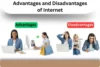
Advantages and Disadvantages of Internet
The internet show both the good and bad sides of using it. At the same time, it can cause problems like privacy issues, distractions, and misinformation if not used carefully. Understanding the advantages and disadvantages of internet helps everyone use it wisely.
| Benefits of Internet |
|---|
|
| Drawback of Internet |
|---|
|
Conclusion
The internet in a computer is a network that connects millions of computers and devices all over the world. It helps people communicate, learn, work, shop, and have fun. By understanding what internet is in computer, and using it safely, everyone can enjoy its benefits and make life easier.
FAQs about What is Internet in Computer
A computer can connect using Wi-Fi, mobile data, Ethernet cables, or fiber connections.
An IP address works like a home address for a computer. It helps other computers find it and send information correctly.
Yes, you can use mobile data, Ethernet cables, fiber, or satellite internet instead of Wi-Fi.
The internet is a global network of computers. The World Wide Web is a service on the internet that shows websites and pages.