Types of Utility Software
Published: 7 Nov 2025
There are many types of utility software that help computers work better every day. It is true that without system utilities, a computer becomes slow and unsafe. Tools like antivirus software, disk cleanup, and file management utilities keep the system clean and secure. These software programs are the reason why computers stay fast, stable, and ready to use. Each type has its own job that makes the system work more smoothly and safely.
35+ Types of Utility Software
This article explains all types of utility software with complete detail for beginners
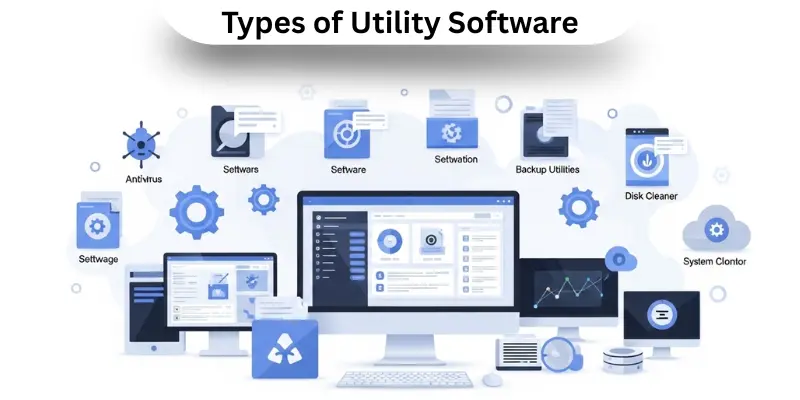
- Antivirus Software
- Anti Malware Software
- Encryption Software
- Privacy Protection Software
- File compression tools
- Disk Cleanup
- Revo Uninstaller
- Backup and Restore
- File management utilities
- Disk Defragmenter
- Registry cleaners
- Backup software
- CCleaner
- Firewall utilities
- MiniTool Partition Wizard
- WinRAR
- Advanced SystemCare
- Clipboard managers
- Cryptography
- Device management utilities
- Norton Antivirus
- System optimizers
- Disk Management
- Disk checkers
- System utilities
- System monitoring
- Data Synchronization Utilities
- Data Conversion Utilities
- Disk Partition Editors
- Disk Space Analyzers
- Disk Formatters
- Solid State Drive Tools (SSD)
- Tape Initializers
- Startup Management
- Performance Boost Tools
- Write Protection Utilities
- Revision Control
1. Antivirus Software
Antivirus software is a tool that keeps a computer safe from harmful programs. It finds and removes viruses that can slow down or damage a system. This software runs in the background to stop any attack before it starts. Some well-known antivirus tools are Norton Antivirus and Avast. Antivirus utilities are very important for protecting data and improving performance. They are part of system utilities that help a computer work smoothly and safely.
2. Anti-Malware Software
Anti-malware software protects the computer from harmful programs like spyware, trojans, and ransomware. It looks for dangerous files and removes them before they cause harm. This type of utility software is essential for keeping the system safe from hidden security threats. Many users use both antivirus and anti-malware tools for complete protection. They work together to stop malware from spreading and damaging data.
3. Encryption Software
Encryption software changes normal data into secret code. It makes information safe so that only the right person can read it. Cryptography is the method used in this software. It protects files, folders, and drives from hackers. Many companies use encryption utilities to keep private information secure. This type of utility is important for privacy protection and data safety.
4. Privacy Protection Software
Privacy protection software helps users keep their online activities safe. It deletes browsing history, cookies, and other personal data. This type of utility software keeps a system free from unwanted trackers. Tools like CCleaner are very helpful for cleaning junk files and protecting privacy. These software programs make sure that users enjoy a safe and private computer experience.
5. File Compression Tools
File compression tools reduce the size of large files so they can be stored easily. WinRAR and 7-Zip are good examples of compression utilities. They save storage space and make file sharing faster. This software is useful for sending documents or backups through email or cloud storage. It also helps organize files better and saves disk space.
6. Disk Cleanup
Disk cleanup utilities remove junk files that take up space on the hard drive. They find old temporary files and delete them to improve speed. Disk cleaners are part of disk management tools that keep the system fresh and fast. CCleaner and Windows Disk Cleanup are common choices. These tools also protect privacy by deleting old logs and unused data.
7. Revo Uninstaller
Revo Uninstaller helps remove unwanted programs completely. It deletes leftover files that normal uninstallers miss. This utility software keeps the system clean and saves storage space. It also manages startup programs to improve computer speed. Revo Uninstaller is one of the best system utilities for keeping computers free of clutter.
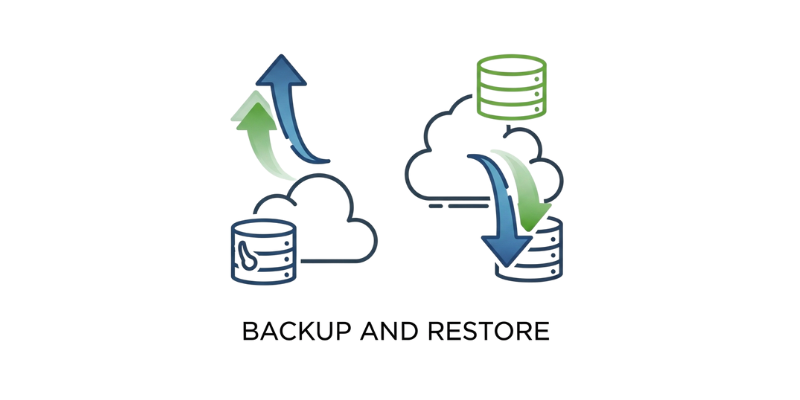
8. Backup and Restore
Backup and restore utilities keep copies of important files. They help users get their data back if something goes wrong. Backup software like Acronis True Image and Google Drive saves data safely. This software is a key part of system protection. It helps users avoid losing data during system crashes or malware attacks.
9. File Management Utilities
File management utilities help organise files and folders. They make it easy to copy, move, and delete items on the computer. File Explorer and Total Commander are examples. These utilities keep data organised and easy to find. They are part of system utilities that make managing data simple and efficient.
10. Disk Defragmenter
A disk defragmenter rearranges scattered data on the hard drive. This helps the computer find and open files faster. It also improves the overall performance of the system. Defragmentation tools like Windows Defragmenter and Smart Defrag are very helpful. They are important for maintaining the health of hard disk drives.

11. Registry Cleaners
Registry cleaners remove unwanted or broken entries in the system registry. These entries can slow down the computer. Cleaning them helps improve performance. CCleaner is a common tool that performs registry cleaning safely. Registry cleaning is part of system optimization software that keeps a computer working smoothly.
12. Backup Software
Backup software automatically saves important files. It makes copies on another drive or in the cloud. This ensures that users can get their files back if they are lost. Backup utilities are very helpful for students, offices, and companies that store large amounts of data. They are an important part of storage management.
13. CCleaner
CCleaner is a popular utility software that helps clean and speed up computers. It removes temporary files, cleans the registry, and protects privacy. It is one of the best performance boost tools. Many users trust CCleaner for system cleanup and junk file removal. It is simple to use and improves overall speed.
14. Firewall Utilities
Firewall utilities protect the computer from network attacks. They control the data that goes in and out of the system. This helps block hackers and unwanted access. Windows Firewall and ZoneAlarm are good examples. Firewall utilities are part of security software that keep data and files safe.
15. MiniTool Partition Wizard
MiniTool Partition Wizard helps create, delete, and resize disk partitions. It is used for better disk management. This utility also helps fix partition errors and format drives. It is one of the most helpful disk partition editors. Many users use it to organise hard drives and improve storage space.
16. WinRAR
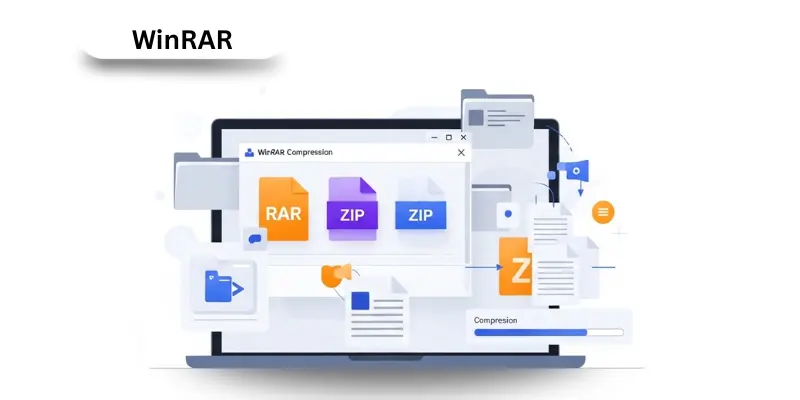
WinRAR is a file archiver that compresses and extracts files. It supports ZIP and RAR formats. This utility saves storage and makes sharing faster. WinRAR is one of the best compression tools for both personal and office use. It is part of the file management utilities that make handling data simple.
17. Advanced SystemCare
Advanced SystemCare is a system optimizer. It cleans junk files, improves startup, and fixes slow performance. It also checks privacy and blocks threats. This software is a full system optimization utility. It keeps the computer safe, fast, and clean in one easy tool.
18. Clipboard Managers
Clipboard managers help save multiple copied items. They store text, images, or links that users copy. This utility makes it easy to reuse information. Tools like Ditto are good examples. Clipboard managers save time and make working on the computer more efficient.
19. Cryptography
Cryptography is the science of changing data into a secret code. It is used in encryption software. It keeps files safe from hackers and unwanted users. Cryptographic utilities are important for protecting sensitive data. Many online systems use cryptography to keep passwords and payments safe.

20. Device Management Utilities
Device management utilities control and monitor hardware devices. They make sure that printers, scanners, and USB drives work properly. This type of utility helps in updating drivers and fixing device errors. It is part of the system management tools that keep all devices connected smoothly.
21. Norton Antivirus
Norton Antivirus is a famous security utility that protects computers from viruses and malware. It scans files, emails, and websites for danger. Norton is trusted by millions of users for safe computing. It is part of antivirus software that provides complete protection against online and offline threats.
22. System Optimizers
System optimizers are tools that make a computer run faster. They clean junk files, fix errors, and free memory. Examples include Advanced SystemCare and Glary Utilities. These utilities are part of system maintenance software that improves speed and stability. They make the computer perform like new.
23. Disk Management
Disk management utilities help users manage storage drives. They allow partitioning, formatting, and resizing drives. Windows Disk Management is a built-in example. These utilities are useful for organising data and fixing disk issues. They help users keep the system organised and reliable.
24. Disk Checkers
Disk checkers scan drives for errors. They find and repair problems before they become serious. The Windows CHKDSK tool is an example. Disk checkers are part of hard disk utilities that maintain drive health and prevent data loss.
25. System Utilities
System utilities are a group of tools that maintain, protect, and optimize a computer. They include antivirus, disk cleaners, and file managers. These utilities make the system fast, secure, and stable. Every computer needs system utilities for daily use and performance improvement.
26. System Monitoring
System monitoring utilities watch over CPU, memory, and disk usage. They help users find what slows down their computers. Tools like Task Manager and HWMonitor are popular. System monitoring helps keep performance stable and avoids overheating or crashes.
27. Data Synchronization Utilities
Data synchronization utilities make sure that files are the same on all devices. They are used for backup and sharing between computers or phones. Tools like Google Drive and OneDrive are examples. These utilities help keep data updated everywhere safely.
28. Data Conversion Utilities
Data conversion utilities change data from one format to another. They help convert text to PDF or images to different types. Zamzar and CloudConvert are common tools. These utilities save time and make file handling easy.
29. Disk Partition Editors
Disk partition editors help create, delete, and adjust hard drive partitions. They organize data and improve space usage. MiniTool Partition Wizard is a good example. These utilities are part of disk management software that helps control drives easily.
30. Disk Space Analyzers
Disk space analyzers show which files take up the most space. They use charts or maps to make it easy to see. Tools like WinDirStat help users clean and manage drives. These utilities are very helpful for keeping storage organized.
31. Disk Formatters
Disk formatters prepare drives for new data. They remove all old information and make space ready for use. These utilities are used when installing new operating systems or cleaning old drives. They are simple but powerful disk management tools.
32. Solid State Drive Tools (SSD)
Solid-state drive tools help monitor SSD health and speed. They check temperature, performance, and lifetime. Samsung Magician is one example. SSD tools are important for keeping modern drives in good condition.
33. Tape Initializers
Tape initializers are used in older backup systems. They prepare tape drives for saving data. Even though they are less common today, some companies still use them for large backups. These utilities ensure data is stored safely on tape systems.
34. Startup Management
Startup management utilities control which programs open when the computer starts. Too many startup programs can make a system slow. These utilities help users manage them easily. Tools like Autoruns are useful for better performance.
35. Performance Boost Tools
Performance boost tools increase system speed. They close unnecessary programs and free up memory. Razer Cortex and Advanced SystemCare are examples. These utilities help gamers and normal users enjoy faster computing.
36. Write Protection Utilities
Write protection utilities stop files or drives from being changed or deleted. They are useful for keeping data safe. These utilities are used on USB drives and storage devices. They protect important information from accidental editing.
37. Revision Control
Revision control utilities track changes made to files. They are used by developers and writers to keep file versions organized. Git is one example. Revision control helps users go back to older versions easily when needed.
All Types of Utility Software Uses, Models and Prices

| Type of Utility Software | Popular Models / Examples | Main Uses | Average Price (USD) |
|---|---|---|---|
| Antivirus Software | Avast, Norton, McAfee | It is used to find and remove viruses and protect the computer from malware. | Free up to 50 USD per year |
| File Management Software | Total Commander, Directory Opus, FreeCommander | It helps organize, move, and delete files easily. | Free up to 40 USD |
| Backup Software | Acronis True Image, EaseUS Todo Backup, Cobian Backup | It keeps safe copies of data to prevent loss during system crashes. | Free up to 60 USD |
| System Cleanup Software | CCleaner, CleanMyPC, Glary Utilities | It removes junk files and improves computer speed. | Free to 40 USD |
| Disk Management Software | EaseUS Partition Master, MiniTool Partition Wizard, AOMEI Partition Assistant | It manages disk partitions and storage space for better performance. | Free to 50 USD |
| Compression Software | WinRAR, 7-Zip, WinZip | It reduces the file size for easier storage and sharing. | Free up to 30 USD |
| Data Recovery Software | Recuva, Stellar Data Recovery, Disk Drill | It restores deleted or lost files from computers or drives. | Free up to 70 USD |
| Diagnostic Software | Speccy, HWMonitor, and Advanced SystemCare | It checks system health and shows hardware details. | Free up to 40 USD |
| Security Utility Software | Bitdefender, Kaspersky, Malwarebytes | It protects the system from online attacks and threats. | Free up to 60 USD |
| System Monitoring Software | Process Explorer, MSI Afterburner, HWInfo | It tracks computer performance and usage in real time. | Free up to 30 USD |
| Disk Defragmentation Software | Defraggler, Smart Defrag, Auslogics Disk Defrag | It rearranges scattered data for faster file access. | Free up to 25 USD |
| File Compression and Extraction Software | 7-Zip, PeaZip, Bandizip | It helps pack and unpack files easily for transfer. | Free up to 20 USD |
| Registry Cleaner Software | Wise Registry Cleaner, Auslogics Registry Cleaner, Glary Registry Repair | It fixes registry problems and helps the system run smoothly. | Free up to 35 USD |
| Uninstaller Utility Software | IObit Uninstaller, Revo Uninstaller, Geek Uninstaller | It removes unwanted or hidden programs completely. | Free up to 30 USD |
| Network Utility Software | NetBalancer, GlassWire, Wireshark | It monitors and manages network traffic and connections. | Free up to 60 USD |
FAQs about Types of Utility Software
Utility software is a tool that helps your computer run smoothly. It is important because it keeps your system clean, safe, and fast.
There are many types of utility software. They include antivirus tools, file management programs, backup software, and system cleanup tools.
File compression and extraction utility software helps pack and unpack large files easily. It is useful for sending big files over the internet.
System software runs the main operations of a computer. Utility software is extra support that helps maintain and protect the system.
Internet optimization utility software improves web speed and connection stability. It clears old data that slows down browsing.
Diagnostic utility software checks for hardware or software issues. It gives reports that help fix performance problems.
Conclusion
Utility software is important for keeping a computer clean, fast, and safe. These tools handle many jobs like protection, backup, file organization, and optimization. Every type of utility has a special purpose. When used properly, they make computers work better, safer, and longer.