What is Software Security
Published: 2 Jun 2026
Over 80% of cyberattacks target software vulnerabilities, not hardware. Let that sink in. The apps you use every day, your banking app, your college portal, your email client, are all potential entry points for attackers.
So what is software security, exactly? It’s the practice of building and maintaining software that resists attacks, protects user data, and keeps working even under threat.
Here’s the thing: most beginners think security is someone else’s problem. It’s not. Whether you are a student learning to code or just someone who downloads apps, understanding software security protects you directly.
By the end of this guide, you’ll know what is software security means, why it matters, what the real threats are, and how you can start building secure habits today.
What is Software Security?
Software security is the process of protecting software applications from attacks, unauthorized access, and data breaches. It means building code that is hard to break, easy to monitor, and safe for users to trust.
Think about it this way: every app you use runs on code. And every line of code is a potential weak point if it’s not written carefully.
Here’s the thing. Software security is not just about fixing bugs after launch. It starts at the very first line of code and continues throughout the entire life of the software.
Most people assume security is a feature you add at the end. It’s not. It’s a mindset you build into every decision from day one.
Why Does Software Security Matter So Much?
Software security matters because the consequences of ignoring it are immediate, severe, and very hard to undo once they happen.
We’re not talking about abstract risks here. Real companies have collapsed because of a single software vulnerability. Real users have had their identities stolen because one developer skipped input validation.
Here’s the truth: software runs everything now. Healthcare systems, school portals, payment apps, government databases. When that software fails, the damage hits real people in real life.
What Happens When Software Security Fails?
When software security fails, the results fall into three categories: data loss, financial damage, and total loss of user trust.
Data loss means private information gets exposed. That includes passwords, credit card numbers, personal messages, and medical records. Once that data is out, you cannot take it back.
Financial damage hits fast. The average cost of a single data breach now exceeds 4.45 million dollars according to IBM’s Cost of a Data Breach Report. For a small startup, that number is a death sentence.
Loss of trust is the slowest but most painful outcome. Users who feel unsafe will leave and never come back. No marketing budget fixes a broken reputation.
Real Examples of Software Security Breaches
The Equifax breach in 2017 is one of the clearest examples in history. Attackers exploited a known vulnerability in a web application framework called Apache Struts. Equifax had been warned about the flaw weeks earlier and hadn’t patched it.
The result was catastrophic. Over 147 million people had their personal data exposed, including Social Security numbers, birth dates, and home addresses.
Another example is the Log4Shell vulnerability discovered in late 2021. It existed inside a widely used Java logging library called Log4j. Millions of applications worldwide were affected because developers had no idea the library even contained that flaw.
Both cases share one painful lesson. The vulnerability wasn’t new or exotic. It was a known, patchable problem that got ignored. That’s exactly what software security is designed to prevent.
What Are the Main Types of Software Security?
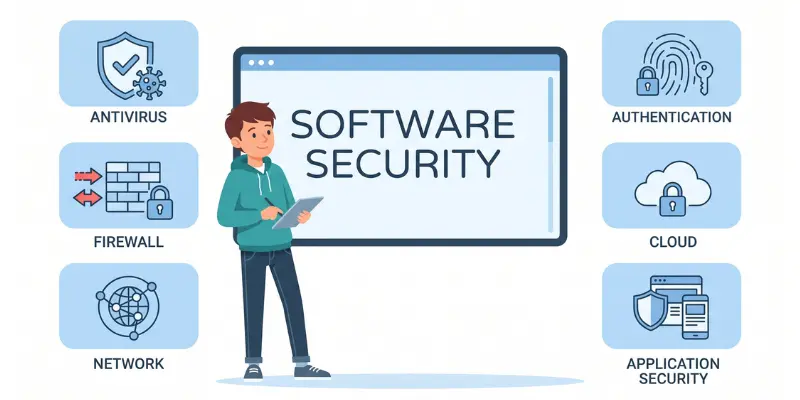
Software security is not one single thing. It breaks down into several distinct types, each protecting a different layer of your software. Understanding these types helps you know exactly where your software is strong and where it might be vulnerable.
Every type plays a specific role. Miss one, and you have left a door open. And attackers are very good at finding open doors. Let me walk you through each type clearly so you actually understand what each one does and why it matters. Here are 7 types of software security included:
1. Application Security
Application security focuses on protecting the software application itself from threats during development and after deployment. This is where most software security work happens. It covers everything from how you write your code to how you test it before users ever touch it.
A real example: when a developer adds input validation to a login form so users can’t inject malicious code into the username field, that’s application security working exactly as it should.
2. Data Security
Data security focuses on protecting the information your software collects, stores, and transmits from unauthorized access or theft. Your software is only as trustworthy as the data it handles. If user data leaks, it doesn’t matter how well the rest of the app works. The damage is already done.
The truth is, most users don’t read privacy policies. They trust you by default. Data security is how you honor that trust.
3. Network Security in Software
Network security in software means protecting the communication channels your software uses to send and receive data across the internet or internal networks. Your software doesn’t live in isolation. It talks to servers, APIs, databases, and other services constantly. Every one of those conversations is a potential interception point.
4. Cloud Software Security
Cloud software security protects applications and data that are hosted on cloud platforms like AWS, Google Cloud, or Microsoft Azure instead of on local servers. More software runs in the cloud now than ever before. That shift brought enormous convenience. It also brought an entirely new set of security challenges that didn’t exist when everything ran on local machines.
The truth is, cloud security is a shared responsibility. The cloud provider secures the infrastructure. You are responsible for securing your own application and data on top of it.
5. Endpoint Security
Endpoint security protects the devices that connect to and run your software, including laptops, phones, tablets, and desktop computers. Every device that accesses your software is a potential entry point. One compromised laptop inside a company network can give attackers access to everything that device can reach.
In practice, endpoint security is often where small companies and student developers have the biggest blind spots.
6. Operational Security (OpSec)
Operational security focuses on the processes and decisions around how software and its data are handled day to day by the people who build and maintain it. Here’s something most beginners don’t realize. A huge percentage of security breaches have nothing to do with sophisticated hacking. They happen because of human error, bad habits, and poor internal processes.
OpSec is about making sure the people handling your software are just as secure as the software itself.
7. Software Supply Chain Security
Software supply chain security protects your application from vulnerabilities introduced through third-party libraries, open-source packages, and external tools your software depends on. Most modern software is not built entirely from scratch. Developers use hundreds of open-source libraries and packages to speed up development. Each one of those dependencies is a potential security risk you didn’t write and may not fully understand.
The truth is, you are responsible for every line of code in your application, including the parts you didn’t write yourself.
What Are the Biggest Software Security Threats You Should Know?
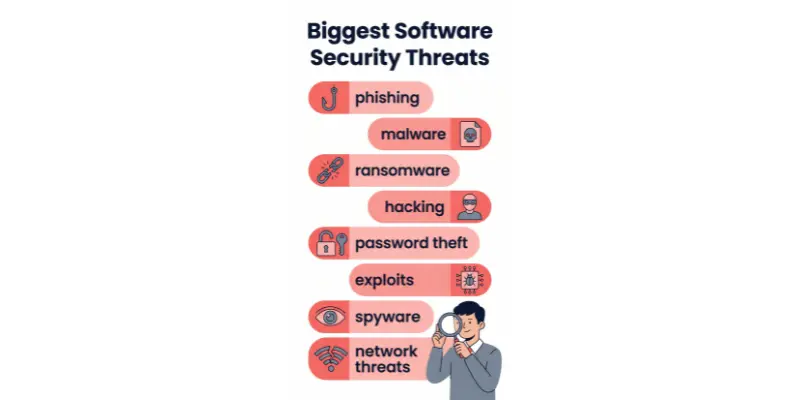
The biggest software security threats are malware, SQL injection, cross-site scripting, social engineering, and zero-day vulnerabilities. Each one works differently but all of them exploit weak or careless code. Knowing what they are is the first step to defending against them.
Here’s the thing: most attacks don’t use exotic tools or genius-level hacking. They use simple techniques against software that wasn’t built carefully enough.
Let me walk you through each major threat so you actually understand what you’re up against.
1. Malware and Viruses
Malware is malicious software designed to damage, disrupt, or gain unauthorized access to a system. It includes viruses, ransomware, spyware, trojans, adware, worms, rootkits, and keyloggers. Each type has a different method of attack but the goal is always the same: cause harm or steal something valuable.Here is a breakdown of each type:
- Viruses: A virus is a piece of code that attaches itself to a legitimate program and spreads when that program runs. The famous ILOVEYOU virus in 2000 infected over 10 million Windows computers in just 10 days by disguising itself as a love letter in an email attachment.
- Ransomware: Ransomware encrypts all the files on your system and demands payment before giving you access back. The WannaCry ransomware attack in 2017 hit over 200,000 computers across 150 countries, including the UK’s National Health Service, causing an estimated 4 billion dollars in damages.
- Spyware: Spyware silently monitors your activity, collects your passwords, browsing history, and personal data, and sends it to a remote attacker without you ever knowing. It often comes bundled with free software downloads that look completely harmless.
- Trojans: A trojan disguises itself as a legitimate and useful program but secretly opens a backdoor into your system for attackers to exploit. The Zeus Trojan, first detected in 2007, was used to steal banking credentials from millions of users worldwide and caused over 100 million dollars in losses.
- Adware: Adware floods your device with unwanted advertisements and can slow down your system significantly. Some adware goes further and tracks your browsing behavior to sell that data to third-party advertisers without your permission.
- Worms: A worm is self-replicating malware that spreads across networks without needing to attach to any program. The Conficker worm infected over 9 million computers across government, business, and home networks in 2008 by exploiting a Windows vulnerability.
- Rootkits: A rootkit gives attackers deep, hidden administrative control over your system. It buries itself so deep in the operating system that standard antivirus tools often cannot detect it, making it one of the hardest threats to remove once installed.
- Keyloggers: A keylogger silently records every keystroke you type on your keyboard, including passwords, credit card numbers, and private messages. Attackers use this data to access your accounts directly without needing to crack any encryption.
2. SQL Injection
SQL injection is one of the oldest and most common web application attacks still in use. It happens when an attacker inserts malicious SQL code into an input field, like a login form, and tricks the database into executing it as a real command.
A classic example: imagine a login form that checks your username and password. An attacker types a specially crafted input that tells the database to ignore the password check completely and grant access anyway.
The 2008 Heartland Payment Systems breach used SQL injection to steal over 130 million credit card numbers. That attack remains one of the largest data breaches in payment history.
3. Cross-Site Scripting (XSS)
Cross-site scripting happens when an attacker injects malicious scripts into a trusted website that other users then load in their browsers. The browser trusts the website, so it runs the script without question.
From real use, XSS attacks are most common on sites with comment sections, search bars, or any field where users can type input. If that input isn’t sanitized, the door is wide open.
In 2005, a MySpace user named Samy Kamkar created an XSS worm that added him as a friend on over one million profiles in just 20 hours. It was mostly harmless but proved exactly how fast XSS can spread.
4. Social Engineering and Phishing
Social engineering is the art of manipulating people into revealing confidential information or taking actions that compromise security. It targets human psychology, not technical vulnerabilities. Phishing is the most common form of social engineering attack.
Phishing works by sending fake emails or messages that look like they come from a trusted source, like your bank or your university. The message creates urgency, asking you to click a link and verify your details immediately.
In practice, over 3.4 billion phishing emails are sent every single day according to AAG IT Services. And the reason they keep sending them is simple: they work. Even experienced developers get caught off guard by well-crafted phishing attempts.
5. Zero-Day Vulnerabilities
A zero-day vulnerability is a software flaw that the developer doesn’t know about yet. Because nobody has patched it, attackers who discover it first have a wide open window to exploit it freely.
The name comes from the fact that developers have had zero days to fix the problem. Once a zero-day is discovered by the wrong person, it can be weaponized immediately with no defense available.
The Stuxnet worm, discovered in 2010, exploited four separate zero-day vulnerabilities in Windows to sabotage Iranian nuclear centrifuges. It remains one of the most sophisticated pieces of malicious software ever created.
How Does Software Security Actually Work?
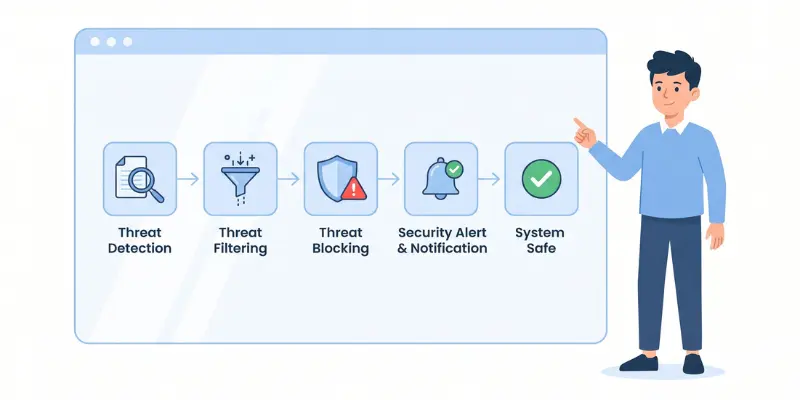
Software security works by embedding protective measures into every stage of how software is built, tested, and maintained. It’s not a single tool or a one-time check. It’s a continuous process that runs from the first line of code to the final update years later.
Think about it this way: a secure building isn’t just one strong door. It’s strong walls, monitored hallways, locked rooms, and regular safety inspections all working together.
That’s exactly how software security works. Layers of protection, applied consistently, at every level of development.
1. The Software Development Lifecycle (SDLC) and Security
The SDLC is the process developers follow to plan, create, test, and deliver software. Security needs to be built into every single phase of this cycle, not bolted on at the end when it’s too late.
Here is how security fits into each SDLC phase:
- Planning Phase: Security requirements are identified before a single line of code is written. Teams define what data needs protection, who can access what, and what compliance rules apply to the product being built.
- Design Phase: Developers create threat models to map out potential attack scenarios. They ask: where could an attacker get in? What data could be stolen? How do we design the system so those paths don’t exist?
- Development Phase: Developers follow secure coding standards to avoid introducing vulnerabilities. This means validating all user input, using safe libraries, avoiding hardcoded passwords, and following the principle of least privilege in every function.
- Testing Phase: Security testing is performed alongside regular quality testing. This includes static code analysis, dynamic testing, and penetration testing to find vulnerabilities before the software reaches real users.
- Deployment Phase: Servers are hardened, unnecessary services are turned off, and access controls are enforced. The software is deployed in a secure environment with monitoring tools active from day one.
- Maintenance Phase: Security patches are applied regularly as new vulnerabilities are discovered. Teams monitor for unusual activity, respond to incident reports, and update the software to stay ahead of new threats.
2. Security Testing: What It Is and Why It Matters
Security testing is the process of actively trying to find weaknesses in software before attackers do. It covers several different testing methods, each designed to catch a different category of vulnerability.
Here are the main types of security testing:
- Static Application Security Testing (SAST) SAST analyzes your source code without running it, scanning for known vulnerability patterns like unsafe functions or unvalidated inputs. Tools like SonarQube and Checkmarx are widely used for this and can catch hundreds of issues automatically before the code is ever executed.
- Dynamic Application Security Testing (DAST) DAST tests the running application by simulating real attacks from the outside. It interacts with the software the way an attacker would, sending malformed inputs and unexpected requests to see how the system responds under pressure.
- Penetration Testing Penetration testing, or pen testing, involves hiring a security professional to actively try to break into your software using the same methods a real attacker would use. Companies like Google, Microsoft, and Facebook run ongoing bug bounty programs that pay researchers to find vulnerabilities through pen testing.
- Software Composition Analysis (SCA) SCA scans all the third-party libraries and open-source components your software uses and checks them against databases of known vulnerabilities. This is critical because over 80% of modern applications contain open-source code that developers didn’t write themselves.
- Fuzz Testing Fuzz testing sends massive amounts of random, malformed, or unexpected data into your software to see if it crashes or behaves strangely. It’s one of the best methods for finding edge-case vulnerabilities that manual testing would never catch.
3. Encryption: The Backbone of Secure Software
Encryption converts readable data into an unreadable format that can only be decoded with the correct key. It’s the single most important technical tool in software security and is used in almost every secure system in the world.
Here are the main types of encryption used in software security:
- Symmetric Encryption Symmetric encryption uses the same key to both encrypt and decrypt data. It’s fast and efficient, making it ideal for encrypting large amounts of data. AES (Advanced Encryption Standard) with a 256-bit key is the current industry standard and is used by governments and banks worldwide.
- Asymmetric Encryption Asymmetric encryption uses two keys: a public key to encrypt the data and a private key to decrypt it. This is the technology behind HTTPS, secure email, and digital signatures. RSA and ECC (Elliptic Curve Cryptography) are the most widely used asymmetric algorithms.
- Hashing Hashing converts data into a fixed-length string that cannot be reversed. Passwords should never be stored as plain text. They should always be hashed using algorithms like bcrypt or SHA-256 so that even if a database is stolen, the actual passwords remain protected.
- End-to-End Encryption (E2EE) End-to-end encryption ensures that only the sender and the intended recipient can read a message. WhatsApp, Signal, and iMessage all use E2EE. Even the company running the service cannot read your messages because the decryption key exists only on your device.
- Transport Layer Security (TLS) TLS is the protocol that encrypts data while it travels between your browser and a web server. Every website with HTTPS in its address is using TLS. Without it, anyone on the same network could read your login credentials and personal data in plain text.
How Can Beginners Start Learning Software Security?
Beginners can start learning software security through free online courses, hands-on practice platforms, and entry-level certifications that don’t require a computer science degree. The learning path is more accessible than most people think. You don’t need to be an expert programmer to get started.
Here’s the truth: the best way to learn security is by doing it, not just reading about it. Theory matters but practice is where real understanding builds.
Start small, stay consistent, and build your skills one layer at a time.
1. Free Resources and Courses for Students
- OWASP (Open Web Application Security Project) OWASP is a free, globally recognized resource that publishes the Top 10 most critical web application security risks every few years. Their website at owasp.org contains guides, cheat sheets, and testing methodologies that professional security engineers use daily on the job.
- Cybrary Cybrary offers free and paid courses specifically focused on cybersecurity and software security topics. Their free tier includes beginner courses on ethical hacking, network security, and secure coding that are genuinely well structured and easy to follow for complete beginners.
- Google’s Cybersecurity Certificate on Coursera Google offers a professional cybersecurity certificate on Coursera that covers foundational security concepts, tools, and practices. It takes roughly six months to complete at a part-time pace and requires no prior experience, making it one of the best starting points for students.
- PortSwigger Web Security Academy PortSwigger, the company behind the popular Burp Suite security tool, offers a completely free web security training platform at portswigger.net. It covers SQL injection, XSS, authentication flaws, and dozens of other vulnerability types through interactive labs you can practice in your browser.
- Professor Messer’s Security+ Study Materials Professor Messer provides free video courses and study notes for the CompTIA Security+ certification on his website at professormesser.com. His materials are clear, beginner-friendly, and used by thousands of students preparing for their first security certification.
2. Tools You Can Practice With at Home
- Kali Linux Kali Linux is a free operating system built specifically for security testing and ethical hacking practice. It comes pre-installed with over 600 security tools including Nmap, Metasploit, and Wireshark, and can be run as a virtual machine on your existing computer without replacing your current system.
- DVWA (Damn Vulnerable Web Application) DVWA is a deliberately insecure web application that you set up locally on your own computer to practice attacking and defending. It covers SQL injection, XSS, file inclusion, command injection, and many other vulnerabilities in a safe, legal environment where you can break things without consequences.
- TryHackMe TryHackMe is a browser-based learning platform where you complete guided security challenges inside virtual machines without installing anything. Their beginner learning paths walk you through real attack and defense scenarios step by step, and the free tier gives you access to a solid number of rooms to practice in.
- Hack The Box Hack The Box is a more advanced practice platform where you attack intentionally vulnerable machines and earn points for solving challenges. It’s slightly harder than TryHackMe but has an active community and is widely recognized by employers as a genuine signal of hands-on security skills.
- Wireshark Wireshark is a free network protocol analyzer that lets you capture and inspect real network traffic on your own machine. Learning to read network traffic with Wireshark teaches you how data moves across systems and helps you spot suspicious patterns that indicate an active attack.
3. Certifications Worth Pursuing
- CompTIA Security+ CompTIA Security+ is the most widely recognized entry-level security certification in the industry. It covers threats, vulnerabilities, cryptography, access control, and incident response. Many employers list it as a minimum requirement for junior security roles, and it costs around 392 dollars to sit the exam.
- Certified Ethical Hacker (CEH) The CEH certification from EC-Council teaches you how to think and act like an attacker in order to better defend systems. It’s a hands-on, practical certification that covers over 20 attack domains including malware analysis, social engineering, and web application hacking.
- OSCP (Offensive Security Certified Professional) OSCP is the gold standard for hands-on penetration testing skills. It requires you to complete a 24-hour practical exam where you must compromise multiple machines under real conditions. It’s not for day-one beginners but is an excellent goal to work toward after 12 to 18 months of practice.
- Google Cybersecurity Certificate The Google Cybersecurity Certificate on Coursera is the best starting point for absolute beginners. It’s affordable, self-paced, and built around practical skills that employers actually care about. Completing it gives you a portfolio-ready foundation before you pursue more advanced certifications.
What Are the Best Software Security Practices for Developers?
The best software security practices for developers are secure coding principles, regular security audits, input validation, proper authentication, and dependency management. Following these consistently is what separates software that gets breached from software that holds up under attack. None of these require advanced expertise. They just require discipline and attention.
In practice, most security breaches are not caused by sophisticated attacks. They’re caused by developers skipping basic steps under deadline pressure.
Here’s the thing: good security habits take the same amount of time as bad ones once they become routine.
1. Secure Coding Principles Every Beginner Should Follow
- Validate Every Input Never trust data coming from a user, a form, an API, or any external source. Always check that the input matches the expected format, length, and type before your application does anything with it. The OWASP Top 10 lists injection attacks, which are entirely caused by unvalidated input, as one of the most critical web application risks year after year.
- Use the Principle of Least Privilege Every user, process, and component in your software should only have access to exactly what it needs to do its job and nothing more. A user who only needs to read data should never have write or delete permissions. This limits the damage an attacker can do if they compromise a single account or component.
- Never Hardcode Credentials Never write passwords, API keys, database connection strings, or secret tokens directly into your source code. Store them in environment variables or dedicated secret management tools like HashiCorp Vault or AWS Secrets Manager. Thousands of developers accidentally expose credentials every year by pushing hardcoded secrets to public GitHub repositories.
- Keep Dependencies Updated Every third-party library you use is a potential security risk if it contains known vulnerabilities. Use tools like Dependabot, Snyk, or OWASP Dependency-Check to automatically scan your dependencies and alert you when a vulnerable version is detected. The Log4Shell vulnerability mentioned earlier affected millions of applications purely through one outdated library.
- Handle Errors Safely Never expose detailed error messages to end users. Stack traces, database error messages, and file paths tell attackers exactly what your system looks like under the hood. Log errors privately on the server and show users a clean, generic message that gives nothing away.
- Use Parameterized Queries Always use parameterized queries or prepared statements when interacting with a database. This completely eliminates the risk of SQL injection by separating the SQL command from the user data. It takes less than five extra minutes to implement and prevents one of the most common attack vectors in web development.
- Implement Proper Authentication and Session Management Use established authentication libraries rather than building your own from scratch. Enforce strong password policies, implement multi-factor authentication where possible, set session timeouts, and invalidate session tokens immediately after logout. Rolling your own authentication is one of the most common sources of serious security flaws in beginner projects.
- Encrypt Sensitive Data at Rest and in Transit Any sensitive data stored in your database should be encrypted. Any data moving between your application and a server should travel over HTTPS using TLS. Storing passwords as plain text or transmitting data over HTTP are both unacceptable practices that still appear in beginner projects far too often.
2. How to Perform a Basic Security Audit
A basic security audit means systematically reviewing your own software to find weaknesses before someone else does. You don’t need expensive tools to start. A structured checklist and honest evaluation goes a long way.
Here is a simple audit process for beginners:
- Review Your Input Validation Go through every place your application accepts input from a user or external source and confirm that each one is validated and sanitized properly. Test what happens when you submit empty fields, extremely long strings, special characters, and SQL fragments into every input field in your application.
- Check Your Authentication System Test your login system by attempting common attacks yourself. Try logging in with blank passwords, extremely long passwords, and special characters. Check whether your system locks accounts after repeated failed attempts and whether session tokens expire after a reasonable period of inactivity.
- Scan Your Dependencies Run your project through a free tool like Snyk at snyk.io or the OWASP Dependency-Check tool. These tools compare your libraries against public vulnerability databases and flag any components with known security issues that you need to update or replace immediately.
- Test Your Error Handling Deliberately trigger errors in your application by sending unexpected inputs and broken requests. Check what your application shows the user when something goes wrong. If you can see database error messages, file paths, or stack traces in the browser, your error handling needs immediate fixing.
- Check for Hardcoded Secrets Search your entire codebase for keywords like “password”, “secret”, “api_key”, and “token” to make sure nothing sensitive is hardcoded in the source code. If you use Git, check your commit history too because deleted code often remains visible in earlier commits.
Common Mistakes Beginner Developers Make
- Skipping Security Until the End Many beginners treat security as a final step, something to add after the application is built and working. This approach almost always results in deep architectural problems that are expensive and time-consuming to fix. Security needs to be considered from the very first design decision, not retrofitted afterward.
- Using Outdated Tutorials A lot of beginner coding tutorials on YouTube and blogs are years old and teach practices that were acceptable at the time but are now known to be insecure. Always check the publication date of any tutorial and cross-reference the security practices it teaches against current OWASP guidelines before applying them to real projects.
- Trusting Client-Side Validation Alone Validating input in the browser using JavaScript is useful for user experience but provides zero security protection. An attacker can bypass client-side validation in seconds using browser developer tools or by sending requests directly to your server. Always validate input on the server side, every single time, without exception.
- Ignoring Security Warnings in Libraries Modern development tools and package managers like npm and pip often display security warnings when you install or update dependencies. Many beginners dismiss these warnings to move faster. Each ignored warning is a known vulnerability sitting inside your application, waiting to be exploited.
- Not Using Version Control Properly Accidentally committing API keys, passwords, or sensitive configuration files to a public GitHub repository is an extremely common beginner mistake. Use a .gitignore file to exclude sensitive files from version control and consider using a tool like git-secrets to automatically block commits that contain credential patterns.
FAQs about What is Software Security
Here are complete details and FAQs about software security for beginners.
Tools used for software security include antivirus programs, firewalls, code scanners, and encryption tools. These tools help detect vulnerabilities, block attacks, and protect sensitive data. Developers also use automated testing tools to find security issues early and improve overall system protection.
Beginners can learn software security by studying basic programming, understanding common threats, and practicing secure coding. Online courses, tutorials, and hands-on projects are helpful. Starting with simple concepts like passwords, encryption, and safe browsing builds a strong foundation for advanced learning.
Software security focuses on protecting individual applications and code from vulnerabilities and attacks. Cybersecurity is broader and covers all digital systems, networks, and data protection. Software security is a part of cybersecurity, ensuring that programs themselves are safe before they operate in larger systems.
Software security is the responsibility of developers, security engineers, and IT teams. Developers write secure code, while security experts test and monitor systems. In many companies, everyone involved in software development shares responsibility to ensure applications stay safe from threats and vulnerabilities.
Software security focuses on protecting applications from attacks and fixing vulnerabilities. Software testing checks if the software works correctly and meets requirements. Testing finds bugs in functionality, while security focuses on preventing hackers and protecting data from threats that could harm the system.
Conclusion
So, in this article, we covered What is Software Security in detail. Software security is all about protecting applications, programs, and systems from hackers, malware, and data theft. It helps keep information safe, improves system reliability, and reduces the risk of cyber attacks. We also looked at its importance, threats, and how it is used in development.
In my opinion, software security should never be ignored because even small security gaps can lead to serious problems. Every developer and user should understand its basics to stay safe in today’s digital world.
If you found this helpful, leave a comment and share your thoughts about software security.