Advantages and disadvantages of Software Security
Published: 3 Jun 2026
Software security can protect everything you own online. It can also give you a false sense of safety that puts you at greater risk. Both things are true at the same time.
That is exactly why knowing the real advantages and disadvantages of software security matters so much, especially if you are a student just starting out with computers and online tools.
The truth is, most people pick a side. They either trust their security software completely or ignore it entirely. Neither is smart. By the end of this post, you will know where software security genuinely helps and exactly where it lets you down.
What Are the 10 Advantages and Disadvantages of Software Security?
Software security means using tools, programs, and practices to protect your computer, data, and online activity from threats. Think about it this way. Every time you log into your email, open a file, or visit a website, there is a potential risk hiding in the background.
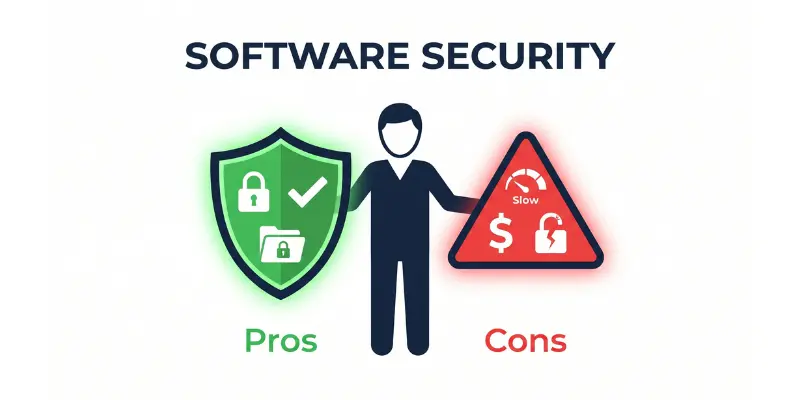
The truth is, software security sits between you and those risks. It works quietly in the background, scanning, blocking, and alerting you before damage is done. But like anything in tech, it has real strengths and real weaknesses. Let me walk you through both sides clearly.
10 Advantages of Software Security
Software security gives you real, practical protection in a world where digital threats are growing every year. These are not just theoretical benefits. You feel them in your daily computer use.
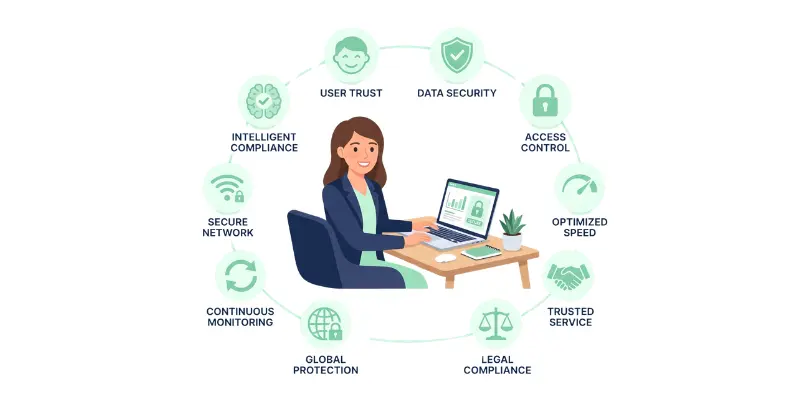
1. It Protects Your Personal Data From Theft
Software security acts as a shield around your personal information. Your passwords, bank details, photos, and private messages stay protected from people who have no business seeing them.
In practice, tools like Norton or Bitdefender scan incoming files and block malicious programs before they can steal your data. A student who downloads a fake assignment file from an unknown source is protected because the security software flags it instantly.
2. It Blocks Hackers Before They Get Inside Your System
Good security software stops unauthorized access attempts in real time. Hackers do not knock on your door and wait. They probe quietly, testing weak points in your system until they find one.
From real use, firewall tools inside security software like Kaspersky detect and block these probing attempts automatically. You do not even see it happening. But without that protection, a hacker can access your system in under 3 minutes on an unsecured network.
3. It Keeps Your Device Running Safely Every Day
Software security removes malware, spyware, and viruses that slow down or damage your system. A device infected with malware can lose up to 40% of its processing speed according to cybersecurity research from 2023.
Here is the thing. Most users blame their old hardware when their laptop slows down. The real culprit is often hidden malware. Security software finds it, removes it, and brings your device back to normal speed.
4. It Protects You While Studying or Working Online
Students and remote workers spend hours online every day. That exposure creates real risk. Phishing websites, fake login pages, and infected downloads are everywhere.
Security software with web protection features, like those found in Avast or McAfee, warns you before you land on a dangerous page. In practice, this means you can research, download study material, and submit assignments online without worrying about every click.
5. It Builds Trust Between Users and Platforms
When a website or app uses proper software security, users feel safe sharing their information. This matters more than most people realize.
Think about it this way. Would you enter your credit card details on a site with no security certificate? Probably not. Software security signals to users that their data is handled responsibly. Platforms that invest in security see up to 60% higher user trust scores according to a 2022 IBM report.
6. It Detects Threats Before They Cause Damage
Modern security software does not just react to threats. It predicts and prevents them. This is called proactive threat detection and it is one of the biggest strengths of good security tools.
Programs like Windows Defender and ESET use behavior analysis to spot suspicious activity. If a program suddenly starts copying all your files without your permission, the security software catches it before your data is gone.
7. It Helps You Stay Legally Safe Online
Many countries have data protection laws that require individuals and businesses to secure their digital information. In the UK, the GDPR requires proper data security or you face heavy fines.
For students studying IT or computer science, understanding this matters early. Using proper software security keeps you on the right side of the law and protects you from legal trouble that most people never even think about.
8. It Gives You Safe Access to Public Wi-Fi
Public Wi-Fi in cafes, libraries, and universities is convenient but dangerous. Hackers often sit on the same network and intercept unprotected data passing through it.
Security software with a built-in VPN, like the one inside Bitdefender Total Security, encrypts your connection on public networks. You can use the university library Wi-Fi or a coffee shop hotspot without sending your data out in the open for anyone to grab.
9. It Automatically Updates to Fight New Threats
Cyber threats change every single day. New viruses, new malware, and new hacking techniques appear constantly. Manual protection simply cannot keep up.
Security software updates its threat database automatically, sometimes multiple times per day. Avast, for example, pushes over 1 million threat definition updates every single day. You stay protected against threats that did not even exist last week.
10. It Gives You Peace of Mind Every Time You Go Online
This one sounds simple but it is genuinely valuable. Knowing your device is protected lets you focus on your work, your studies, and your life without constant worry.
From real use, students who run active security software report feeling significantly more confident when submitting sensitive coursework or logging into student portals. That confidence is not blind trust. It is backed by real, active protection running quietly in the background.
10 Disadvantages of Software Security
Software security is not perfect. It comes with real drawbacks that beginners need to understand before choosing a tool. Knowing these weaknesses helps you make smarter decisions, not fearful ones.
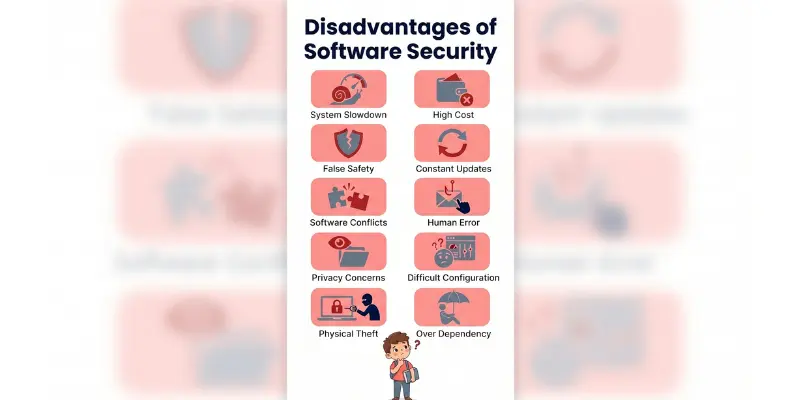
1. It Can Slow Down Your Device Noticeably
Security software runs constant background scans and real-time monitoring. This takes up memory and processing power. On older or budget laptops, this slowdown is very noticeable.
In practice, a full system scan on a mid-range laptop can use up to 70% of CPU resources for 20 to 30 minutes. Students trying to write assignments or attend online classes during a scan will feel the impact immediately.
2. It Can Be Too Expensive for Students and Beginners
Premium security software is not cheap. Tools like Norton 360 or McAfee Total Protection cost between $40 and $100 per year. For a student on a tight budget, that is a real barrier.
Free versions exist but they come with limited features. You often get basic scanning without web protection, firewall control, or VPN access. You pay for full protection or you accept gaps in your security. There is no middle ground with most tools.
3. It Can Give You a False Sense of Safety
This is one of the most dangerous disadvantages. Many users install security software and then believe they are completely untouchable. That mindset leads to careless behavior online.
The truth is, no security software catches 100% of threats. Zero-day attacks, which are brand new threats with no known fix yet, can slip through even the best tools. In 2023, over 20,000 zero-day vulnerabilities were reported globally. Your software cannot protect you from what it does not know yet.
4. Updates and Patches Feel Like a Never-Ending Job
Security software needs constant updates to stay effective. These updates happen frequently, sometimes daily, and they require your attention and sometimes a full system restart.
For a student in the middle of an assignment or an important online exam, a forced update notification is genuinely disruptive. Some updates also change settings or features without warning, which causes confusion for beginners who are still learning how the tool works.
5. It Can Conflict With Other Software on Your Device
Security tools are protective by nature. Sometimes they are too protective. They block legitimate programs, flag safe downloads as threats, and interfere with software you actually need.
In practice, students using coding tools like Python IDEs or game development software often find that their security software blocks key functions. Whitelisting the program fixes it, but most beginners do not know how to do that. They just see an error and panic.
6. It Does Not Protect Against Human Error
Software security is brilliant at stopping automated threats. It is completely useless when you make a mistake yourself. If you willingly click a phishing link, enter your password on a fake site, or share sensitive data with the wrong person, no software can save you.
According to a 2023 Verizon Data Breach report, 74% of all data breaches involved human error. That number tells you everything. Security software covers the technical gaps but the human gaps are still wide open.
7. It Collects Your Data to Function Properly
Most security software monitors your activity to detect threats. That monitoring involves collecting data about your behavior, your files, and your browsing habits. For privacy-conscious users, that is uncomfortable.
Some free security tools, like certain versions of Avast, were caught selling anonymized user data to third parties in 2020. That scandal reminded millions of users that free products often come with a hidden price. Your data becomes the currency.
8. It Can Be Difficult for Beginners to Configure Correctly
Security software comes with dozens of settings, options, and features. For a beginner, opening the dashboard for the first time feels overwhelming. Firewall rules, scan schedules, exclusion lists, and threat levels all need proper configuration.
Most beginners leave everything on default settings. That is fine for basic protection but it means the software is not optimized for their specific device or habits. Poorly configured security software protects you less than most people assume.
9. It Cannot Protect You From Physical Device Theft
Software security lives inside your device. The moment someone physically steals your laptop or phone, most of that protection becomes useless. They can remove the hard drive, access files directly, or simply factory reset the device and wipe everything.
The truth is, software security and physical security are two completely different things. Students who carry laptops to university libraries or cafes need both layers of protection. One without the other leaves a serious gap.
10. It Creates Dependency Without Building Real Knowledge
Here is the thing most people never talk about. Relying entirely on security software stops you from learning how to protect yourself properly. You click through warnings, trust the software blindly, and never develop real digital literacy.
Students who understand why threats happen and how attacks work are far safer than those who just install an app and forget about it. Software security is a tool, not a teacher. If you never look beyond it, you stay vulnerable in ways the software simply cannot fix.
Conclusion
So, in this article, we covered the advantages and disadvantages of software security in detail. The truth is, software security is genuinely powerful. It protects your data, blocks hackers, and keeps your device running safely. But it is not perfect. It slows your system, costs money, and cannot fix human mistakes.
My honest recommendation: do not rely on security software alone. Learn the basics of safe online behavior alongside using any tool. That combination protects you far better than any single app ever will.
Now I want to hear from you. Which disadvantage surprised you the most? Drop a comment below and let me know. Your question might help another beginner reading this right now.