What is Curved Monitor?
Published: 9 Mar 2026
Did you know that curved monitors are becoming more popular than flat screens? A curved monitor is designed to wrap slightly around your eyes. It provides a broader perspective and makes games, movies, and work tasks feel more natural. People notice less eye strain and more comfort when using these screens.
In this blog, you will learn about what is curved monitor and its different types. It will be very informative and full of useful knowledge, especially for students.
What is Curved Monitor?
A curved monitor is a display with a gentle curve. It is not flat. The curve is designed to match how the eye sees naturally. There are many types of curved monitors. Some are small for work, and some are ultra-wide for gaming.
History of Curved Monitors
The history of curved monitors shows how display technology has changed over time. Engineers wanted a screen that feels more natural for human eyes. A curved screen can offer a wider, more comfortable viewing experience. Because of this idea, companies began developing curved monitors many years ago. The goal was to improve watching, gaming, and computer work.
Early Idea of Curved Screens
The idea of curved screens did not start with computer monitors. It began in movie theaters. Large cinema screens use a slight curve so viewers can see the whole screen clearly. This design helped people see images with less distortion.
First Curved Display Technology
Curved display technology was first used in CRT televisions. Some CRT TVs had a curved glass screen. This shape helped reduce picture distortion. Engineers later used this idea to improve modern displays.
Development of Modern Curved Monitors
Modern curved monitors became possible after the creation of LED and LCD display technology. Engineers could finally bend large screens safely. Companies tested many designs to find the best viewing curve.
First Commercial Curved Monitors
In 2013, the company Samsung introduced one of the first modern curved monitors for consumers. This monitor used advanced display technology. It showed how curved screens could improve gaming, movies, and work tasks.
Time Required for Development
Curved monitor technology took many years of research. Engineers tested display panels, screen materials, and viewing angles. After many experiments, manufacturers developed stable curved panels ready for sale.
First Buyers of Curved Monitors
Gamers and technology enthusiasts were the first people to buy curved monitors. They liked the immersive screen experience. Later, designers, video editors, and office users also started using them.
Growth of Curved Monitors
After the first curved monitors appeared, many companies began producing them. Screen sizes became larger, and ultra-wide curved monitors entered the market. Today, curved monitors are common for gaming setups, creative workstations, and entertainment systems.
How Curved Monitors Work
Curved monitors work differently from flat screens. They are designed to match the natural curve of human eyes. This makes viewing easier and more comfortable. The curve helps you see the edges of the screen without moving your head too much.
- The screen bends slightly inward, usually measured in R values like 1500R or 1800R.
- The curve wraps the display around your eyes.
- It gives a wider field of view than flat monitors.
- The edges of the screen are closer to your eyes.
- Images and text look more natural and less distorted.
- Your eyes move less, reducing eye strain during long use.
- It makes gaming, movies, and work feel more immersive.
Types of Curved Monitors
Curved monitors come in different types for different uses. They are made to give the best experience for gaming, work, or general use. Each type has a special design to match the user’s needs. Here are 7 types of curved monitors for learning students.
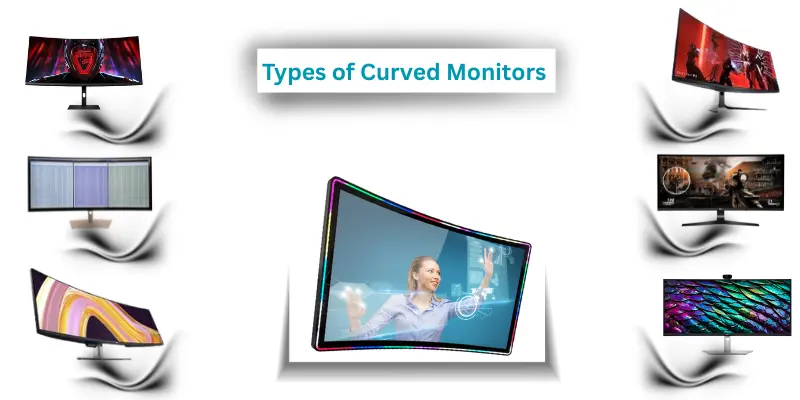
7 Types of Curved Monitors
- Gaming Curved Monitors
- Professional Curved Monitors
- Ultra-Wide Curved Monitors
- General Use Curved Monitors
- High Refresh Rate Curved Monitors
- 4K Curved Monitors
- Touchscreen Curved Monitors
Parts of Curved Monitor
A curved monitor has several components that work together to deliver a clear, comfortable display. Each part is important for making the screen look good and feel easy on the eyes. Here are 10 parts of curved monitor for learner students.
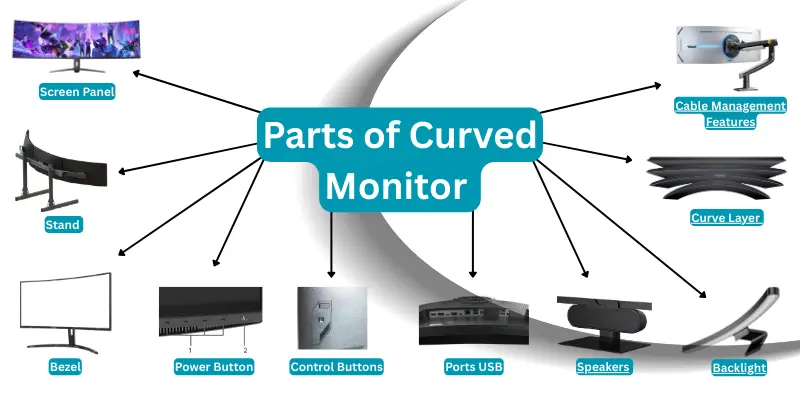
10 Parts of a Curved Monitor
- Screen Panel
- Stand
- Bezel (Frame around the screen)
- Power Button
- Control Buttons or OSD
- Ports USB
- Speakers
- Backlight
- Curve Layer
- Cable Management Features
Features of Curved Monitors
Curved monitors have many features that make them better than flat screens. They are designed to give comfort, clear viewing, and an immersive experience for work, gaming, and movies. Here are 10 features of curved monitors for learning students.
10 Features of a Curved Monitor
- Immersive Viewing Experience
- Reduced Eye Strain
- Wide Field of View
- Better Depth Perception
- High Resolution (Full HD, 2K, 4K)
- High Refresh Rate
- Ultra-Wide Screen Options
- Adjustable Stand (Tilt, Height, Swivel)
- Multiple Ports (HDMI, DisplayPort, USB)
- Built-in Speakers (in some models)
Uses of Curved Monitors
Curved monitors are used for many tasks. They offer a more natural, comfortable view. People use them for work, entertainment, and other activities. Here are 10 uses of curved monitors for learner students.
10 Uses of a Curved Monitor
- Gaming
- Watching Movies and Videos
- Office Work and Productivity
- Graphic Design
- Video Editing
- Programming and Coding
- Browsing the Internet
- Financial Work and Data Analysis
- Home Entertainment Systems
- Online Learning and Education
Characteristics of Curved Monitors
Curved monitors have unique characteristics that set them apart from flat screens. These features give a better viewing experience, reduce eye strain, and make games and movies more enjoyable. Here are 10 characteristics of curved monitors for learning students.
10 Characteristics of a Curved Monitor
- Slightly curved screen design
- Immersive viewing experience
- Wide field of view
- Reduced distortion at edges
- Eye-friendly display for long use
- High resolution options (Full HD, 2K, 4K)
- High refresh rates for smooth visuals
- Ultra-wide screen support
- Adjustable stand for comfort
- Multiple input ports (HDMI, DisplayPort, USB)
Curved Monitor vs Flat Screen
Curved monitors and flat screens differ in how they display images. Curved monitors bend slightly to match the shape of human eyes. Flat screens stay straight. Each type has its own uses, advantages, and disadvantages.
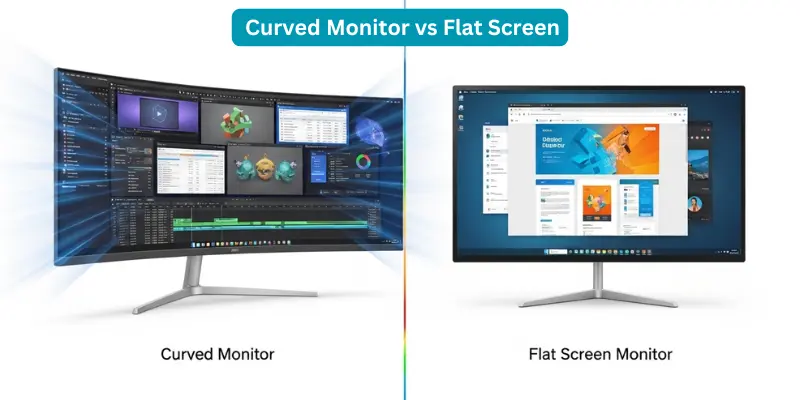
Difference Between Curved Monitor and Flat Screen
| Feature | Curved Monitor | Flat Screen |
|---|---|---|
| Screen Shape | Slightly curved | Flat and straight |
| Viewing Experience | Immersive, wraps around the eyes | Standard, less immersive |
| Eye Comfort | Reduces eye strain | Can cause more eye strain |
| Best Use | Gaming, movies, creative work | General use, office work |
| Viewing Angles | Wide, natural edges | Narrower edges may appear distorted |
| Price | Usually higher | Usually lower |
| Screen Sizes | Often large or ultra-wide | Small to large |
| Depth Perception | Better depth feel | Less depth feel |
| Multi-User Viewing | Best for one person | Can be used by multiple people |
| Style | Modern and curved design | Traditional and simple design |
Advantages and Disadvantages of Curved Monitors
Curved monitors offer many benefits but also have drawbacks. They are designed to give a better viewing experience and reduce eye strain. At the same time, there are some points to consider before buying.
| 10 Advantages of Curved Monitors |
|---|
|
| 10 Disadvantages of Curved Monitors |
|---|
|
Conclusion
Curved monitors are like a little helper for your eyes. They wrap the screen gently around you, making everything look natural. They were made to make work, games, and movies more fun and comfortable.
The story of curved monitors shows that small changes can make a big difference. By bending a screen, engineers gave people a better way to see and enjoy their screens.
If someone wants comfort, better focus, and a more exciting view, a curved monitor can be the right choice. It teaches us that thinking differently can create something new and useful.
FAQs About What is Curved Monitors
Many people ask questions about curved monitors, especially popular models. Here is a complete list of questions about curved monitors for students and learners.
Curved monitors come in different sizes. Small ones start at 24 inches, which are good for basic work. Medium sizes like 27–32 inches are popular for gaming and office use. Ultra-wide monitors can go up to 49 inches for immersive gaming or video editing.
Yes. Curved monitors make games more fun. They wrap the screen edges around your view. This makes the game feel bigger and more realistic. High refresh rates and wide screens help smooth movements and better visuals.
Yes, they are great for office tasks. Ultra-wide curved monitors let you see multiple windows at once. This is useful for spreadsheets, coding, or designing. They also reduce eye strain during long work hours.
Usually, yes. Curved monitors cost more because of their design and advanced technology. Ultra-wide and high-refresh-rate curved monitors are the most expensive. Smaller curved monitors can be closer in price to flat screens.
Yes, but it can be tricky. Aligning multiple curved monitors is harder than aligning flat screens. It works best if all monitors have the same curve and size. For most people, single-user setups are easier and more effective.
Yes. The curved design matches how eyes naturally see. You do not have to move your eyes as much to see the edges of the screen. This makes long hours of work, gaming, or study more comfortable.
Yes. Curved monitors give a cinema-like feel. The curve wraps around the screen, making movies feel more immersive and realistic. Watching videos feels more exciting and natural.
Yes. Ultra-wide curved monitors are very helpful for coding and office tasks. They let you see multiple lines of code or multiple documents at the same time. This improves focus and productivity.
Popular brands that make high-quality curved monitors include Samsung, LG, Dell, ASUS, and Acer. These brands offer different sizes, refresh rates, and features for gaming, work, or general use.