What is Plasma Monitors?
Published: 10 Mar 2026
Plasma monitors are a type of display screen that uses plasma gas to show bright and clear images. They are known for deep colors, smooth motion, and wide viewing angles. Many people used them in homes and offices because they give sharp picture quality.
Here are complete explanation about what is plasma monitors, including their parts and types, for beginner students.
History of Plasma Monitors
Plasma monitors have an interesting history that shows how screen technology improved over time. They were made to give bright, colorful, and clear pictures. Their history tells who made them, why they were made, when they were first created, and how they became ready for use in homes and offices.
1. When Plasma Monitors Were Created
The first plasma display was created in 1964 by scientists Donald Bitzer and Gene Slottow at the University of Illinois. It was first used for small displays in labs and research. This invention showed that screens could use plasma to create bright and clear images without needing heavy glass tubes.
2. Development Over Time
It took many years to make plasma monitors ready for homes and offices. By the 1990s, companies like Pioneer and Fujitsu started making larger plasma screens for commercial and home use. The screens became thinner, bigger, and more colorful. They were used in airports, offices, and homes to show clear video and TV programs.
3. First Buyers
The first buyers were mostly research labs, commercial places, and tech companies. Later, as prices dropped, ordinary people could buy plasma TVs for home entertainment. They became popular because they showed movies and games in better quality than other screens.
4. Other Key Events in Plasma Monitor History
- In the 1990s, plasma screens became common in large TVs.
- In 2000, they were considered the best choice for home theaters.
- Over time, companies added features like wider viewing angles and better color accuracy.
- Plasma monitors started to compete with LCD and LED screens, which later became more popular.
How Plasma Monitors Work
Plasma monitors work differently from other screens. They use small cells of gas to make light and color. This method helps them show bright, smooth, and clear images.
- Plasma monitors have tiny cells filled with gas.
- When electricity passes through these cells, the gas turns into plasma.
- The plasma makes ultraviolet light.
- This light hits colored phosphor on the screen.
- The phosphor glows and creates red, green, and blue colors.
- All the colors mix to show pictures and videos.
- Plasma monitors update the picture very fast for smooth motion.
Types of Plasma Monitors
Plasma monitors come in different types. Each type has its own features and uses. Knowing the types helps people choose the right screen for movies, gaming, or work. Here are 7 types of plasma monitors for students.
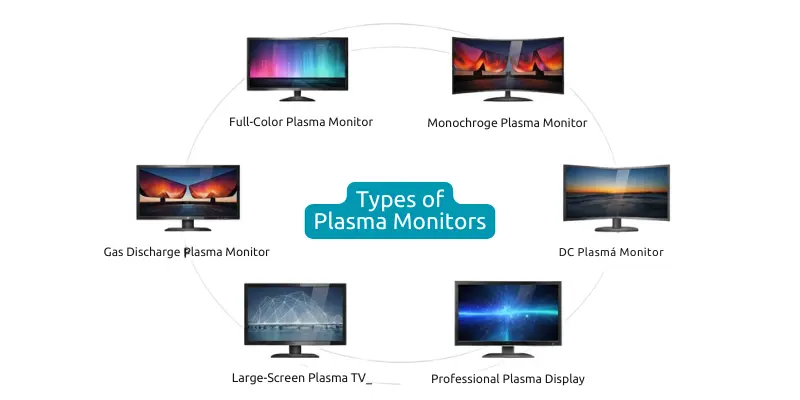
- Full-Color Plasma Monitors
- Monochrome Plasma Monitors
- Gas Discharge Plasma Monitors
- AC (Alternating Current) Plasma Monitors
- DC (Direct Current) Plasma Monitors
- Large-Screen Plasma TVs
- Professional Graphics Plasma Displays
Parts of Plasma Monitors
Plasma monitors have many important parts that work together to show clear and colorful images. Each part has a special role. Knowing the parts helps people understand how the screen works. Here are 18 parts of plasma monitor for learner students.
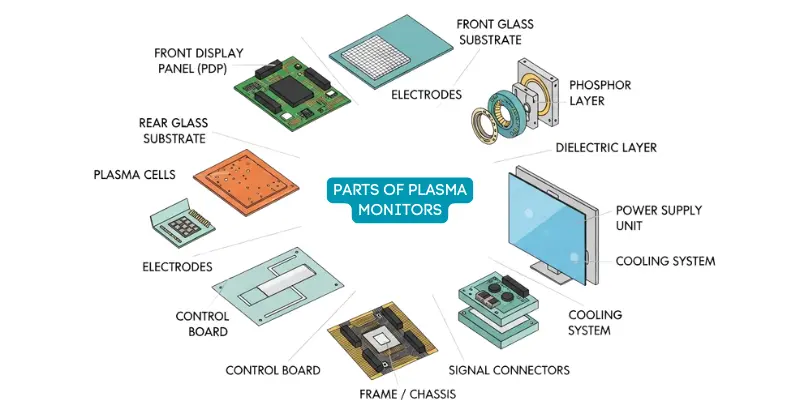
- Plasma Display Panel (PDP)
- Front Glass Substrate
- Rear Glass Substrate
- Plasma Cells
- Electrodes
- Phosphor Layer
- Dielectric Layer
- Protective Glass Layer
- Driver Electronics / Driver Board
- Control Board / Main Board
- Power Supply Unit (PSU)
- Cooling System / Fans
- Backlight (for some hybrid models)
- Signal Cables / Connectors
- Frame / Chassis
- Anti-Reflection Coating
- Capacitors & Resistors
- Voltage Regulators
Features of Plasma Monitors
Plasma monitors have many features that make them different from other screens. They give bright colors, clear images, and smooth motion, which is perfect for movies, games, and work. Here are 10 features of plasma monitor for learner students.
- High contrast ratio for deep blacks
- Wide viewing angles without color loss
- Smooth motion display for fast-moving scenes
- Rich and vibrant colors
- Large screen sizes available
- Good brightness for indoor use
- Built-in speakers in some models
- Multiple input options (HDMI, VGA, Component)
- Stylish design with thin bezel
- Durable and long-lasting display
Examples of Plasma Monitors
Plasma monitors were made by many technology companies. These models were popular for home entertainment, movies, and gaming because of their large screens and clear picture quality. Here are 10 examples of plasma monitor for learner students.
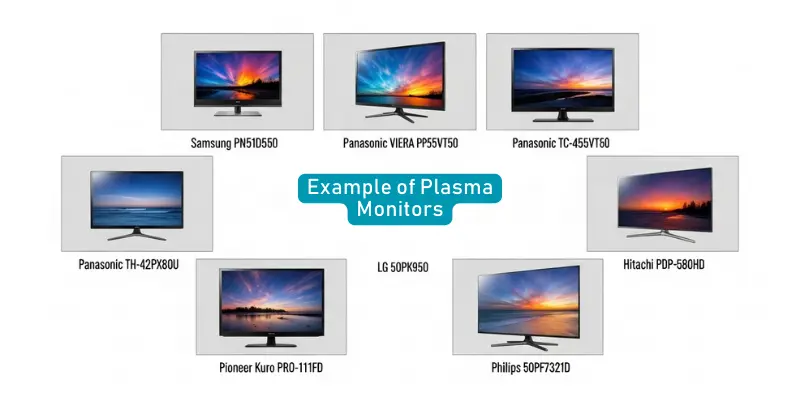
- Samsung PN51D550
- Samsung PN60F8500
- Panasonic VIERA TC-P55VT50
- Panasonic TH-42PX80U
- LG 50PK550
- LG 60PK950
- Pioneer PDP-5080HD
- Pioneer Kuro PRO-111FD
- Hitachi P50H401
- Philips 50PF7321D
Uses of Plasma Monitors
Plasma monitors are used in many places to show clear and colorful images. They are helpful for entertainment, work, and public displays. Different industries use them because they give bright pictures and smooth video. Here are 15 uses of plasma monitor for learner students.
- Home Entertainment
- Watching Movies and TV Shows
- Gaming
- Home Theater Systems
- Office Presentations
- Graphic Design Work
- Video Editing
- Advertising Displays
- Airport Information Screens
- Shopping Mall Displays
- Conference Rooms
- Control Rooms
- Medical Image Viewing
- Educational Classrooms
- Digital Signage Displays
Characteristics of Plasma Monitors
Plasma monitors have special characteristics that make them useful for showing clear and colorful images. These features help them display videos, pictures, and graphics with good quality. Many people like them because they show smooth motion and bright colors. Here are 12 uses of plasma monitor for learner students.
- High Picture Quality
- Deep Black Levels
- Wide Viewing Angles
- Bright and Vivid Colors
- Smooth Motion Display
- Large Screen Sizes
- Fast Response Time
- Good Contrast Ratio
- Thin Screen Design
- Strong Color Accuracy
- Good Performance for Movies and Videos
- Uniform Screen Brightness
Plasma Monitors vs Curved Monitors
Plasma monitors and curved monitors are two different types of display screens. Each monitor uses a different technology to show images. Plasma monitors use gas cells and phosphor light, while curved monitors use modern LED or LCD displays with a curved screen design.
Difference Between Plasma Monitors and Curved Monitors
| Feature | Plasma Monitor | Curved Monitor |
|---|---|---|
| Screen Shape | Flat screen | Slightly curved screen |
| Display Technology | Uses plasma gas cells and phosphor | Uses LED or LCD display technology |
| Viewing Experience | Good for large screens | More immersive viewing experience |
| Screen Size | Mostly large screens | Available in many sizes |
| Picture Quality | Strong colors and deep contrast | Clear and natural visuals |
| Eye Comfort | Normal viewing comfort | Designed to reduce eye strain |
| Gaming Experience | Good but older technology | Better for modern gaming |
| Power Consumption | Uses more electricity | Uses less electricity |
| Design | Traditional flat design | Modern curved design |
| Market Availability | Mostly discontinued today | Widely available in the market |
Advantages and Disadvantages of Plasma Monitors
Plasma monitors became popular because they produced bright images and rich colors. Many people used them for movies and home entertainment. At the same time, plasma monitors also had some drawbacks that users needed to consider before buying.
| 10 Advantages of Plasma Monitors |
|---|
|
| 10 Disadvantages of Plasma Monitors |
|---|
|
Conclusion
Plasma monitors show bright and clear images with smooth motion. Many people use them for movies, gaming, and large displays because they give strong picture quality. They also played an important role in the history of screen technology.
FAQs about What is Plasma Monitors
Many people ask questions about plasma monitors and popular plasma monitors. Here is a complete list of questions about plasma monitors for students and learners.
A plasma monitor uses electricity to turn gas into plasma. This plasma creates light, and the light forms images on the screen.
People use plasma monitors for watching TV, movies, gaming, presentations, and large display screens.
Plasma monitors show deep colors, clear pictures, and smooth motion, which makes them good for videos and movies.
Plasma monitors are not very common today because LED and OLED screens are more popular.
Yes, plasma monitors usually use more electricity than LCD or LED screens.
Yes, many people like plasma monitors for movies because they show strong colors and deep black levels.
Yes, plasma monitors can have burn-in if the same image stays on the screen for a long time.