What is Application Software
Published: 9 Nov 2025
Do you know what application software really is? Many people confuse it with system software. They are programs that help users complete tasks. They are also called app software or software applications. Examples include Microsoft Office, Google Chrome, and mobile apps. All information about computer software, types of software, and the benefits of software is explained in detail on EC Science.
What is Application Software?
Application software is a computer program designed to help users complete specific tasks. They are designed for end users and can be installed on desktop computers, laptops, and mobile devices. Many types of application software make work, learning, and entertainment easier. They are also called software applications or application programs. Examples include word processors, spreadsheets, web browsers, media players, and educational software.
History of Application Software
Application software has evolved dramatically over eight decades, moving from room-sized machines running single programs to AI-powered cloud services that adapt to individual users in real time.
The journey began in the 1950s and 60s when software was written directly for specific hardware programs that could do little more than calculate payroll or process scientific data. The 1970s and 80s brought the personal computer revolution, and with it, the first productivity applications: VisiCalc (the original spreadsheet), WordStar (word processing), and early database tools that made computers useful to ordinary businesses.
The 1990s saw the explosion of the desktop era. Microsoft Office became the dominant productivity suite, and web browsers like Netscape opened the internet to mainstream users. The 2000s shifted focus to web applications and the early SaaS (Software as a Service) model, where software was hosted in the cloud and accessed through a browser instead of installed locally.
The 2010s cemented mobile apps as a primary software delivery channel. Platforms like iOS and Android gave rise to millions of apps for every conceivable purpose communication, finance, health, entertainment, and education.
Today, application software has entered a new phase: AI-native and agentic software. Rather than simply automating fixed tasks, modern applications embed large language models, learn from user behavior, and in some cases autonomously carry out multi-step tasks on a user’s behalf.
Platforms like Microsoft 365 Copilot, Google Gemini for Workspace, and Notion AI have made AI a standard feature, not a premium add-on. Simultaneously, low-code and no-code platforms have enabled non-technical users to build their own applications without writing a single line of code, fundamentally changing who can create software.
Functions of Application Software
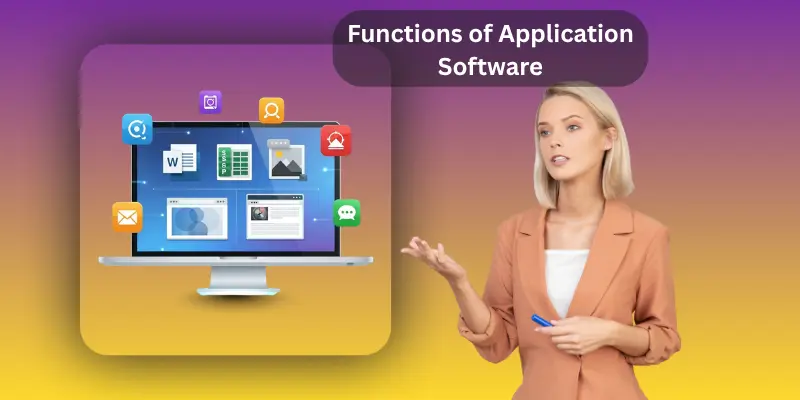
Application software is used to help users perform tasks on computers, laptops and mobile devices. They are programs that make work, learning, business and entertainment easier. They are also called software applications or application programs.
Detailed Uses of Application Software
- Data management and analytics help users organize, collect and examine data. They are useful in making decisions for businesses and research.
- Multimedia and content creation allow users to create images, videos, music and documents. They are used for marketing education and personal projects.
- Communication and collaboration help users share information, work together on projects, and interact online. They are used in offices, schools and remote teams.
- Financial operations help manage budgets, accounts, invoices and transactions. They are used by businesses and individuals to track money.
- Business optimization helps improve workflow efficiency, reduce errors and save time. They are used in enterprise software and CRM systems.
- Project management helps plan, assign and track tasks. They are used to complete projects on time and meet goals.
- Education and training provide tools for learning and skill development. They are used in schools, online courses and professional training.
- Healthcare solutions help manage patient records, appointments and treatments. They are used in hospitals, clinics and medical offices.
- Data processing automates calculations, organizing and converting data. They are used in analytics and reporting.
- Information management helps store, organize and retrieve information efficiently. They are used in databases and knowledge systems.
- Productivity enhancement helps users work faster and complete tasks easily. They are used in word processors, spreadsheets and office suites.
- Task automation reduces repetitive work by performing actions automatically. They are used in software macros and scripts.
- User interface interaction provides easy ways for users to control software. They are used in apps web applications and desktop software.
- Content creation allows users to make text, images, videos and audio. They are used in publishing, design and social media.
- Multimedia handling helps users play, edit and share images, videos and music. They are used in media players and editing software.
- Communication facilitation allows sending messages, making calls and holding meetings online. They are used in email apps, chat apps and video conferencing.
- Entertainment provision provides games, videos, music and creative tools. They are used in media players and entertainment software.
- Educational support helps teachers, students and learners access lessons and practice. They are used in educational software and e-learning platforms.
- Simulation and modeling help create virtual scenarios for practice testing and training. They are used in engineering education and healthcare.
- Resource management helps track and allocate people, materials and money. They are used in business enterprise software and project management.
- Collaboration tools allow teams to work together, share files and coordinate tasks. They are used in offices and on online platforms.
- Analysis and reporting help summarize information and present results. They are used in spreadsheets, business software and analytics tools.
- Customization and personalization allow users to adjust software settings and features. They are used in apps and desktop software to suit user needs.
- Integration with hardware allows software to communicate with printers, scanners and other devices. They are used in desktops, mobile devices and enterprise systems.
- Security features protect software and data from unauthorized access. They are used in antivirus programs, firewalls and secure applications.
- Update and maintenance ensure the software runs smoothly and has new features. They are used in system updates, app updates and cloud software.
- Cloud connectivity allows access to software and data online from anywhere. They are used in web applications, cloud applications and SaaS tools.
- Mobile accessibility allows users to run software on smartphones and tablets. They are used in mobile apps, productivity tools and web applications.
Need for Application Software
The need for application software is greater than ever and more varied than at any point in computing history.
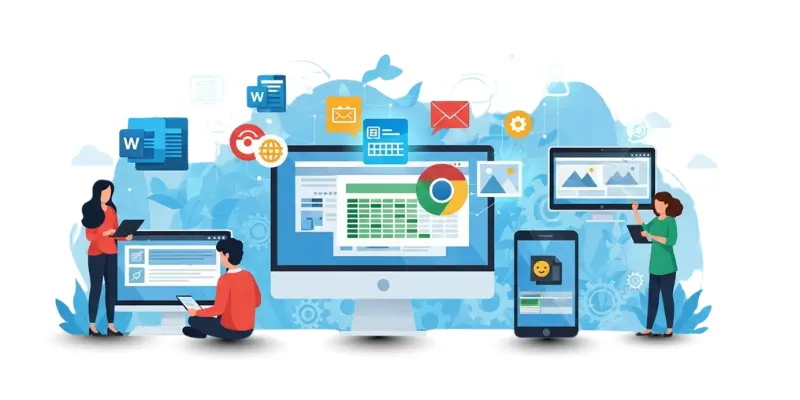
At the most basic level, computers and smartphones are inert without applications. The hardware provides the processing power; the software provides the purpose. A student writing an assignment, a doctor reviewing a patient file, a small business tracking inventory, or a designer creating a logo all depend on application software to turn a general-purpose device into a tool for their specific task.
Beyond individual needs, the rise of remote and hybrid work has made cloud-based application software essential for organisational survival. Teams spread across cities and countries rely on tools like Google Workspace, Microsoft Teams, and project management platforms to collaborate in real time, share files, and hold meetings without being in the same room.
The emergence of AI-integrated software has added a new dimension to why application software matters. AI features built into productivity apps can draft documents, summarise emails, generate code, analyse data, and answer questions compressing hours of work into minutes. Choosing the right AI-enabled application now has a direct impact on professional output and competitive advantage.
Security and compliance represent another critical driver. As organizations store more sensitive data in software systems, the choice of application and its data handling practices has legal and financial implications. Healthcare organizations must choose HIPAA-compliant software; businesses operating in Europe must ensure their tools comply with GDPR. Application software is no longer just a productivity choice; it is a governance decision.
Finally, the democratisation of software through no-code and low-code platforms has expanded who needs to understand and choose application software. Today, a marketing manager can build a custom database app, a teacher can design an interactive learning tool, and a small business owner can automate their invoicing all without a software developer. This makes application software knowledge relevant not just to technical professionals but to virtually every working adult.
Types of Application Software
Application software falls into many categories depending on purpose, delivery method, and how users interact with it. Below are the major types, including categories that have become prominent in recent years.
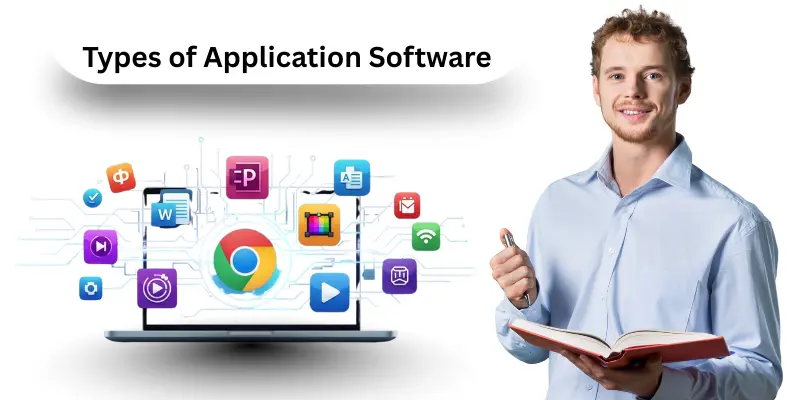
- Productivity Software includes word processors, spreadsheets, and presentation tools. Microsoft 365, Google Workspace, and Apple iWork are the dominant suites. Most now include AI-powered writing and data analysis features built in.
- Web Browsers are the gateway to internet resources. Examples include Google Chrome, Microsoft Edge, Mozilla Firefox, and Safari. Modern browsers incorporate built-in AI assistants and privacy tools.
- Communication and Collaboration Software covers email clients, video conferencing, and team messaging tools. Platforms like Slack, Microsoft Teams, Zoom, and Google Meet are standard in workplaces and schools.
- Database Software allows organisations to store, organise, and retrieve data. Examples include MySQL, Microsoft SQL Server, Oracle, and cloud-based options like Airtable and Firebase.
- Business and Enterprise Software manages large-scale operations. CRM (Customer Relationship Management) tools like Salesforce and ERP (Enterprise Resource Planning) systems like SAP and Oracle NetSuite belong here.
- Educational Software supports formal and informal learning. Platforms like Duolingo, Khan Academy, and Coursera, as well as classroom management tools and AI-powered tutoring apps, fall under this category.
- Multimedia and Content Creation Software enables users to create images, video, audio, and written content. Adobe Creative Cloud (Photoshop, Premiere Pro), Canva, and DaVinci Resolve are widely used examples.
- Entertainment Software includes video games, streaming platforms, and media players. Apps like Netflix, Spotify, Steam, and YouTube are among the most-used applications in the world.
- Healthcare Software manages patient records, appointments, diagnostics, and billing. Examples include Epic Systems, Cerner, and a growing category of AI-assisted diagnostic tools.
- AI-Native Applications are a major new category. These are applications built from the ground up around artificial intelligence, where the AI is not a feature but the core product. Examples include Claude, ChatGPT, Google Gemini, and AI coding tools like GitHub Copilot and Cursor.
- No-Code and Low-Code Platforms allow users with little or no programming experience to build their own applications. Tools like Bubble, Webflow, Glide, and Microsoft Power Apps have made software development accessible to far wider audiences.
- Agentic Software is an emerging category where applications can plan and carry out multi-step tasks autonomously on behalf of users browsing the web, filling forms, booking appointments, and more with minimal human input at each step.
- Cloud Applications (SaaS) are software services accessed entirely through a web browser without local installation. Most modern software is delivered this way, with subscription pricing replacing the traditional one-time licence model.
- Open-Source Software is freely available and modifiable. Examples include LibreOffice, GIMP, VLC, and Linux-based tools. Widely used in education, research, and enterprise environments.
- Custom Applications are built for a specific organisation’s needs, either by in-house developers or third-party firms, rather than sold as a general product.
AI-Powered Application Software
Artificial intelligence has moved from being a premium add-on to the standard architecture of modern application software. Today, virtually every major productivity, business, and communication application includes AI-driven features and an entirely new category of AI-native applications has emerged.
AI-enabled applications are traditional software products that have added AI capabilities on top of existing functionality. Microsoft 365 Copilot, for example, embeds a large language model into Word, Excel, and Outlook allowing users to draft emails, generate slide presentations, summarise documents, and analyse spreadsheet data using natural language prompts.
Google has done the same across its Workspace suite with Gemini. These integrations do not change what the software fundamentally is; they make existing tasks faster and more accessible.
AI-native applications, by contrast, are built from the ground up around AI. Products like Claude, ChatGPT, and Perplexity are not traditional software tools with AI added they are AI first, and everything else follows. These tools can write, reason, analyse, code, and research at a level that previously required specialist professionals.
Agentic software represents the current frontier. Rather than responding to a single prompt or command, agentic applications can plan and execute multi-step tasks autonomously. An agentic app might receive the instruction “book me the cheapest flight to Dubai next month and add it to my calendar”, then carry out the search, comparison, booking, and scheduling without further input.
This shift has significant implications for how users choose and evaluate software. The questions are no longer only “Does this app do what I need?” but also: Does its AI protect my data? Does it produce reliable output? Can I control or audit what the AI does on my behalf?
Examples of Application Software
There are thousands of application software examples across every category. Below are well-known examples organised by type, including tools that have become widely used in recent years.
1. Productivity and Office Suites
- Microsoft 365 (Word, Excel, PowerPoint, Outlook) now includes Microsoft Copilot AI across all apps
- Google Workspace (Docs, Sheets, Slides, Gmail) includes Gemini AI integration
- Apple iWork (Pages, Numbers, Keynote)
- LibreOffice a free, open-source alternative
2. Web Browsers
- Google Chrome, Microsoft Edge, Mozilla Firefox, Apple Safari, Brave
3. Communication and Collaboration
- Slack, Microsoft Teams, Zoom, Google Meet, WhatsApp, Discord
4. AI-Native Applications
- Claude (Anthropic): AI assistant for writing, analysis, and coding
- ChatGPT (OpenAI): conversational AI for productivity and learning
- Google Gemini: AI integrated across Google’s app ecosystem
- GitHub Copilot and Cursor: AI coding assistants used by software developers
5. Design and Content Creation
- Adobe Photoshop, Illustrator, Premiere Pro
- Canva widely used for visual content by non-designers
- Figma UI and product design collaboration
6. Project and Business Management
- Salesforce (CRM), SAP and Oracle NetSuite (ERP)
- Asana, Trello, Notion, Monday.com (project management)
- QuickBooks, Xero (accounting software)
7. Education
- Duolingo (language learning), Khan Academy (general education)
- Coursera and Udemy (online courses), Google Classroom
8. Entertainment and Media
- Netflix, YouTube, Spotify, Steam, VLC Media Player
9. Healthcare
- Epic Systems, Cerner electronic health records
- Teladoc telemedicine platform
10. No-Code/Low-Code Platforms
- Bubble, Webflow, Glide, Microsoft Power Apps, Zapier
So-called killer apps applications so useful they drive people to adopt a device or platform remain important to the software market. AI assistants like ChatGPT have become some of the fastest-adopted applications ever, reaching 100 million users faster than any previous application in history.
Software suites that bundle multiple applications together (Microsoft 365, Google Workspace, Adobe Creative Cloud) continue to offer cost-effective access to a set of integrated tools for both individual and enterprise users.
Advantages and Disadvantages of Application Software
Application software helps users complete tasks quickly and easily. They provide benefits for productivity, learning, entertainment, and business operations. There are also some disadvantages, such as high cost, compatibility issues, and maintenance requirements.
| Advantages of Application Software |
|---|
|
| Disadvantages of Application Software |
|---|
|
Cloud vs. Desktop Application Software
One of the most practical decisions users face when choosing application software is whether to use a cloud-based (SaaS) application or a locally installed desktop application. Both have real advantages and limitations, and the right answer depends on the specific use case.
Cloud-based (SaaS) applications run on remote servers and are accessed through a web browser or a lightweight client app. Examples include Google Docs, Salesforce, Notion, and Canva. Their main advantages are accessibility (available from any device with an internet connection), automatic updates (no manual installation required), and easy collaboration (multiple users can work on the same file simultaneously).
The limitations include dependence on a reliable internet connection, ongoing subscription costs, and potential data privacy concerns files and data are stored on the provider’s servers, not locally.
Desktop applications are installed directly on a computer and run locally. Examples include Adobe Photoshop, AutoCAD, and video editing tools like DaVinci Resolve. Their advantages include faster performance for graphics-intensive work, full functionality without an internet connection, and greater control over where data is stored. Limitations include higher upfront costs, manual updates, and single-device access unless the software includes cloud sync.
Hybrid applications increasingly common today offer the best of both: a locally installed app that syncs with cloud storage, enabling offline functionality and online collaboration simultaneously. Microsoft 365, Adobe Creative Cloud, and Apple’s iWork suite all operate on this model.
For most everyday users, cloud-based SaaS applications are the practical default. They are easier to set up, always up to date, and accessible from any device. For professionals working with large files, sensitive data, or computationally intensive tasks such as 3D rendering or video editing, locally installed or hybrid applications often remain the better choice.
FAQs About Application Software
Many users have questions about application software and how it works. They want to know the differences between app system software and the best ways to choose the right software.
An app is usually a small program for mobile or the web. An application is a complete program that performs tasks for users.
On premise software is installed on a computer or server. Hosted software runs on the cloud and can be accessed online.
Application software performs tasks for users. An application platform provides tools for developers to create applications.
System software manages the hardware and operating system. Application software helps users perform tasks.
Choose software based on your needs, device compatibility, budget and whether it is open-source or proprietary.
AI-enabled applications are existing software products — like Microsoft Word or Google Sheets — that have added AI features on top of their traditional functionality. AI-native applications are built from the ground up around AI, meaning the AI is the product, not an added feature. Examples of AI-native apps include Claude, ChatGPT, and GitHub Copilot.
Most reputable cloud application providers implement strong security measures including encryption, multi-factor authentication, and compliance with international standards like ISO 27001, GDPR, and HIPAA (for healthcare). However, storing data in a cloud application means it resides on the provider’s servers.
Users and organizations handling sensitive data should review the provider’s data residency policies, privacy practices, and compliance certifications before committing to a cloud-based tool. For highly sensitive operations, on-premise or hybrid deployments may be more appropriate.
Agentic software refers to applications that can autonomously plan and complete multi-step tasks on a user’s behalf, rather than simply responding to a single command. For example, an agentic app might research, compare, and book a flight, then update your calendar all from one instruction.
This differs from regular apps, which wait for the user to direct each individual action. Early agentic features are available today in tools like Microsoft Copilot and Google Gemini, with more capable autonomous agents actively being developed.
Conclusion
Application software is important for work, learning and entertainment. They help users perform tasks efficiently. There are many types, such as productivity software, enterprise software, web applications, mobile apps, educational simulations, and entertainment software. Examples include Microsoft Office, Google Chrome, LibreOffice, ERP systems, CRM software, and CAD software. They come as native applications, cloud applications, open-source or proprietary software. Understanding application software helps users make the most of their computers and devices