Personal Computer
Published: 20 Jun 2025
Personal Computer are microcomputers. Computers are everywhere at home for games and at school for learning. Most of these are called personal computers. They are small and smart machines made for one person to use. Microcomputers help us study, work, and enjoy fun activities.
Now, let’s find out what makes microcomputers special. If you want to learn about other kinds of computers, there is a guide you can check.
What is Personal Computer
A personal computer is a machine that one person can use to do many different things. You can write, play games, watch videos, and learn new stuff on it. People use microcomputers at their homes, in schools, and at work.
History of Personal Computers
Long ago, computers were enormous machines that filled entire rooms. Only large companies and scientists could afford or operate them. In the 1970s, the first microcomputers appeared — small enough to sit on a table. Devices like the Apple II and the IBM PC brought computing into homes and offices worldwide.
Through the 1990s and 2000s, personal computers became faster, cheaper, and connected to the internet, changing how people worked, communicated, and learned. Laptops made computing portable, and touchscreens turned tablets into everyday devices.
By the 2020s, a major shift began with the rise of Artificial Intelligence. Today, a new generation of AI PCs computers with a dedicated chip called a Neural Processing Unit (NPU) built directly inside can run intelligent tasks like voice recognition, real-time translation, and AI-assisted writing entirely on the device, without needing the internet.
AI PCs are projected to make up more than 50% of all PC sales by today, marking one of the biggest turning points in the history of personal computing.
Parts of a Personal Computer
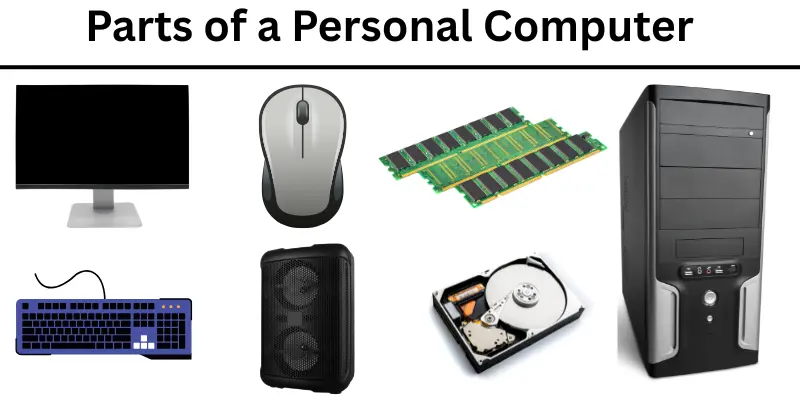
A personal computer has many parts that work together to help it run. Here are the key components:
- Monitor: The screen that shows pictures, text, and video.
- Keyboard: Used to type letters, numbers, and commands.
- Mouse: Helps you point, click, and navigate the screen.
- CPU (Central Processing Unit): The main brain of the computer that handles most tasks.
- NPU (Neural Processing Unit): A newer chip found in modern AI PCs, designed specifically to run artificial intelligence tasks quickly and efficiently without draining battery.
- GPU (Graphics Processing Unit): Handles images, video, and in modern machines, AI workloads. CPUs with integrated graphics like the AMD Ryzen AI Max+ are now challenging traditional discrete GPUs, especially in laptops. Accio
- RAM (Memory): Temporary memory that helps the computer run programs quickly.
- SSD (Solid State Drive): The storage space where your files, photos, and programs are saved. Modern PCs use SSDs instead of older hard drives because they are much faster.
- Power Supply: Provides electricity to all the parts inside.
- Speakers & Microphone: For sound output and voice input, increasingly used with AI assistants.
- Wi-Fi & Bluetooth Chips: Built-in wireless connections found in nearly every modern PC.
Types of Personal Computers
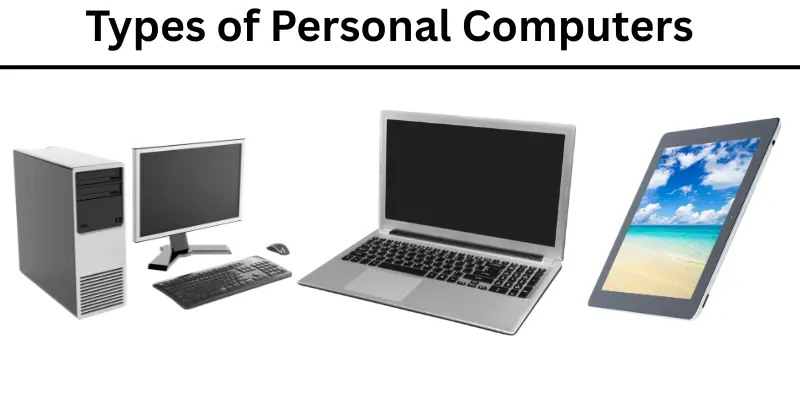
Personal computers come in many forms, each built for different needs and lifestyles. Here are complete 7 types of personal computer included:
- Desktop Computer: Sits on a desk and offers the most power and storage. Popular with gamers, designers, and professionals who need high performance.
- Laptop Computer: Portable and battery-powered. Great for students, remote workers, and travelers.
- 2-in-1 Convertible: A laptop that folds or detaches to work as a tablet. Very popular in schools and for business travel.
- Tablet Computer: A thin, touchscreen device. Lightweight and great for reading, browsing, and video calls.
- All-in-One Computer: The monitor and computer parts are built into one unit, saving desk space.
- Gaming Computer: Specially built with powerful GPUs and fast processors for high-quality gaming.
- AI PC: The newest and fastest-growing type. An AI PC includes a Neural Processing Unit (NPU) integrated directly into its architecture, purpose-built to handle complex machine learning tasks locally on the device making AI features faster, more private, and less dependent on cloud servers.
Uses of Personal Computers
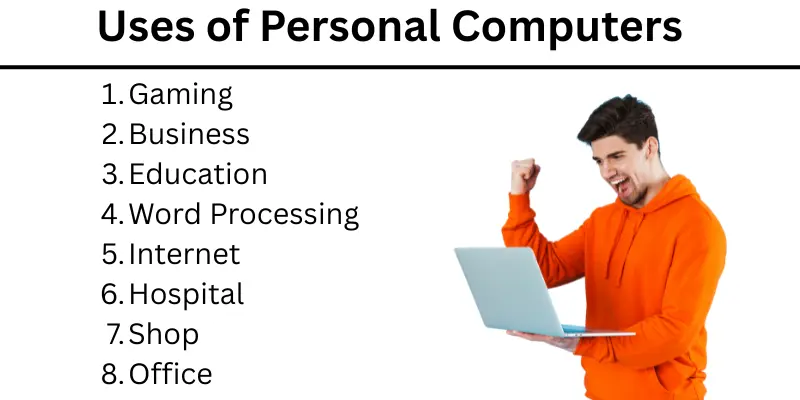
People use personal computers for a wide range of tasks. In today, AI has added many new capabilities to everyday computing:
- Schoolwork and research: Writing essays, solving math problems, and finding information online.
- Working from home: Video meetings, emails, project management, and sharing documents with teams around the world.
- AI-assisted tasks: Writing help, image generation, coding assistance, and real-time language translation using built-in AI tools.
- Creative work: Designing graphics, editing photos and videos, making music, and building websites.
- Gaming and entertainment: Playing games, streaming movies and music, and watching videos.
- Communication: Chatting, video calling, and connecting on social media with friends and family.
- Online learning: Taking courses, watching tutorials, and practicing new skills.
- Health and finance management: Tracking budgets, booking medical appointments, and using health apps.
- Cloud collaboration: Working together on shared documents and files in real time using tools like Google Workspace or Microsoft 365.
How to Take Care of a Personal Computer
Taking care of a microcomputers helps it work better and last longer. Here are some easy ways to keep your computer safe and clean:
- Keep your computer clean by wiping the screen and keyboard gently.
- Always use your computer with clean hands.
- Do not eat or drink near the computer to avoid spills.
- Turn off the computer properly when you finish using it.
- Keep the computer in a cool and dry place.
- Avoid dropping or hitting the computer.
- Use a strong password to keep your computer safe from strangers.
- Update the software regularly to keep the computer running well.
Advantages and Disadvantages of Personal Computer
A microcomputers can help us in many ways, but it also has some problems. Let’s see what good and bad things come with using a personal computer.
| Advantages of Personal Computer |
|---|
|
| Disadvantages of Personal Computer |
|---|
|
Common FAQs about Personal Computer
Here are some common questions many people ask about microcomputers. These answers will help you understand how to use and care for a personal computer easily.
To turn on a microcomputers, press the power button usually found on the front or side of the computer case or laptop.
You can use a microcomputers by using the keyboard to type, the mouse to click, and the screen to see what you are doing.
To connect a computer to the internet, use Wi-Fi or plug in an Ethernet cable into the computer.
To save your work, click on the save button or press Ctrl + S on the keyboard and choose where you want to keep your file.
Use a soft cloth to gently clean the screen and keyboard. Do not use water or liquids directly on the computer.
Install antivirus software and keep it updated. Also, avoid clicking on unknown links or downloads.
An AI PC is a personal computer that includes a built-in Neural Processing Unit (NPU) a special chip designed to run artificial intelligence tasks quickly and privately on the device. It is better for tasks like voice commands, real-time translation, smart photo editing, and AI writing tools because it handles these without needing to send data to the cloud. For everyday tasks, a regular PC still works fine, but AI PCs are becoming the new standard.
No. Microsoft ended support for Windows 10 in October 2025. This means it no longer receives security updates, making it risky to use. If your computer still runs Windows 10, you should upgrade to Windows 11 or consider buying a new PC that meets Windows 11 hardware requirements.
Large tech companies are building massive AI infrastructure data centers filled with powerful GPUs, high-speed memory, and enterprise storage the same components used in consumer PCs. When these companies buy hardware in huge volumes for AI training and cloud computing, it reduces what is available for regular buyers and drives up prices. Graphics cards, RAM, and SSDs have all been affected. Waiting for prices to stabilize or buying mid-range components is a smart strategy right now.
Conclusion
A personal computer is a useful tool that helps us in many ways. It makes learning easier, helps us work faster, and gives us fun with games and videos. Taking good care of it will keep it working well for a long time. Personal computers are important in our daily life.