Is Humidity Bad for Computers? What You Need to Know
Published: 27 Oct 2026
You can protect a computer from spills, viruses, and drops. But the air around it can also damage it, slowly and quietly. Too much moisture can cause rust and short circuits. Too little can cause static shocks that destroy delicate parts.
So, is humidity bad for computers? Yes, extreme humidity can be, whether it is too high or too low. Normal, moderate humidity is fine. This guide explains what goes wrong, what the safe range is, how to spot early warning signs, and how to protect your computer.
What Is Humidity, and Why Does It Matter for Computers?
Humidity is the amount of water vapor in the air. It is usually shown as relative humidity (RH), a percentage. A reading of 50% means the air holds about half the moisture it could hold at that temperature.
Computers are built from metal, plastic, and tiny electronic circuits. Water and electricity do not mix, and static electricity damages circuits just as badly. That is why humidity matters at both ends of the scale.
How High Humidity Affects Computers
High humidity means there is a lot of moisture in the air. Most computers can handle some of it for a short time. Problems build up when it stays high for days or weeks.
1. Corrosion and Rust
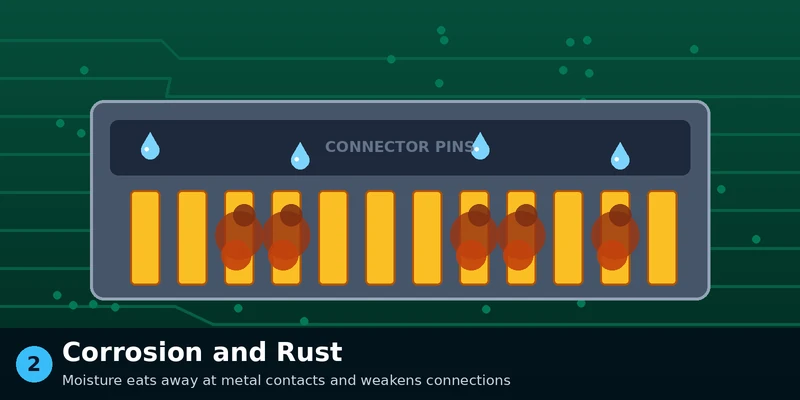
Moisture can settle on metal parts such as connectors, ports, and circuit contacts. Over time this causes corrosion. Corroded contacts conduct electricity poorly, which can lead to random crashes, loose connections, or parts that stop working.
2. Short Circuits

Water on a circuit board can create a path for electricity where it should not go. This can cause a short circuit, which may damage the motherboard, memory, or power supply, sometimes permanently.
3. Condensation

Condensation is when water vapor turns into tiny water droplets on a cool surface. It is the most serious humidity risk. It can form inside your computer, where you cannot see it.
It often happens when a cold computer meets warm, humid air. For example:
- Carrying a laptop from an air-conditioned room into a hot, humid space
- Bringing a laptop in from a cold car or cold outdoors into a warm room
- Turning on a computer that sat in a damp, cold place
The colder the machine and the more humid the air, the higher the risk.
4. Dust That Turns Into Sludge

Dust is common inside computers. When humidity is high, dust absorbs moisture and becomes sticky. It can clog fans and heat sinks, trap heat, and even conduct a little electricity. This raises the risk of overheating and shorts.
5. Mold and Mildew

In very damp rooms, mold can grow on and around equipment. It is more common on keyboards, cables, and stored devices, and it can affect your health too.
How Low Humidity Affects Computers
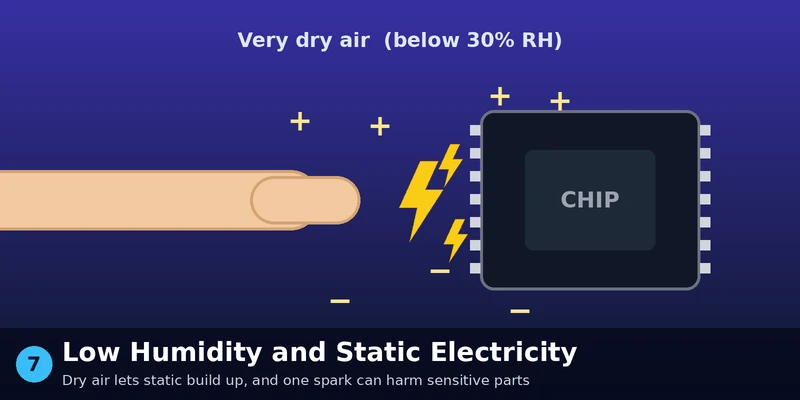
Dry air is not safe either. It is easy to overlook, especially in winter or in rooms with heaters.
1. Static Electricity
When the air is very dry, static builds up easily. You have felt this when you touch a doorknob and get a small shock. If that spark jumps into a computer part, it can damage RAM, processors, or the motherboard. This is called electrostatic discharge (ESD).
The damage is not always obvious. A part may keep working but fail months later.
2. Why This Matters Most When Handling Parts
If you open your computer to upgrade parts or clean it, dry air makes static shocks more likely. Touch a bare metal part of the case first, or use an anti-static wrist strap, to reduce the risk.
What Is the Ideal Humidity for Computers?
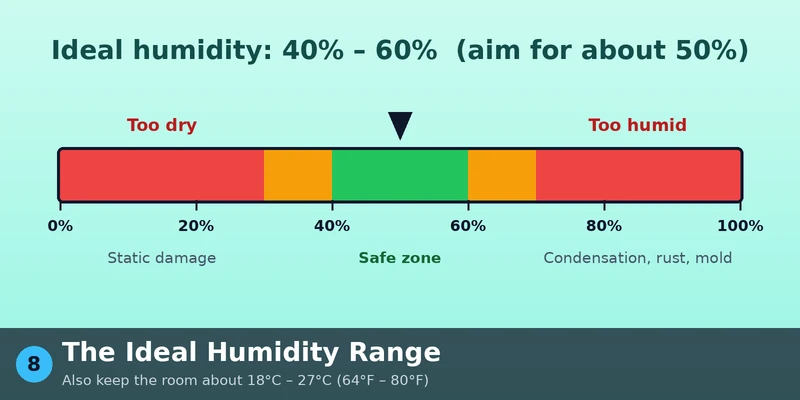
The safest range for most computers is 40% to 60% relative humidity. A level around 45% to 50% is a good target.
Professional guidelines for data centers allow a somewhat wider range, from about 20% to 60% RH, with attention also paid to dew point so that condensation does not form. For a home or office computer, 40% to 60% is a simple and safe goal.
| Humidity Level | Risk to Your Computer |
| Below 30% | Higher risk of static damage |
| 30% to 40% | Slightly dry, usually acceptable |
| 40% to 60% | Ideal range |
| 60% to 70% | Corrosion and dust problems can start over time |
| Above 70% | High risk of condensation, rust, and mold |
Temperature matters too. Computers work best in a room that is roughly 18°C to 27°C (64°F to 80°F). Humidity and temperature work together, so quick changes in either one are riskier than steady conditions.
Warning Signs of Humidity-Related Problems
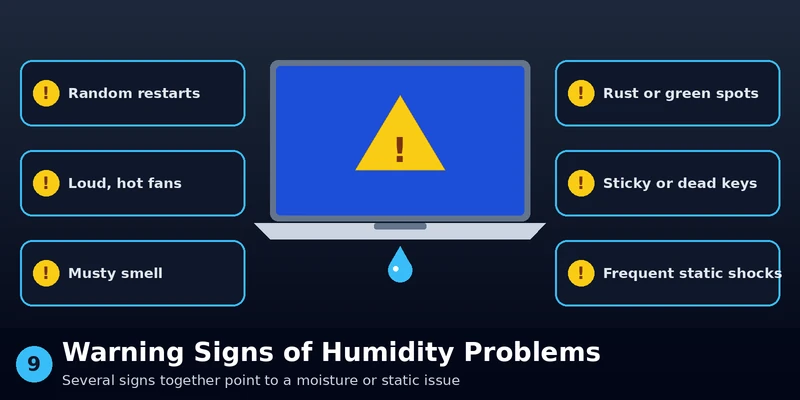
Humidity damage often starts small. Watch for these signs:
- Random restarts or freezes with no clear cause
- Overheating and loud fans, which may point to clogged, damp dust
- Visible moisture or fogging on the screen, vents, or case
- A musty smell coming from the computer or its room
- Rust, white powder, or green spots on ports, screws, or connectors
- Keys or ports that stop responding or work only sometimes
- Frequent static shocks when you touch the computer in dry weather
- Files that become corrupted or errors from a storage drive
One sign alone may have another cause. If you notice several, check the humidity in the room.
How to Protect Your Computer From Humidity
The good news is that protection is simple and inexpensive.
1. Measure the Humidity
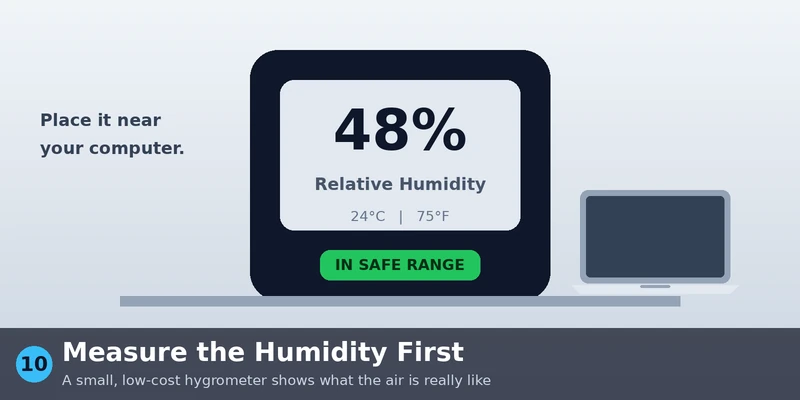
Buy a small hygrometer, a device that reads humidity. Many also show temperature, and they are cheap. Place it near your computer so you know what you are dealing with before anything goes wrong.
2. If Humidity Is Too High
- Use air conditioning. It cools the air and removes moisture.
- Run a dehumidifier in damp rooms such as basements.
- Improve airflow. Open windows when the outdoor air is dry, and use fans.
- Avoid damp spots. Do not put computers near bathrooms, kitchens, laundry areas, or leaky windows.
- Use silica gel packs in laptop bags and storage boxes. They absorb moisture.
- Clean dust regularly. Use compressed air to remove dust from vents and fans.
- Keep air flowing around the computer. Do not cover vents or push the case into a tight, closed cabinet.
3. If Humidity Is Too Low
- Use a humidifier carefully. Keep it at a safe distance from your computer, and do not aim the mist at it. Use distilled or demineralized water so mineral dust does not settle on your devices.
- Avoid synthetic carpets under your desk. They build up static.
- Touch a metal object to discharge static before handling the computer or its parts.
- Use an anti-static wrist strap when working inside the case.
4. Avoid Sudden Temperature Changes
If a computer has been in a cold place, let it warm up to room temperature before you turn it on. Give it at least an hour, or longer after extreme cold. This lets any moisture evaporate safely.
5. Store Computers Properly
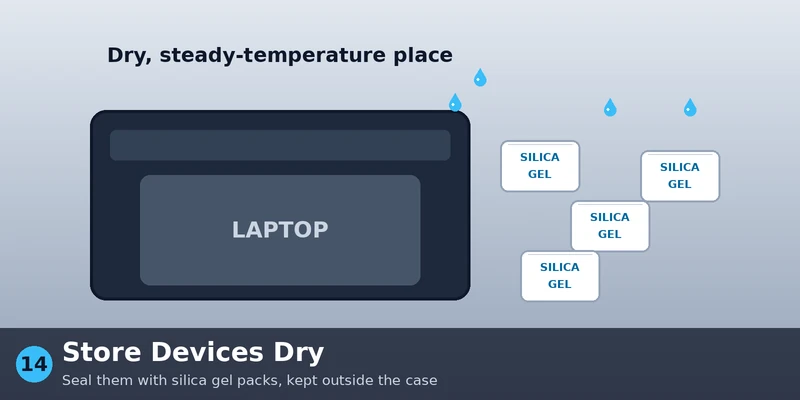
For long-term storage, use a clean, dry place with steady temperature. Seal the device in a bag or box with silica gel packs. Do not store it in a garage, attic, or basement that gets damp.
What to Do If Your Computer Has Been Exposed to Moisture
If you think moisture has reached your computer:
- Turn it off immediately and unplug it. Remove the battery if you can.
- Do not turn it on to “test” it. Power can cause a short circuit if moisture is inside.
- Wipe off any visible water with a dry, soft cloth.
- Let it dry in a cool, dry, well-ventilated place for at least 24 to 48 hours. Do not use a hair dryer or heater, since heat can damage parts.
- Skip the bag of rice. It does not work well and can leave starch dust inside.
- Take it to a technician if it was exposed to a lot of moisture or does not work normally afterward. Professional cleaning can stop corrosion before it spreads.
Frequently Asked Questions About Is Humidity Bad for Computers?
Yes. High humidity can cause condensation, corrosion, and short circuits. Very low humidity increases the risk of static damage. Steady, moderate humidity is safe.
Between 40% and 60% relative humidity is considered safe. Around 45% to 50% is ideal.
Both are affected in similar ways. Laptops are more at risk of sudden condensation because people carry them between different environments, such as cold cars and warm rooms.
Yes, but it needs more care. Use air conditioning or a dehumidifier, clean dust often, and avoid damp spots. Computers in tropical or coastal areas usually last longer with these habits.
Yes, if you place it at a safe distance and do not let mist or damp air blow directly onto the computer. Check the humidity with a hygrometer and stop once it reaches about 50%.
Indirectly, yes. High humidity makes dust sticky, and that dust can block fans and vents. Less airflow means more heat.
It depends. Condensation can cause harm within minutes. Corrosion from constant high humidity usually builds up over weeks or months.
No. Put silica gel near the computer, in a bag, case, or storage box, but do not place packs inside the case. They can leave residue or touch parts.
Yes. Dry air lets static build up, and a static spark can damage components. This is most likely when you handle parts directly.
Turn it off, unplug it, wipe the outside, and let it dry in a cool, ventilated place for at least a day before using it again.
Conclusion
Yes, humidity can be bad for computers when it is too high or too low. High humidity leads to condensation, rust, sticky dust, and short circuits. Very low humidity increases static electricity that can quietly damage components. Moderate humidity, between 40% and 60%, is safe and keeps your computer in good condition.
The fix is simple. Measure the humidity with a hygrometer, use air conditioning or a dehumidifier in damp rooms, add a humidifier only if the air is very dry, keep dust under control, and let your computer adjust to the room before turning it on after a big temperature change. A few small habits will help your computer last for years.